
How to export raw data?
If you want to export survey results so that respondents are in each row and their answers are in the columns, examine response times, etc., you need raw data.
You can download raw data in the Results tab --> Completions --> Download raw data
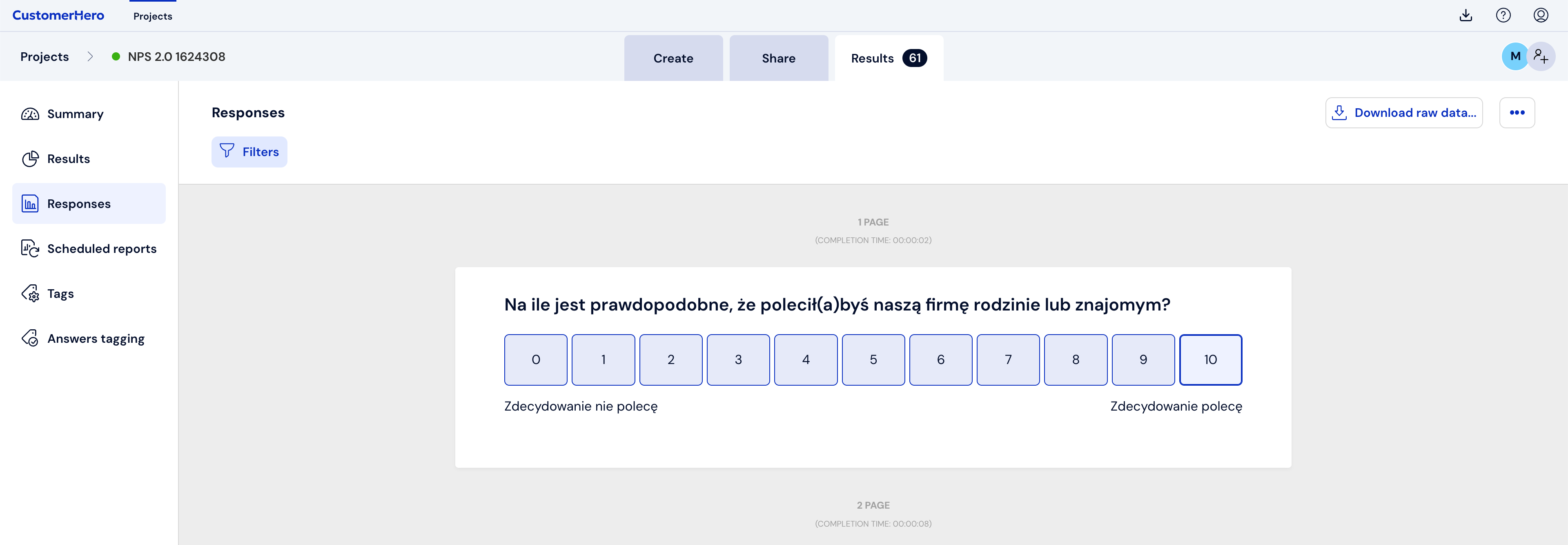
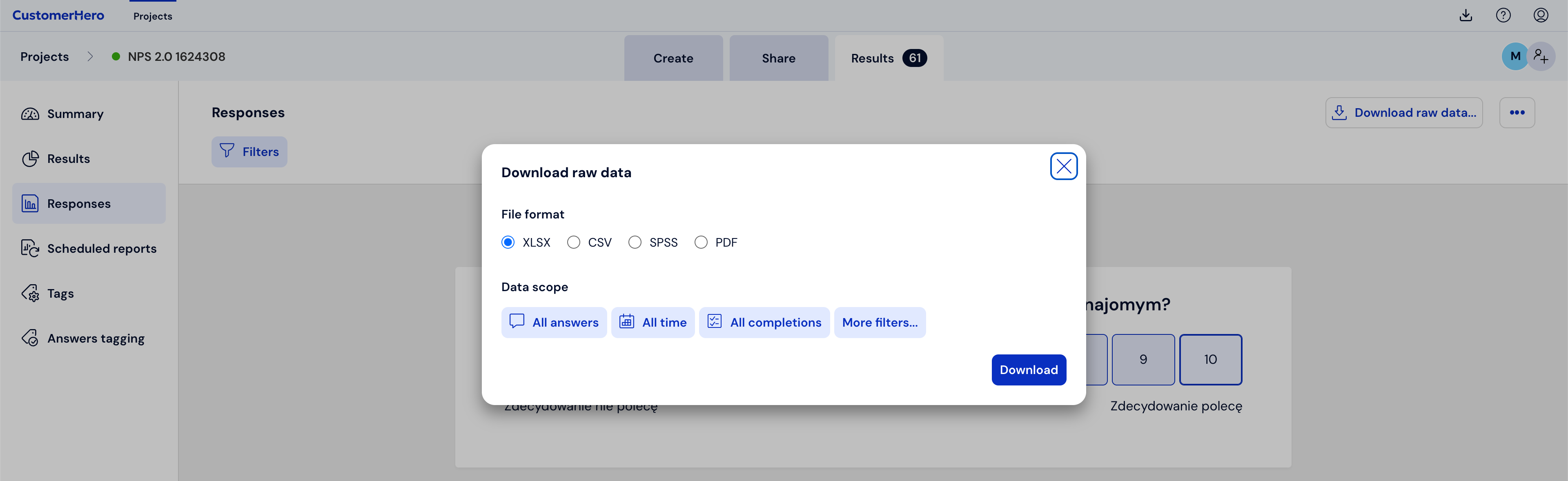
You can choose the range of data you want to download. Downloading data is available for selected responses or for a specific period when the survey was completed.
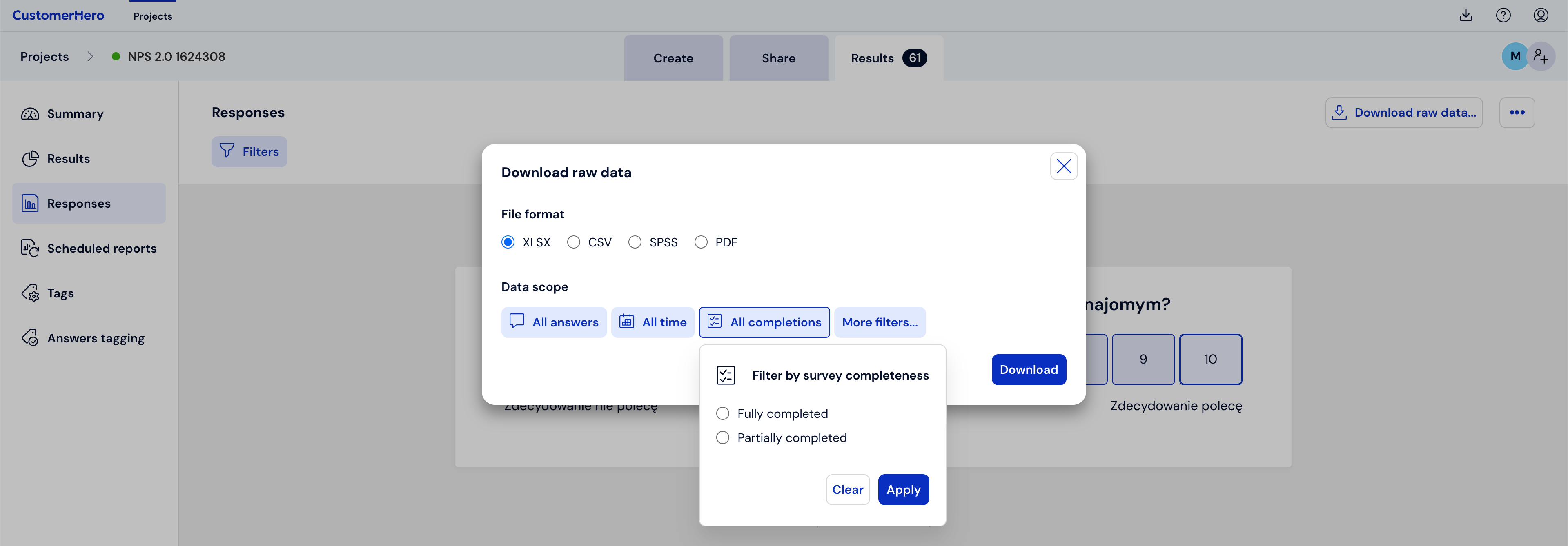
After clicking All completions, you can choose whether you want to download only completed or only incomplete completions.
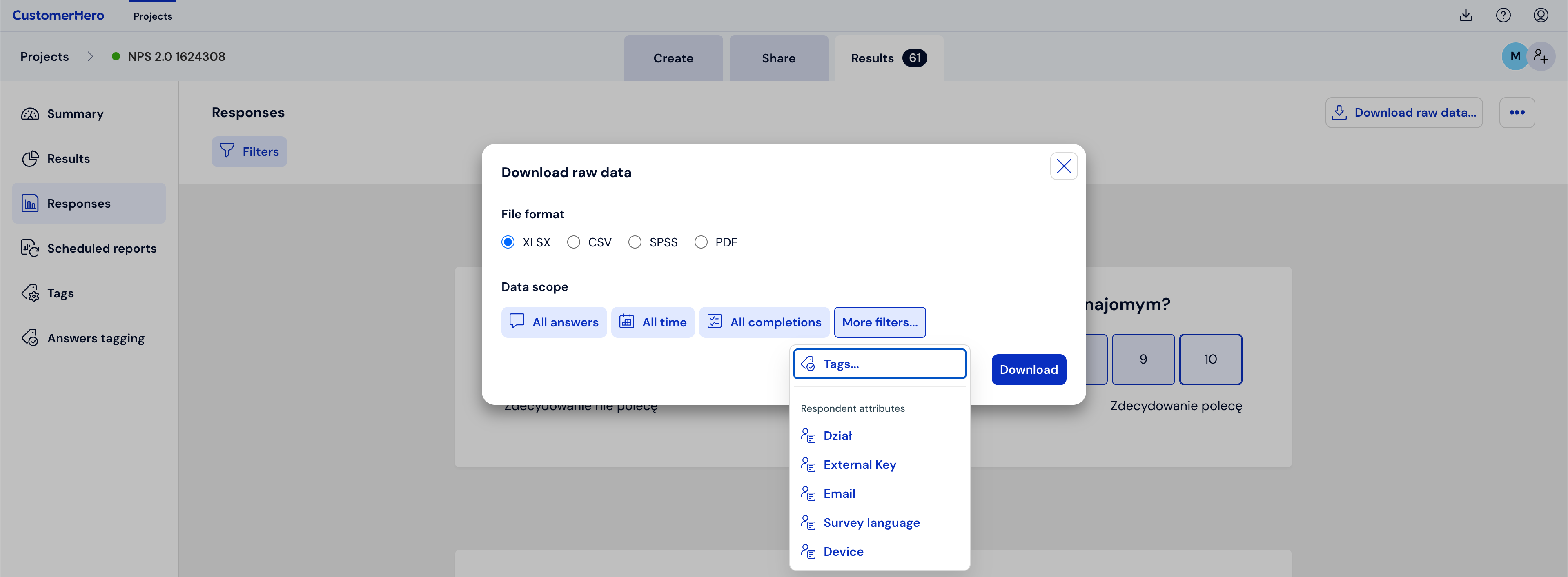
In the More filters tab, filtering results by created tags, respondent attributes, or the External Key parameter is also available.
The available file formats to choose from are: XLSX and CSV, SPSS, and PDF.
Once generated, the report will be located in Downloaded files.
