
Removing incorrect survey completions (jokes, mistakes)
Not every respondent approaches filling out a survey diligently, so sometimes it is necessary to delete such a completion or correct the answers. This allows for the creation of reliable data analyses in the next steps, and thus leads to the validation of the survey results. Incorrect completions include, among others, jokes, incomprehensible, or incomplete content.
How to delete incorrect completions?
Click Results, and then Completions.
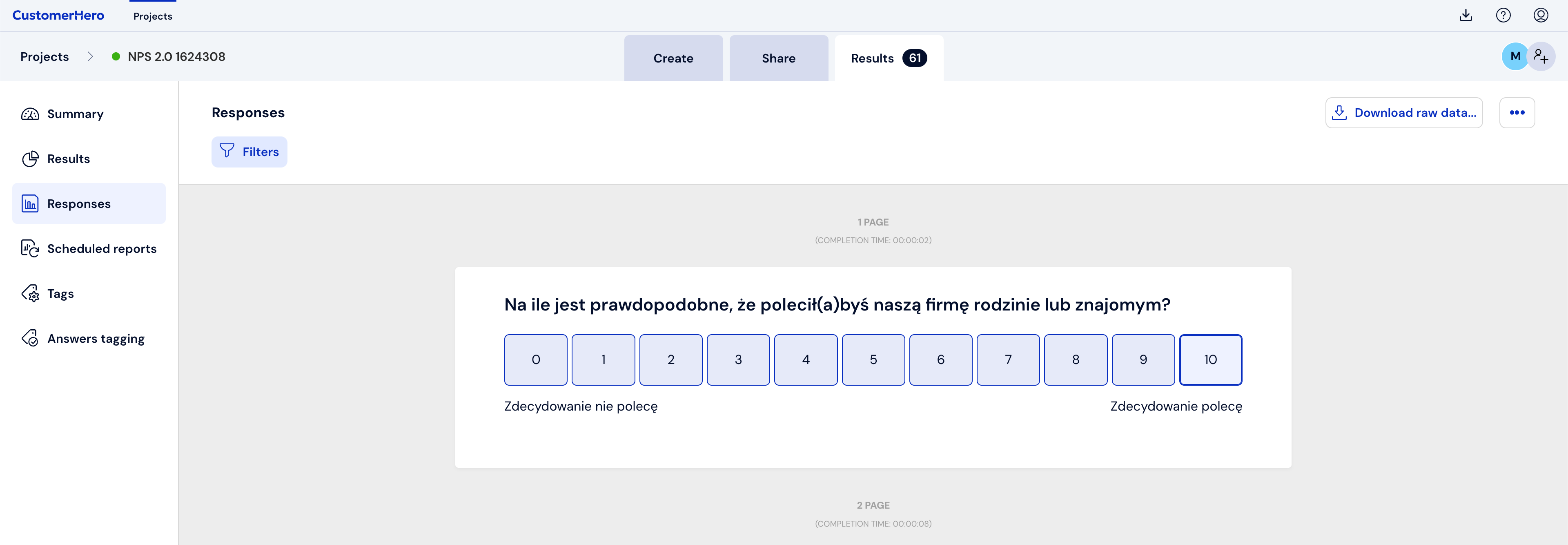
Select the sheet to be deleted by flipping through individual completions using the Previous or Next button, or by expanding the list and clicking on the appropriate completion number.
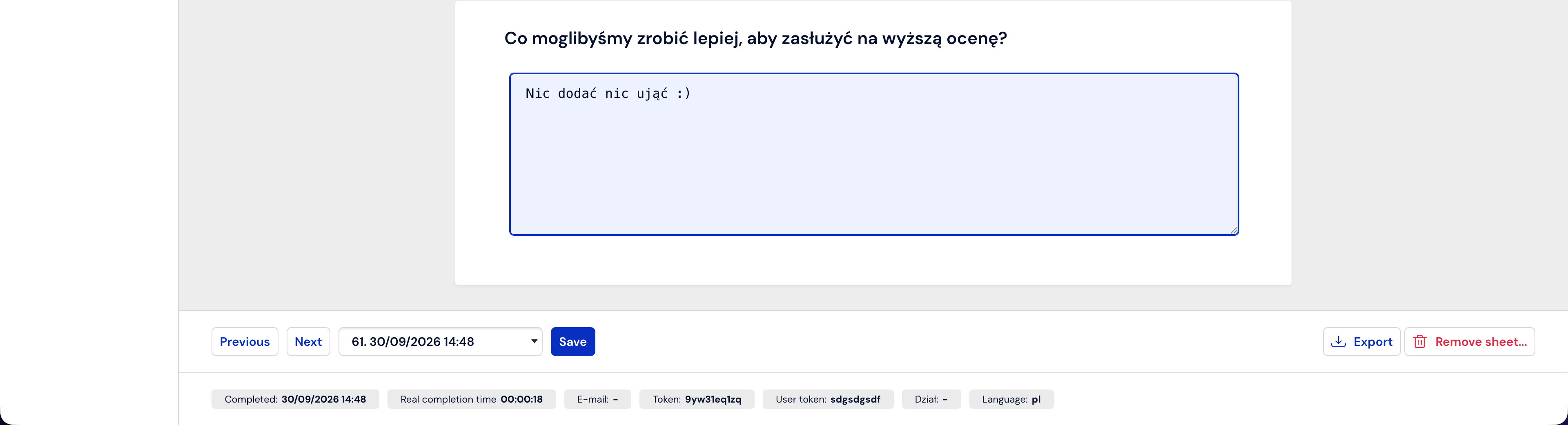
To delete the currently viewed sheet (and therefore the one whose number we have selected), click Delete sheet.

How to change incorrect completions?
To edit a single completion due to, e.g., a spelling mistake that does not look professional in the results you export, first go to the Results tab, then select the Completions option, find the specific completion using the Previous or Next button, or using the drop-down list.
When you find a single completion with an error, simply correct it by typing the correct form.
In order for the changes made to a single completion to be remembered, you must change the required content, and then save it. To do this, click Save.
What is worth remembering?
We can delete completions at any time during the survey, as well as after it has ended.
Deleting unreliable or incompletely filled out questionnaires is essential to obtain reliable survey results.
Changing answers in a questionnaire allows for the unification of answers in open-ended questions or the correction of typos. E.g.: Warsaw, warsaw, WARSAW, Warsaaw