
How to enter answers selected by respondent in other question?
Adding a selected answer in the question or answer content
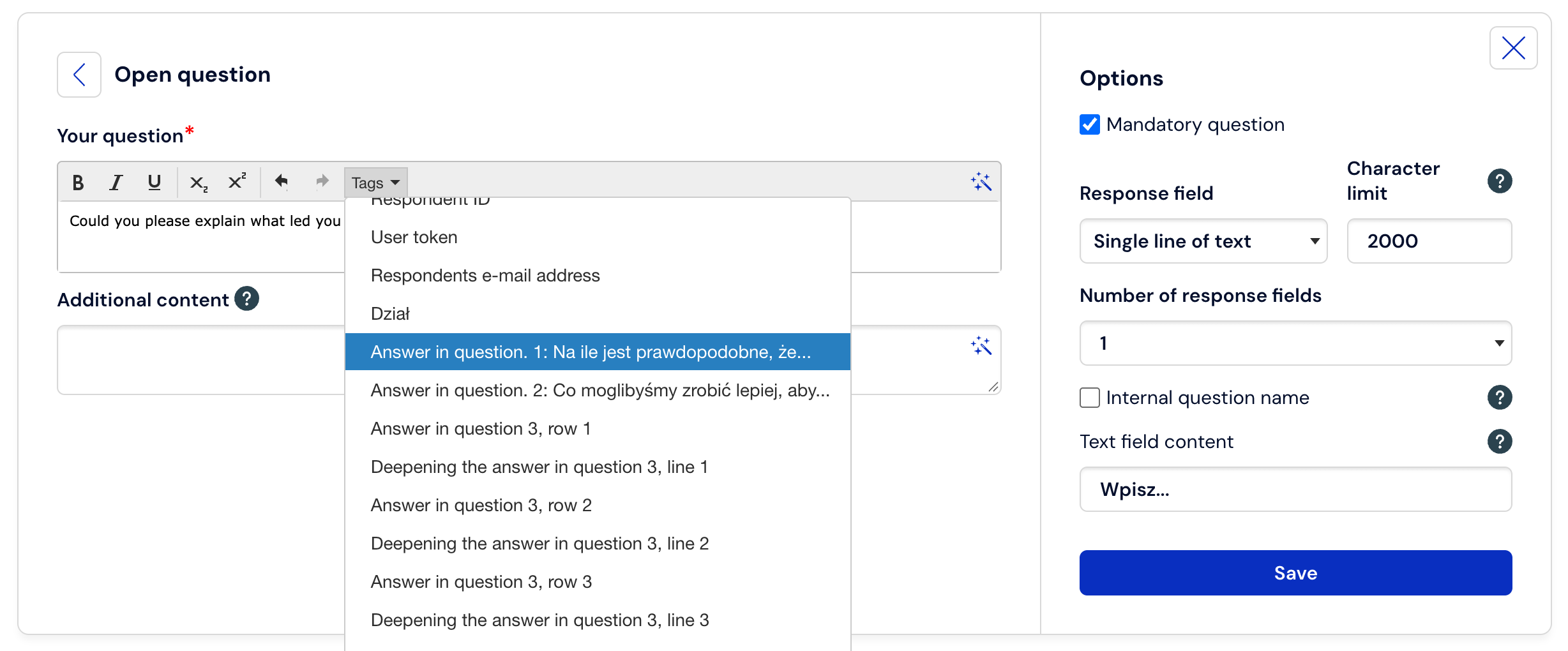
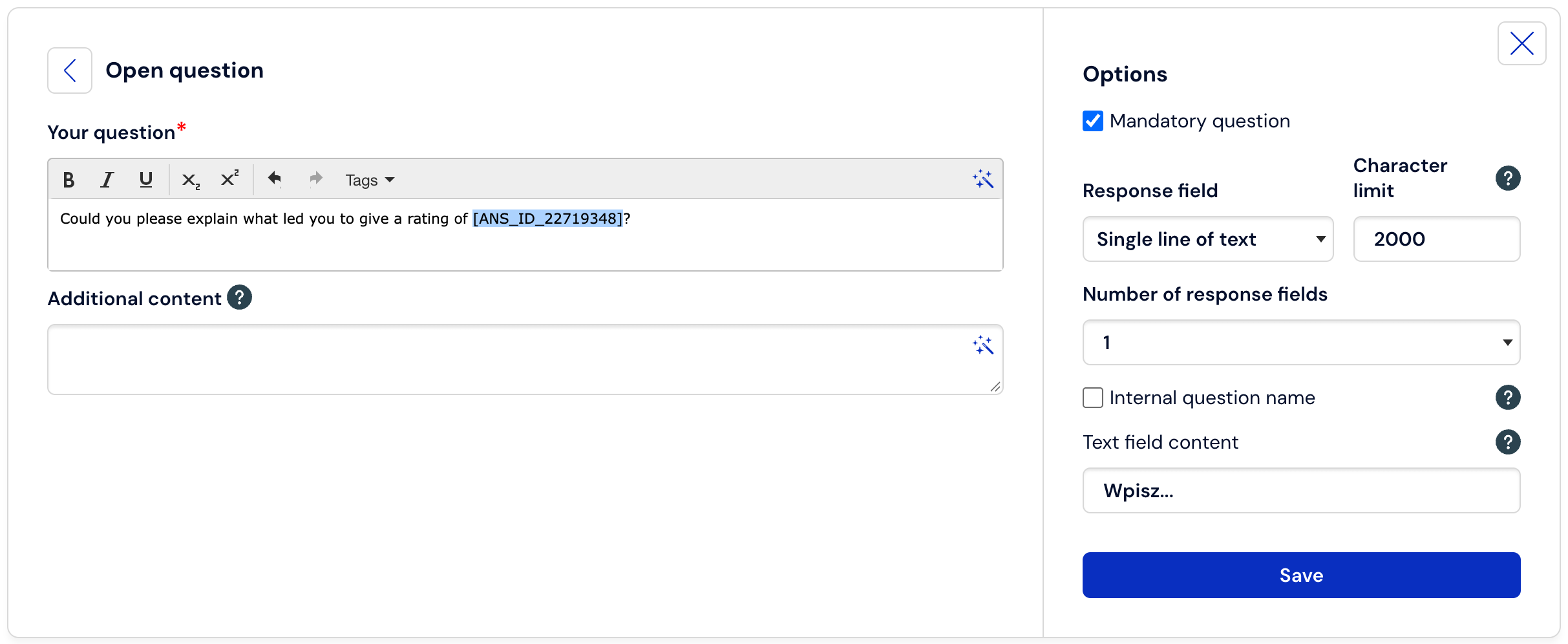
If we want the respondent's answer given in a previous question to appear in the question content, we must use the Dynamic content option, which you will find in the question creation mode in the advanced text editor.
After selecting the button, a drop-down list will expand and in it you will find a macro, e.g.: Answer in q1...
Inserting selected or unselected answers into the list of choices of the next question.
In addition to the above method, we also have the possibility to dynamically insert all selected or unselected answers from the previous question. To do this, go to the question creation mode, e.g., a single-choice question.
Then, below the fields for entering answers, select the option Insert dynamic answers:
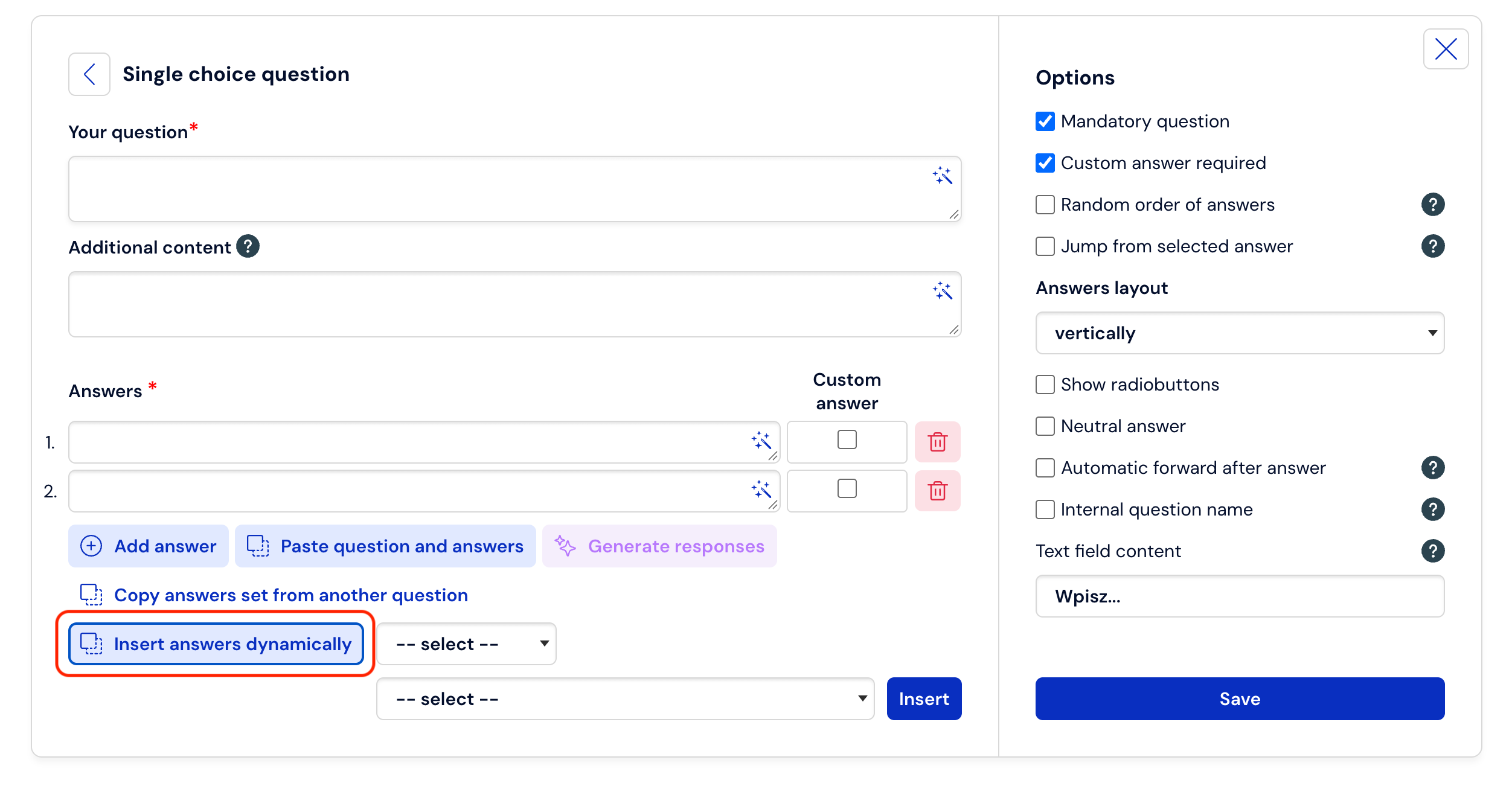
Next, we determine whether we want to insert selected or unselected answers.

and we indicate the question number from which the answers are to be inserted.

Finally, we select the Insert. button.
Important:
For dynamic answer insertion to work correctly, both questions must be placed on separate pages.
The Insert dynamically from previous questions option only works for specific types of questions. You will not be able to insert answers from questions that are single-choice questions.