
AI Answer Options
Creating professional questionnaires takes time, and choosing the right response scale can be a challenge even for experienced researchers. We want to make this process as easy and fast as possible, which is why we are introducing an artificial intelligence-based novelty to the Webankieta platform – the “Generate answers” feature.
From now on, our AI assistant can take on the role of your personal quantitative research methodology expert and automatically propose optimal answer variants for your questions.
How does it work?
The new feature is already available in the questionnaire editor for the two most popular question types:
Single-choice questions
Multiple-choice questions
To use it, simply type the question text into the appropriate field and then click the new, purple “✨ Generate answers” button visible right below the answer fields.
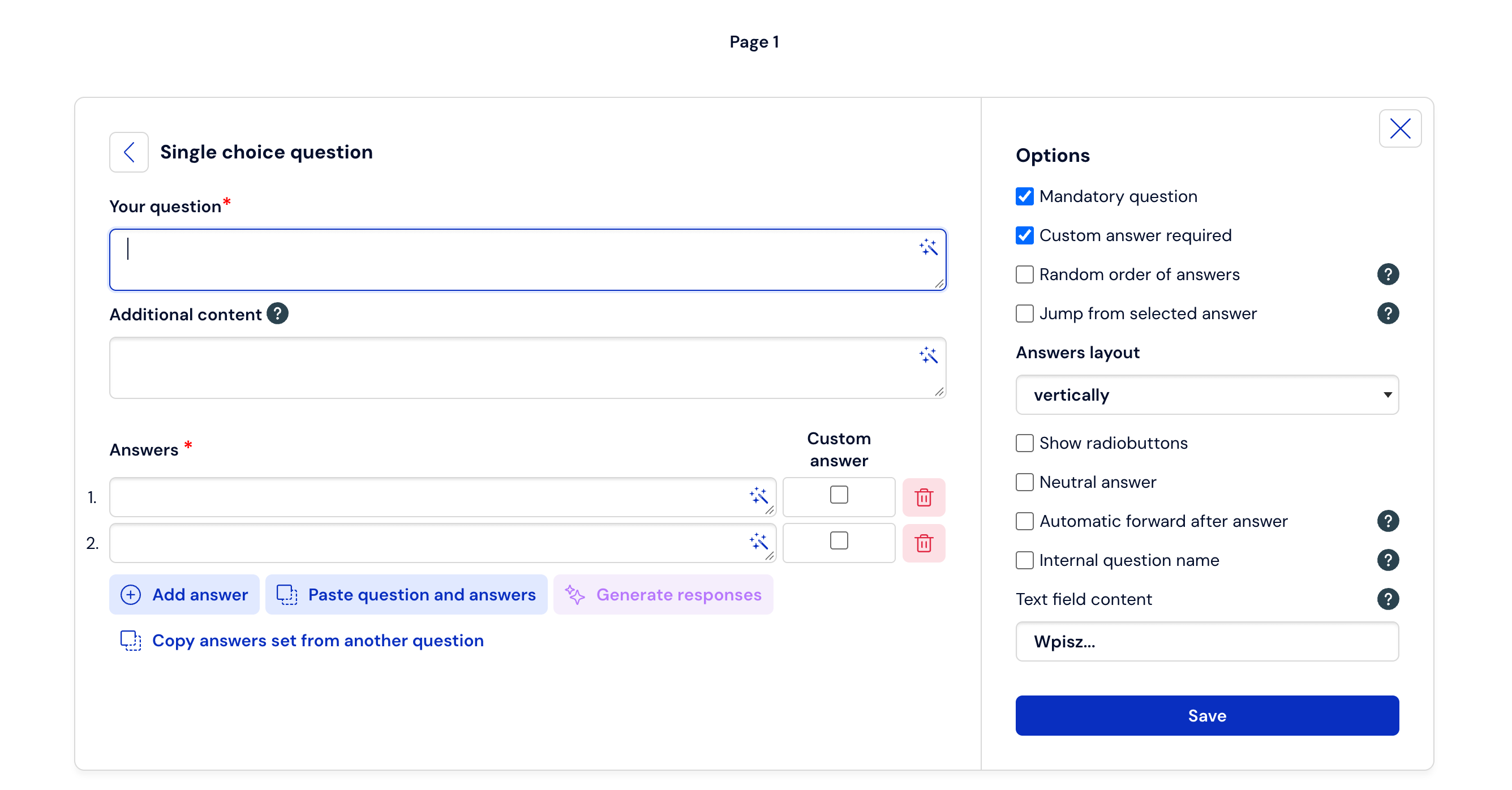
Artificial intelligence will analyze the context of your question and propose a balanced set of options in a few seconds. Our model has been instructed to provide options that are:
Professional and neutral – we avoid colloquialisms and bias.
Mutually exclusive – so that the respondent has no doubts about what to select.
Balanced – the system is great at creating classic research scales (e.g., the Likert scale), adjusting them to the given question.
As a standard, the system generates 3 to 5 short answers that best fit the given problem, which allows maintaining high quality and readability of the survey.
What must you remember? Limitations and security
We care about transparency, which is why when implementing AI-based solutions, we have introduced specific rules and limitations that you should know about before using the new feature.
1. Replacing current answers
Using the “Generate answers” button will replace (overwrite) all answers that you have manually added to the given question so far. Use this option at the beginning of creating a question or when you want to completely change the current scale.
2. Protection of personal and sensitive data
Answers are generated using a secure connection with the GPT model from OpenAI. However, remember the privacy rules: do not enter personal data (e.g., first names, last names) or sensitive data into the question text, unless you have an appropriate, documented legal basis for doing so.
3. Quality and security filters
Our AI assistant is an expert focused exclusively on research. We have built strict filters into it:
If the entered text is not a question or is incomprehensible, the assistant will not generate an answer.
The system completely ignores and blocks attempts to introduce profanity, offensive content, or programming code.
Artificial intelligence will not exceed the limit of 20 answer variants per question (although in 99% of cases it will propose a few – the most optimal ones for the respondent).
Test it in practice!
The new feature is a perfect solution when you have a question in mind but lack ideas for comprehensive answer variants. Log in to your account at CustomerHero.com, create a choice question, and let AI prepare a set of answers for you.