
Internal (system) name of the question
The name we give to a question when creating a questionnaire is of key importance. A well-asked question can encourage a respondent to answer, and the way we construct it can affect the response. However, a question that has been thoughtfully asked to the respondent will not necessarily prove useful when analyzing the results.
That is why CustomerHero offers users a new feature: an internal/system question name. It allows changing the content of the question for the purposes of exports:
Raw data in XLSX format.
Raw data in CSV format.
SPSS.
How to add an internal question name?
For every question we add to our survey, there is an option called "Set system question name". When creating or editing a question, we can decide to turn it on or off. Simply edit or create a new question in the "Creation" tab, and then select the option available at the very bottom, on the right side.
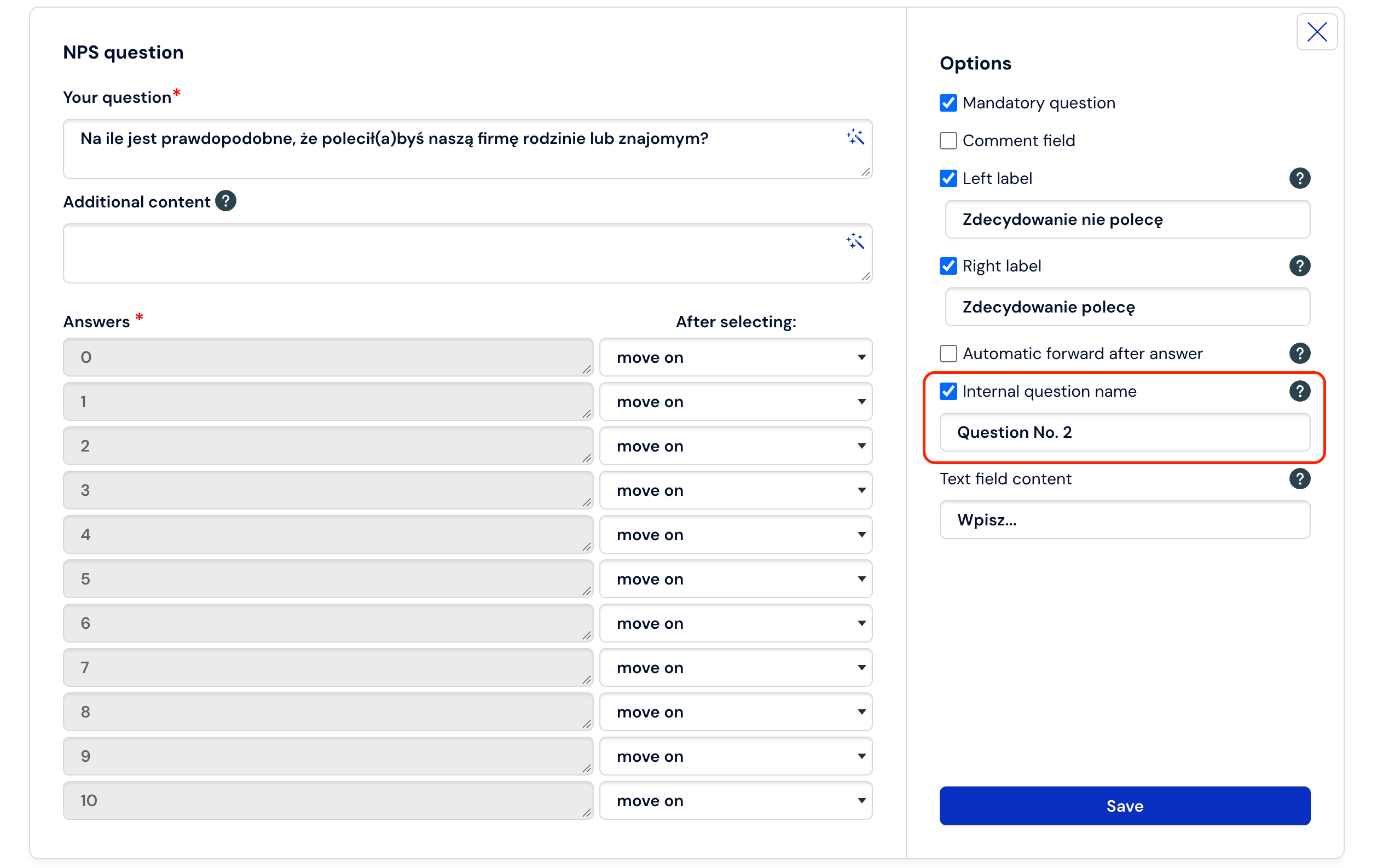
After enabling this option, the default content is: "Question no. X", where X is the question number in the survey. Please note that the question number is substituted automatically during saving, so changing the order of questions will not affect the previously saved value.
In what types of questions is it possible to add an internal name?
The new feature applies to all question types available in CustomerHero except:
Questions related to the GDPR clause - it is created dynamically, through the survey settings, so it is not possible to change the content of this question during export.
Text/Text block type question – the question is not displayed at all during data export – so it is impossible to set an internal question name.
Visibility of the system question name in the API
The internal, system question name is also available in API responses. Thanks to this, customers who manage multiple surveys can standardize questions across different projects, easily combine results from different surveys and analyze them collectively. In responses to API operations regarding questions (downloading questions or survey results), a new field containing this name appears, according to the response structure described in the documentation: Questions and Results. Thanks to this, integrations with external systems become more consistent and allow for effective analysis of data from multiple sources.
Worth remembering:
If someone copies a question or a page in which questions have a custom internal name set, the new (copied) question will inherit these settings. Therefore, their name will sound identical.