
Commenting on or deepening the answer
This feature allows the respondent to refer to their answer, expand on it, or comment on it. Thus, apart from quantitative results, we also obtain qualitative results, providing a more in-depth picture of the researched area.
Where can we use expanding and justifying a given answer?
In a single-choice and multiple-choice question, you can use answer expansion. We then add an answer of the type: "other, please specify"
The same type of answer expansion can be used for answers in a single-choice matrix question and a multiple-choice matrix question.
Justification of a given answer can only be used in a single-choice matrix question.
How to allow respondents to expand their answers?
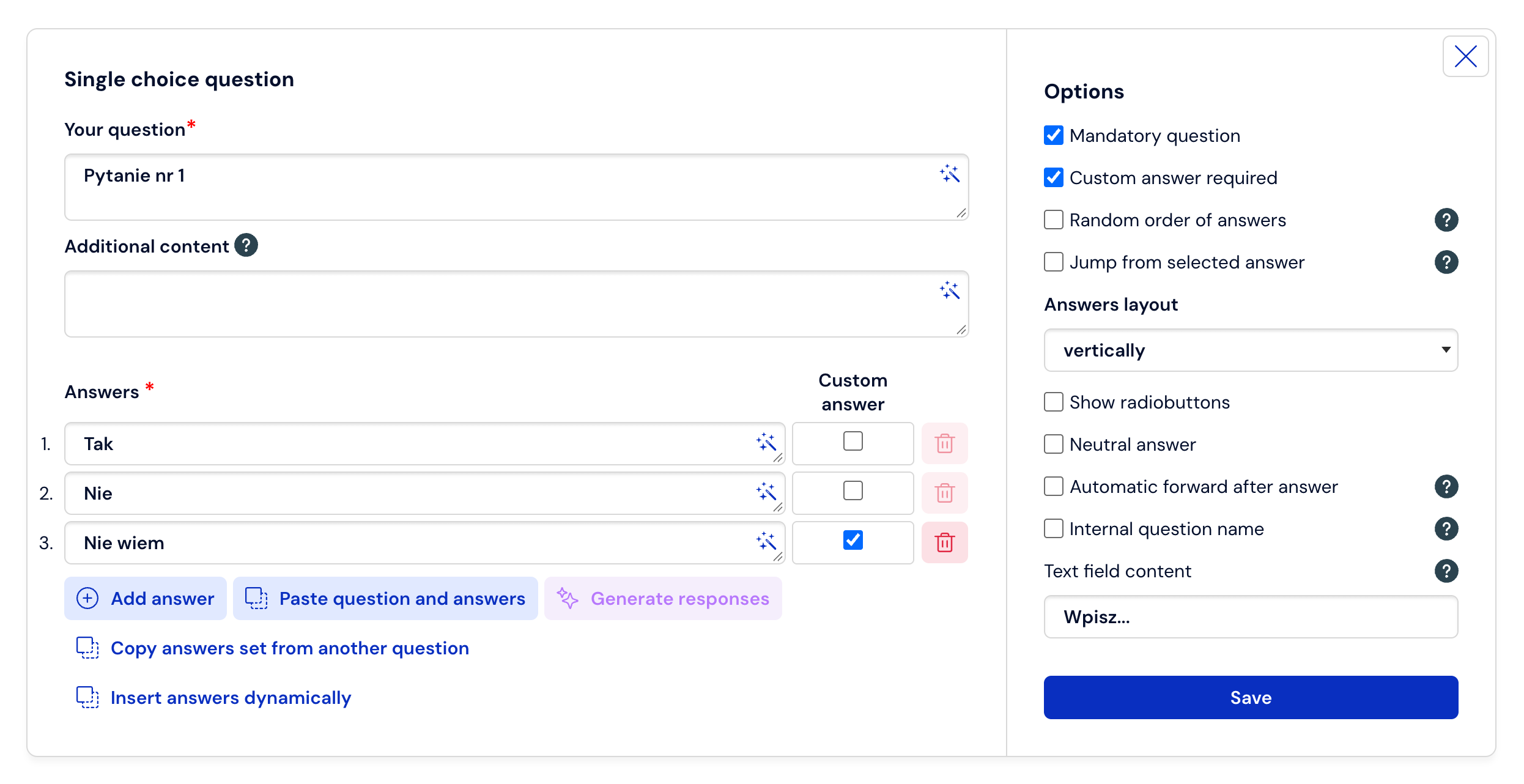
When adding a question (See how to add a question) check the box in the form field: Custom answer. Add this option to those items about which the respondent will be able to elaborate more when completing the survey.
You can decide that entering a custom answer in the expansion will be mandatory. You check this option on the right side.
Confirm the changes by clicking Save or cancel this step by selecting X.
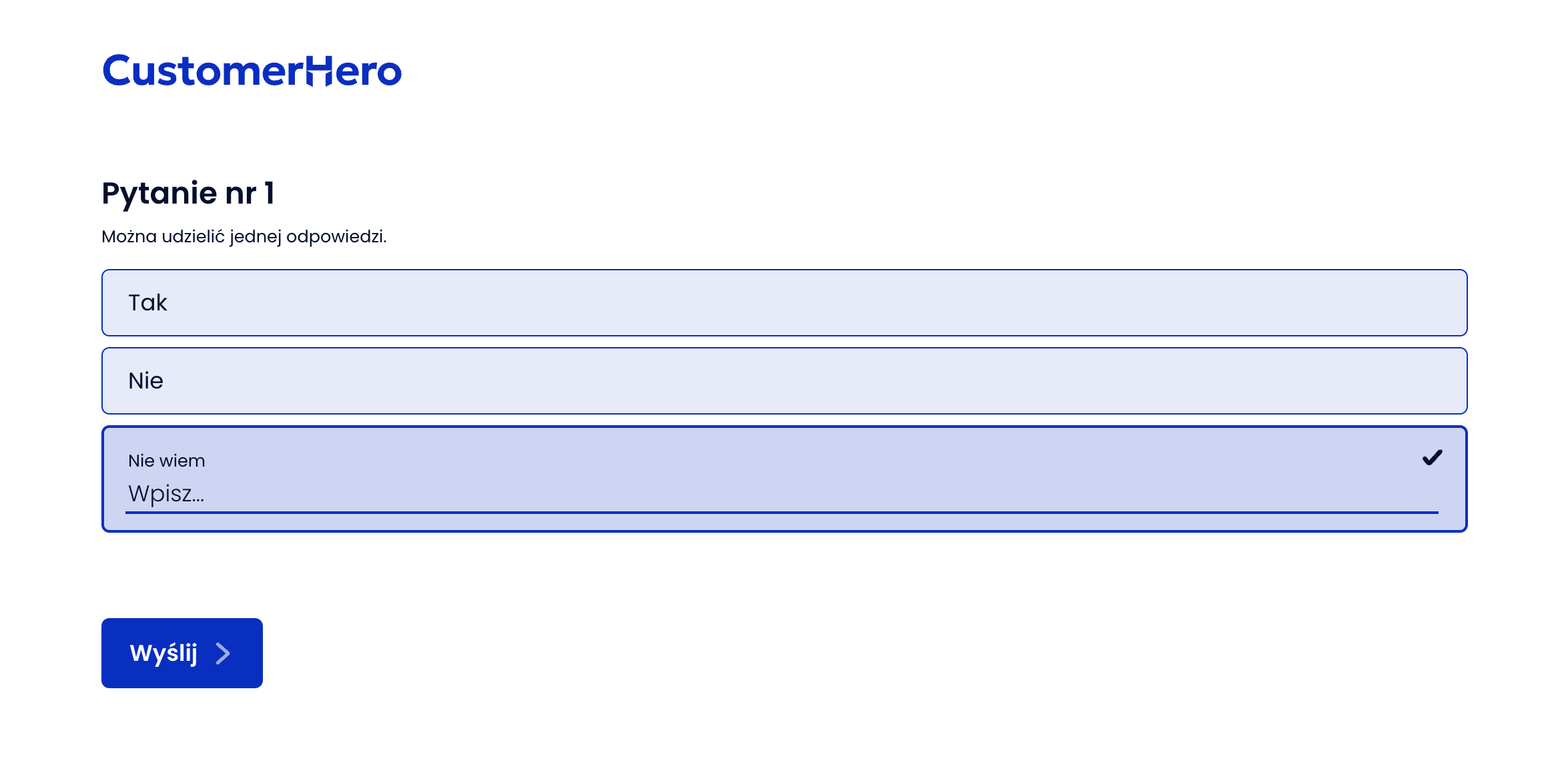
After making the above changes, respondents when answering a given question have the opportunity to expand on it by entering their comment to the given answer in the form field.
How to allow respondents to justify their answers?
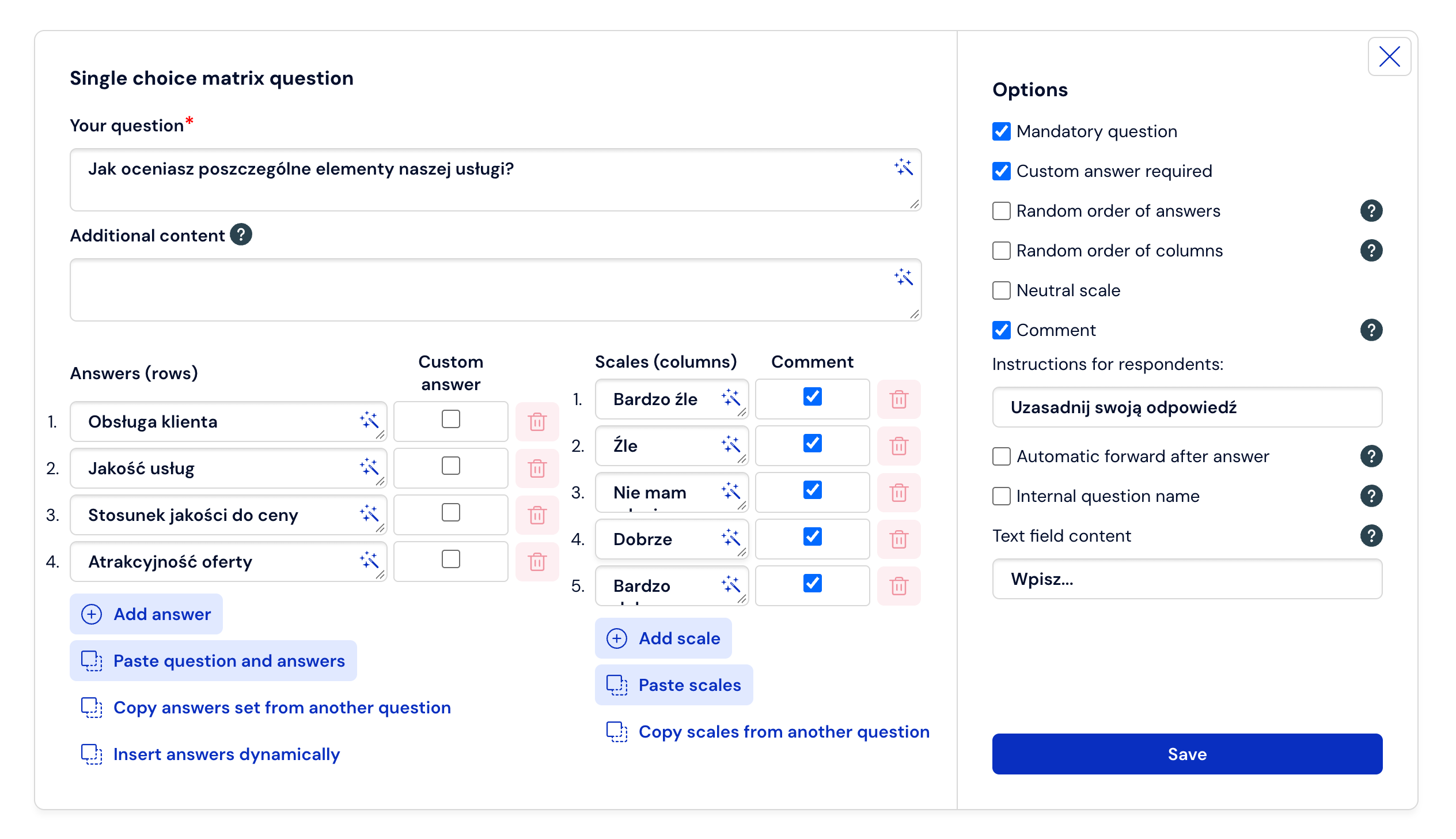
In the editing of a single-choice matrix question, in the form section Additional options, option no. 6 – Possibility to expand or justify the answer.
In the form field Instruction for the respondent, enter the information that will appear when providing an expanded answer.
Check the items about which the respondent will be able to elaborate more when completing the survey.
In the Additional options section, you can check that entering a custom answer will be mandatory.
Confirm the changes by clicking Save.
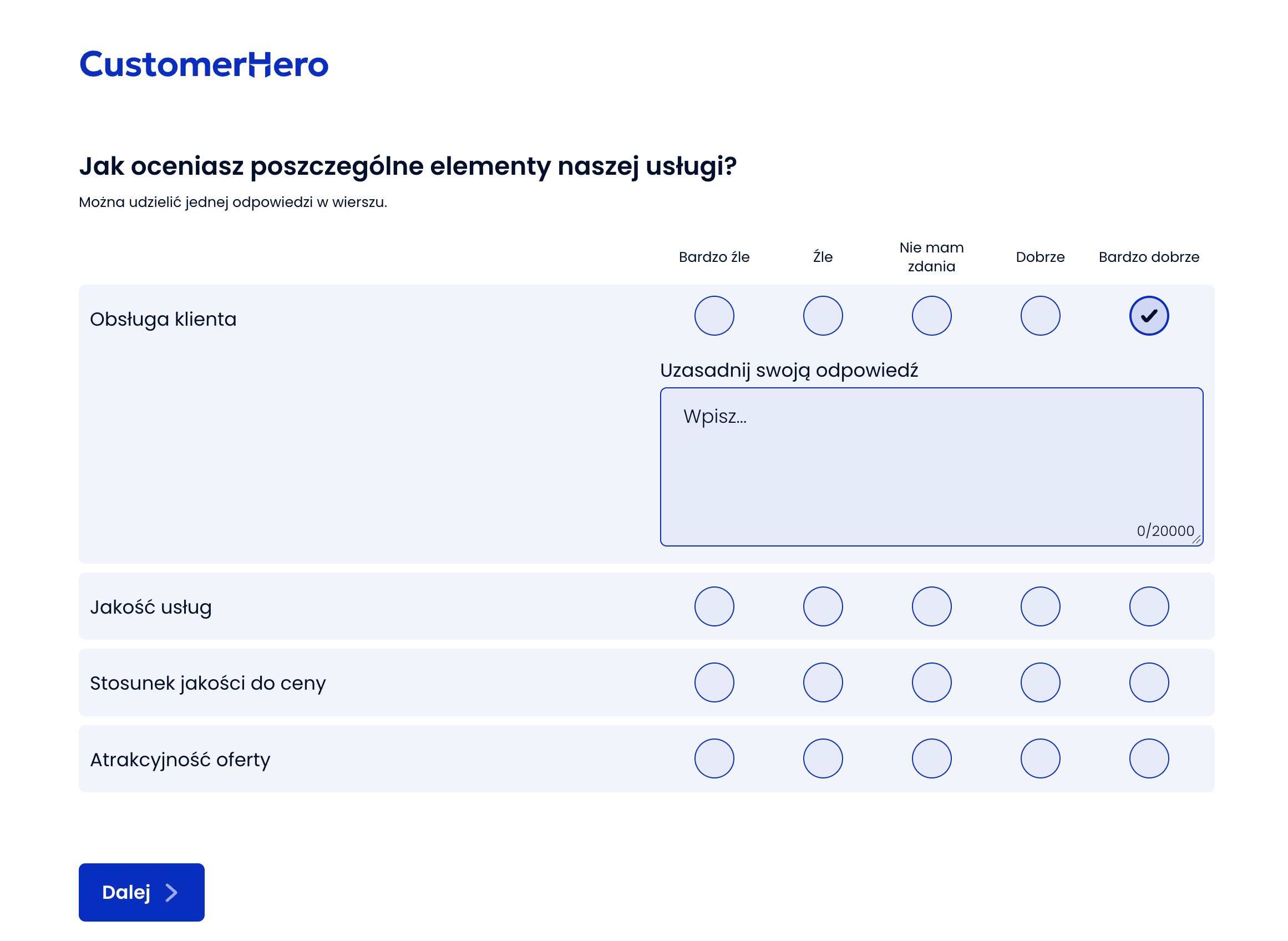
As a result of the introduced changes, the respondent when answering will be able to refer to them in accordance with the provided instruction, in the form field.
What is worth remembering?
We can allow the respondent to expand on only one, most interesting to us answer from those available to choose from, or any of the possible alternatives.
An additional option is the possibility to enforce the mandatory nature of the expansion.
The possibility for respondents to expand their answers is available only for closed single-choice and multiple-choice questions, as well as single-choice matrix questions.
Adding the ability to expand answers can take place during the creation of a question, or after it is finished, upon re-editing.
You can simultaneously apply an answer expansion and justification in a single single-choice matrix question.