
Introduction to the survey
People who create surveys usually care about having as many respondents as possible take part in the study. To make this happen, they need to be properly encouraged. Key factors include the length of the form, an aesthetic and orderly appearance of the survey, and above all – the survey introduction. This is the place where, just like in a survey invitation, you present the reasons for conducting the study and convince respondents that it is worth taking part in it.
Encouraging participation is just one of the functions of a survey or form introduction. This part of online research is also used to:
determine the purpose of the survey,
introduce the researcher or institution conducting the study,
in case of complex questionnaires – explain how to complete the survey (short instruction),
specify how much time the respondent will have to spend filling out the form,
ensure anonymity,
determine what the study results will be used for and where they will be published.
How to write a survey introduction?
We already know that the introduction is the showcase of the survey, on which the respondent's attention is primarily focused. The question is: how to write it? Below we present examples of introduction texts for surveys or forms that we created for the needs of research conducted by the CustomerHero team.
Take care of the style
You cannot allow spelling or linguistic errors to appear in the survey introduction! After all, it's the showcase of your research. Here are some tips on the style and appearance of the survey introduction:
greet the respondent, e.g., Dear Sir/Madam, Dear Colleagues,
divide the introduction into a few paragraphs, even if the text is not long,
apply line spacing and justify the text – it will look much more aesthetic,
don't forget to thank them for their time or attention,
do not artificially lengthen it – the introduction should be contained in 2-3 short paragraphs,
finally, check the text for spelling mistakes, capital letters, or typos.
A survey introduction is not just text!
What and how you write is the most important thing in the introduction. However, eye-catching graphics for the respondent are also welcome. Remember, though, that more does not always mean better. Due to limited space, you cannot overdo the number of images. Of course – graphics must be matched to the survey topic. Are you creating a sports survey? Insert photos of athletes. Are you asking respondents about healthy eating? The introduction can include a graphic with a basket full of apples.
You probably already understand what it's about. If the survey concerns your company, the introduction is a great place to insert a logo or a photo of the headquarters. You can also ensure that the color scheme of the entire questionnaire is kept in the same tone as, for example, your website or company logo.
Basically, such an introduction is very similar to the invitation sent to the respondent's e-mail.
What can a survey introduction look like?
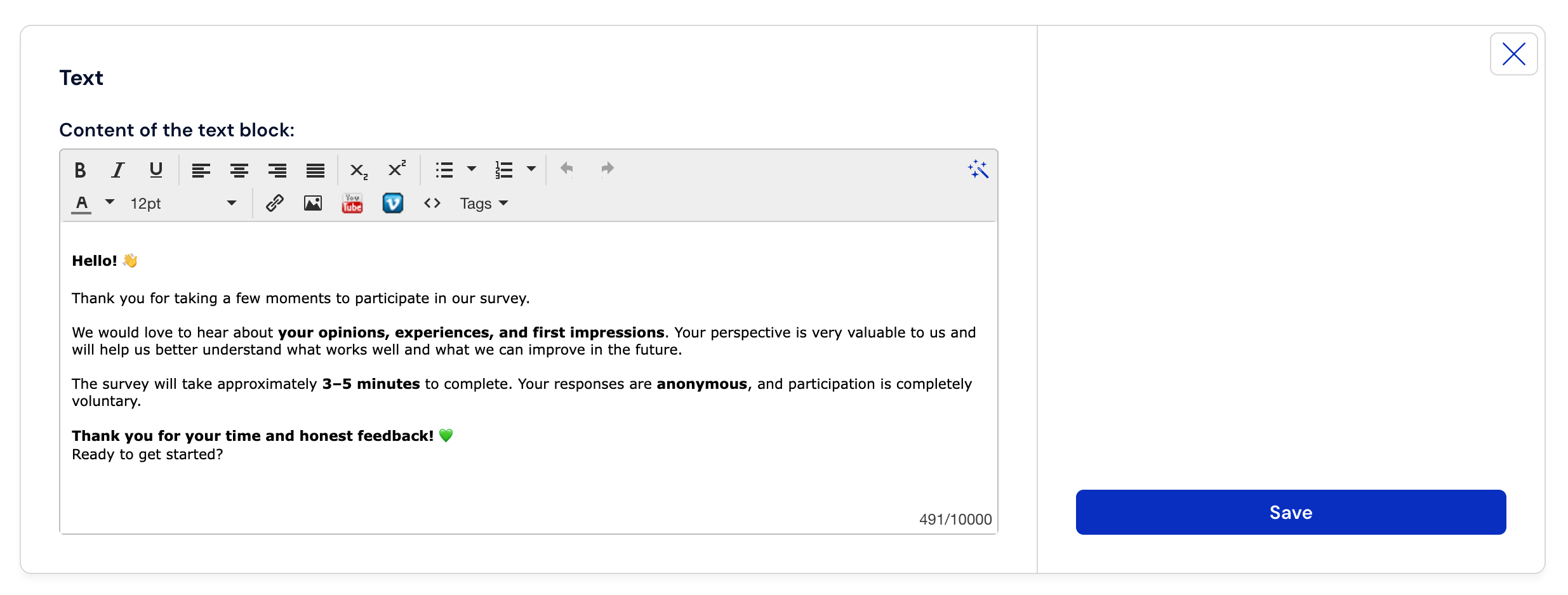
How the introduction to your survey will look is limited only by your imagination. Of course, keeping in mind the tips we gave you earlier, it could look like this, for example:
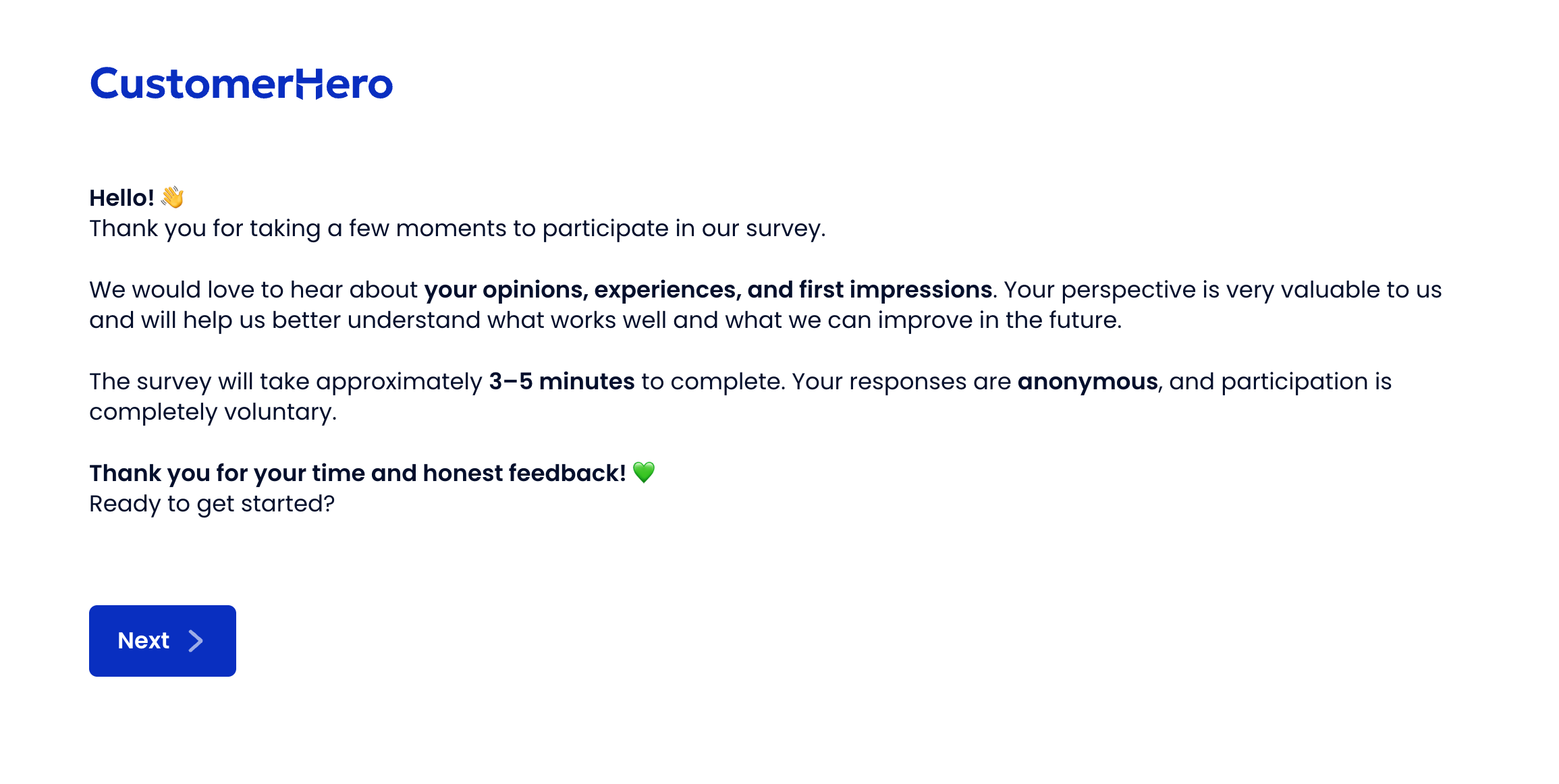
Is a survey introduction always necessary?
The simple answer is: yes. It is always worth greeting the respondent in a few words or briefly explaining the purpose of the survey. However, if your questionnaire is very short, its purpose is obvious, and filling it out requires no explanation, you can stop at a greeting and one short sentence encouraging participation in the study.
In the case of some surveys, however, an introduction seems essential. They certainly include:
surveys for research purposes — the introduction should explain that data is collected for the purpose of the thesis/paper,
long questionnaires – the introduction should warn the respondent that they need to set aside more time for the study (so they won't get irritated and stop halfway through),
questionnaires with a complicated layout or filling method – this is the place for instructions,
specific types of research, e.g., Net Promoter System or 360-Degree Feedback, in which explaining the purpose, rules, and highlighting that it is a methodology developed by specific people is of key importance.
Apart from that, it is always worth applying good practices for creating online surveys.
How to create a survey introduction in CustomerHero?
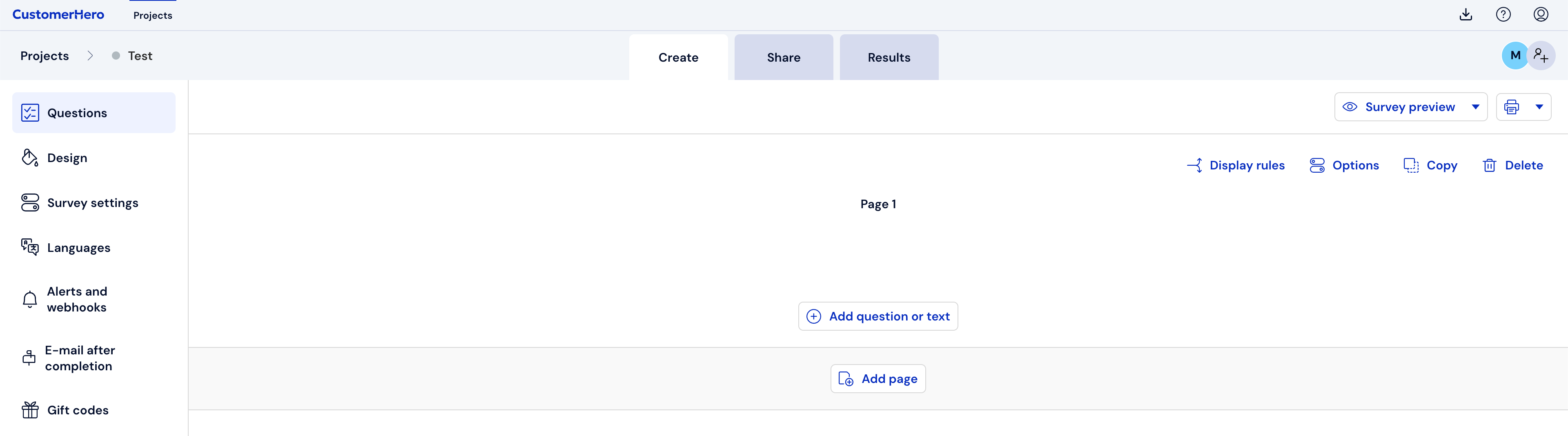
First, go to the "Creation" tab.
Next, click on "Add a question or text".
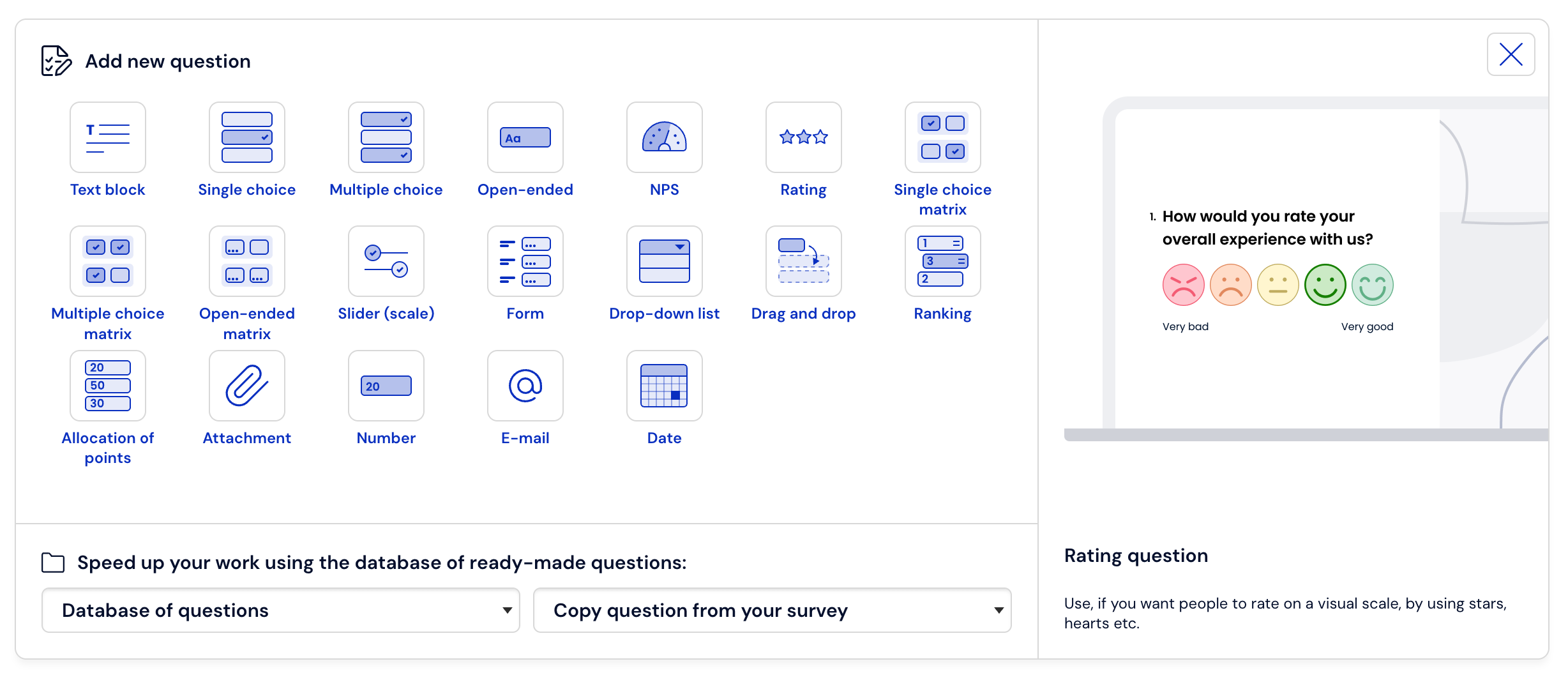
Then, from the given question templates, click on "Text block".
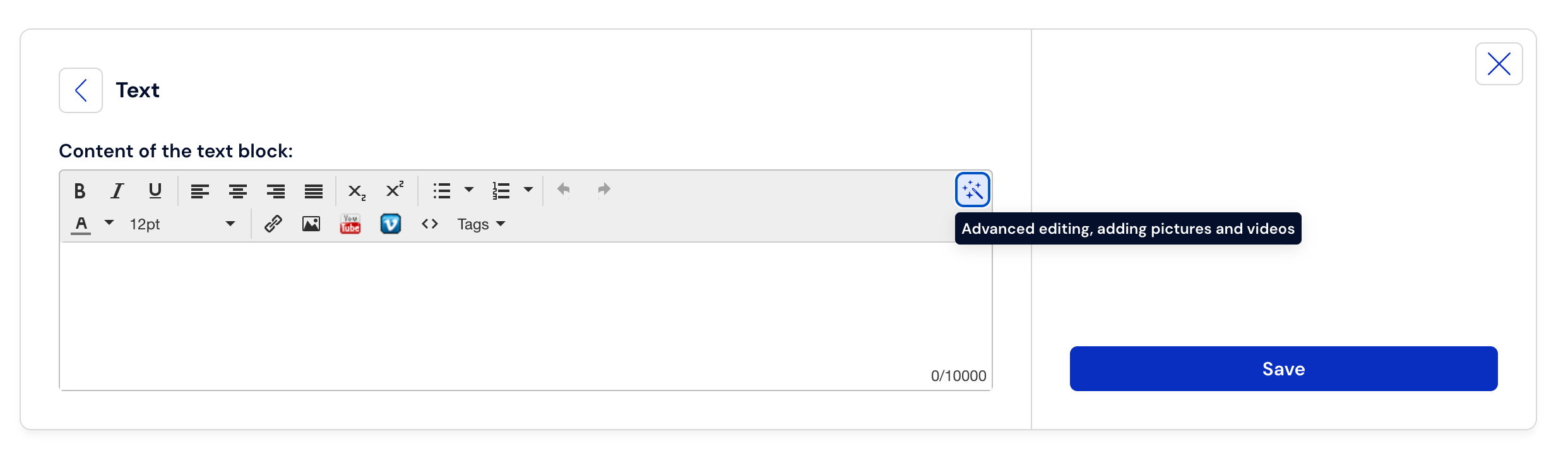
After doing this, a field will appear for you to enter the text, which you can edit using an advanced text editor, just click on the magic wand icon.
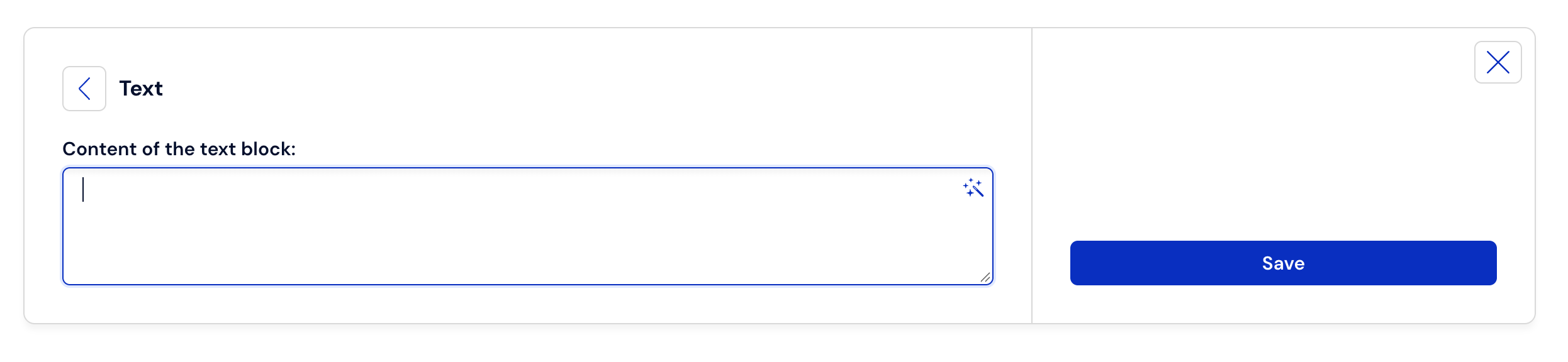
After clicking on this icon, an advanced text editor will appear, giving you the ability to edit the entered text, as well as add links directly from a website, images, YouTube videos, Vimeo videos, and even format the HTML source code.
Below is an example
What if my questionnaire is almost ready?
Nothing is lost. On the first page, before the first question, just click the plus icon and add a text block.

If you want to add an introduction on a separate page, in this case, first add the survey introduction on a separate page of your questionnaire, and then move it to the very beginning by following these steps:
Add a blank page in the questionnaire.
Add the text here the same way you did above.
Enable page sorting.
Drag and drop it at the beginning – to show the sorting effect.
Finish sorting by unclicking the button.
Done.