
Changing the order of questions or pages in a survey
Have you already created the entire questionnaire, but realized that the order of questions is not correct? In CustomerHero, you can change it – and in a very simple way. The appropriate order of questions and a clear division of the survey into pages can positively affect the survey's clarity, its "friendliness", and the ease of completing it for the respondent.
How to change the order of questions/pages?
In the main top menu, click Projects, and then select the questionnaire/survey in which you would like to change the order of questions or pages.
In the top menu, select the Creation tab.
If we are interested in sorting questions, we click Question sorting, and if we mean sorting pages – Page sorting.
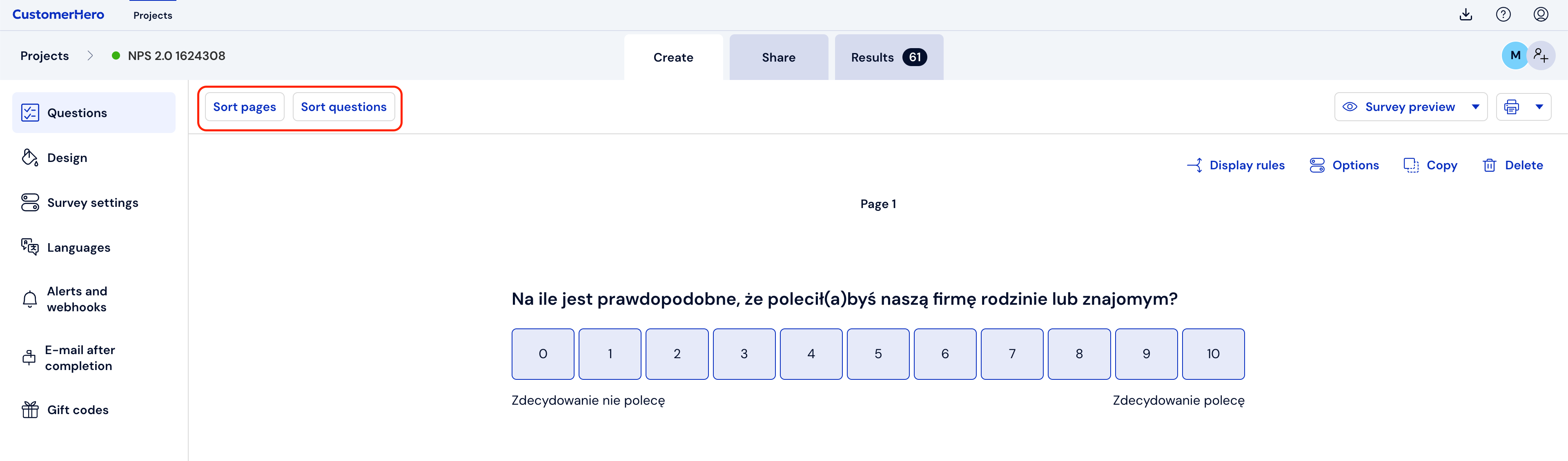
We click on the question/page we want to move and "drag" it to the selected place on the sheet, and then "drop" it at the desired point in the survey.
When sorting is ready, we confirm the changes by selecting "Question sorting" or "Page sorting" respectively.
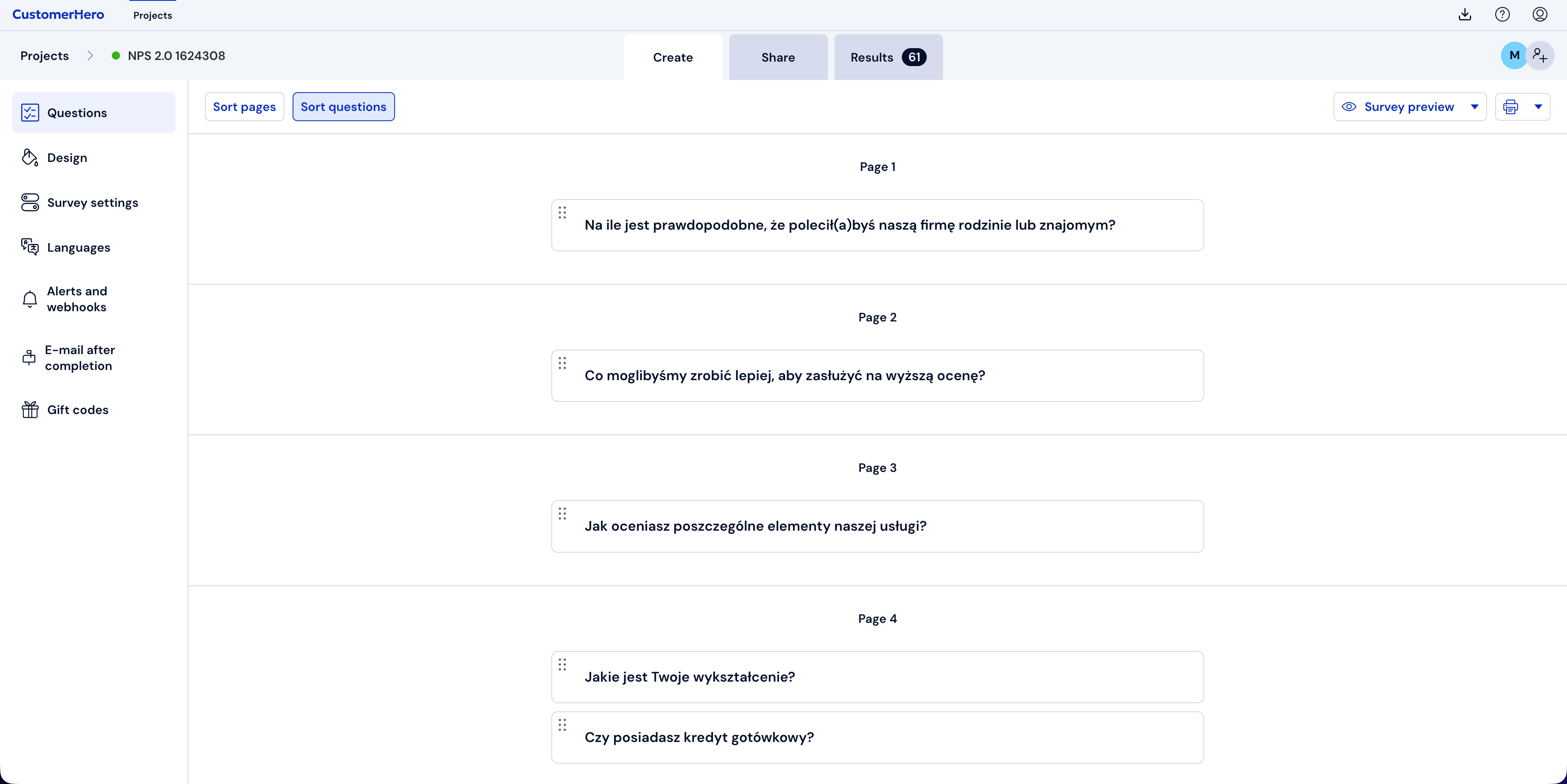
Additionally, you can change the order of questions directly in the CREATION tab; after hovering the cursor over a given question, 6 dots will appear in the upper left corner of that question. By left-clicking and holding, we can drag the question to any place in the survey.
What is worth remembering?
It is best to set the order of questions or pages in a logical and thoughtful way, because it translates into the clarity of the survey.
Changes regarding the order of questions and pages can be made at any time during the study, and even after it has ended.
By using page sorting, you can move questions between pages.