How do I print the survey?
If you intend to show the content of your survey in paper form to another person, or if the situation requires collecting results in a traditional way, in CustomerHero you can download your project to PDF or DOCX format in a few simple steps.
To do this, select your survey from the projects list. Next, go to the CREATION tab, where on the right side of the screen you will find a printer icon. After selecting the button, 2 options will appear.
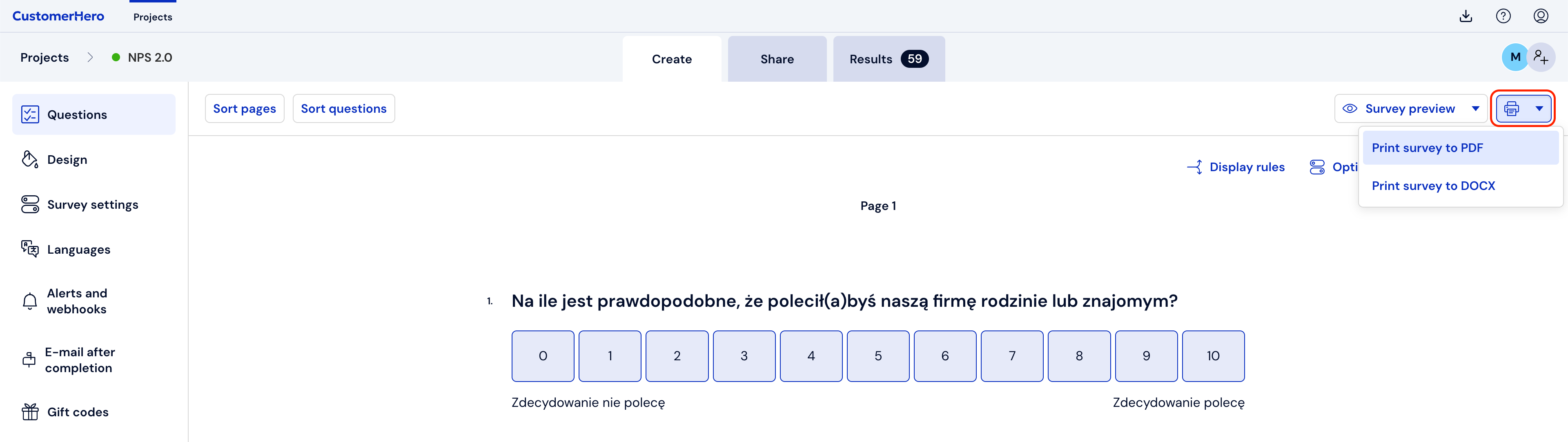
Selecting one of them will generate a file with questions, which we will be able to download in the downloaded files view.

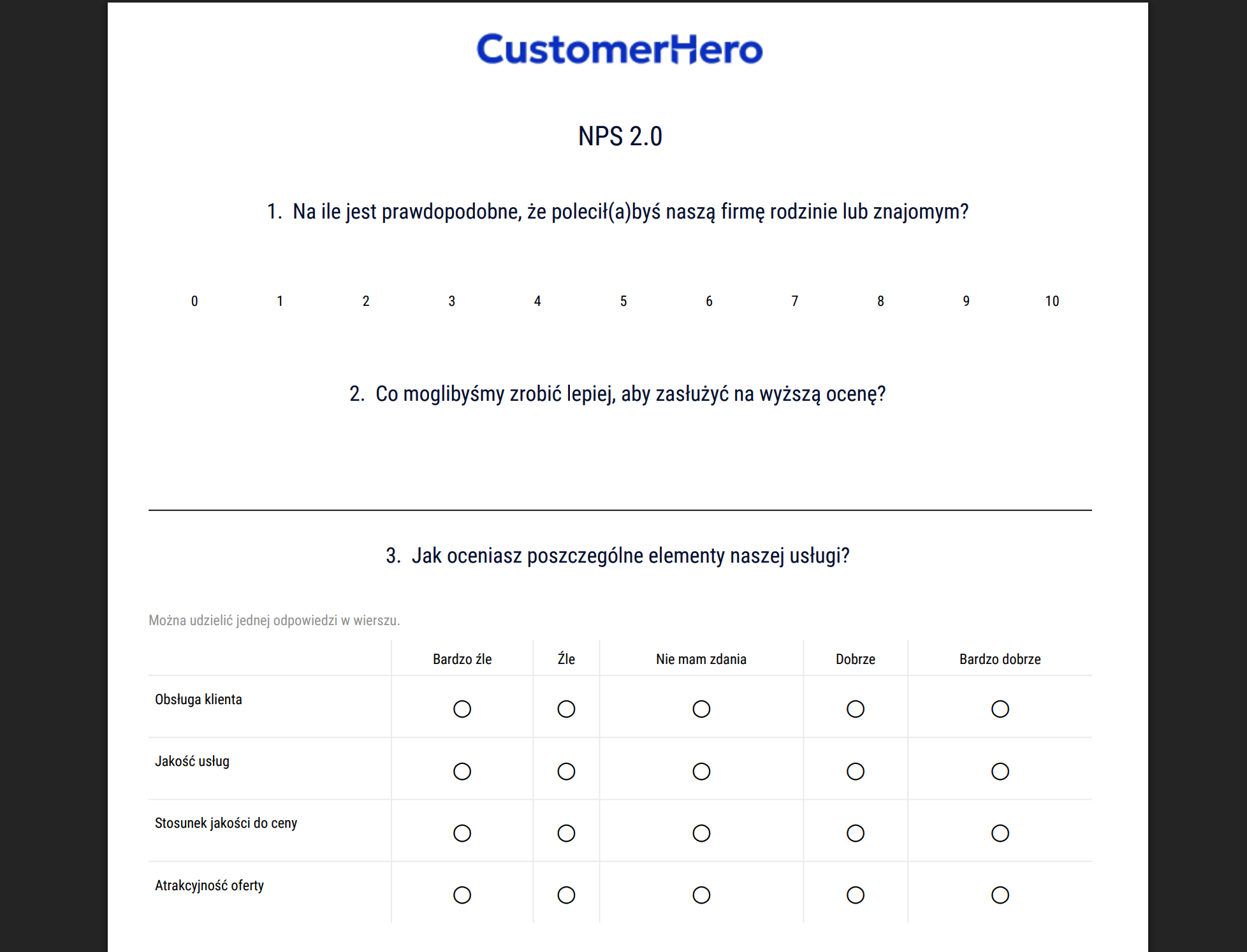
Ultimately, your file with questions will look like this: