
How to change the inscription on the NEXT, SEND buttons?
Do you want to personalize your survey more and insert your own text on the buttons responsible for navigating through the survey?
Just click the "Options" button on a given page:

A panel will appear that will allow you to define your own button text:
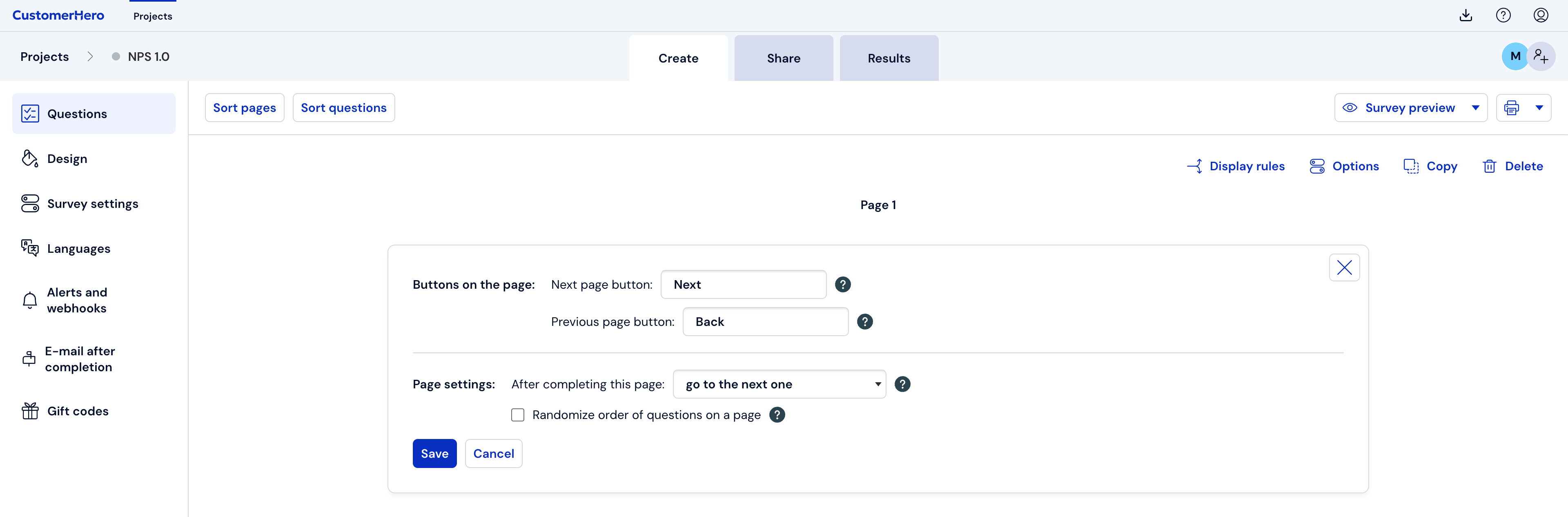
After entering the text, just save the changes.
NOTE!
You can change the button text only for the first, second, and last page in the questionnaire.