How to change the message displayed to the user after the collection of the results has finished
Have you already collected enough results/registrations, but you don't want the respondent to receive the message that Result collection has ended?
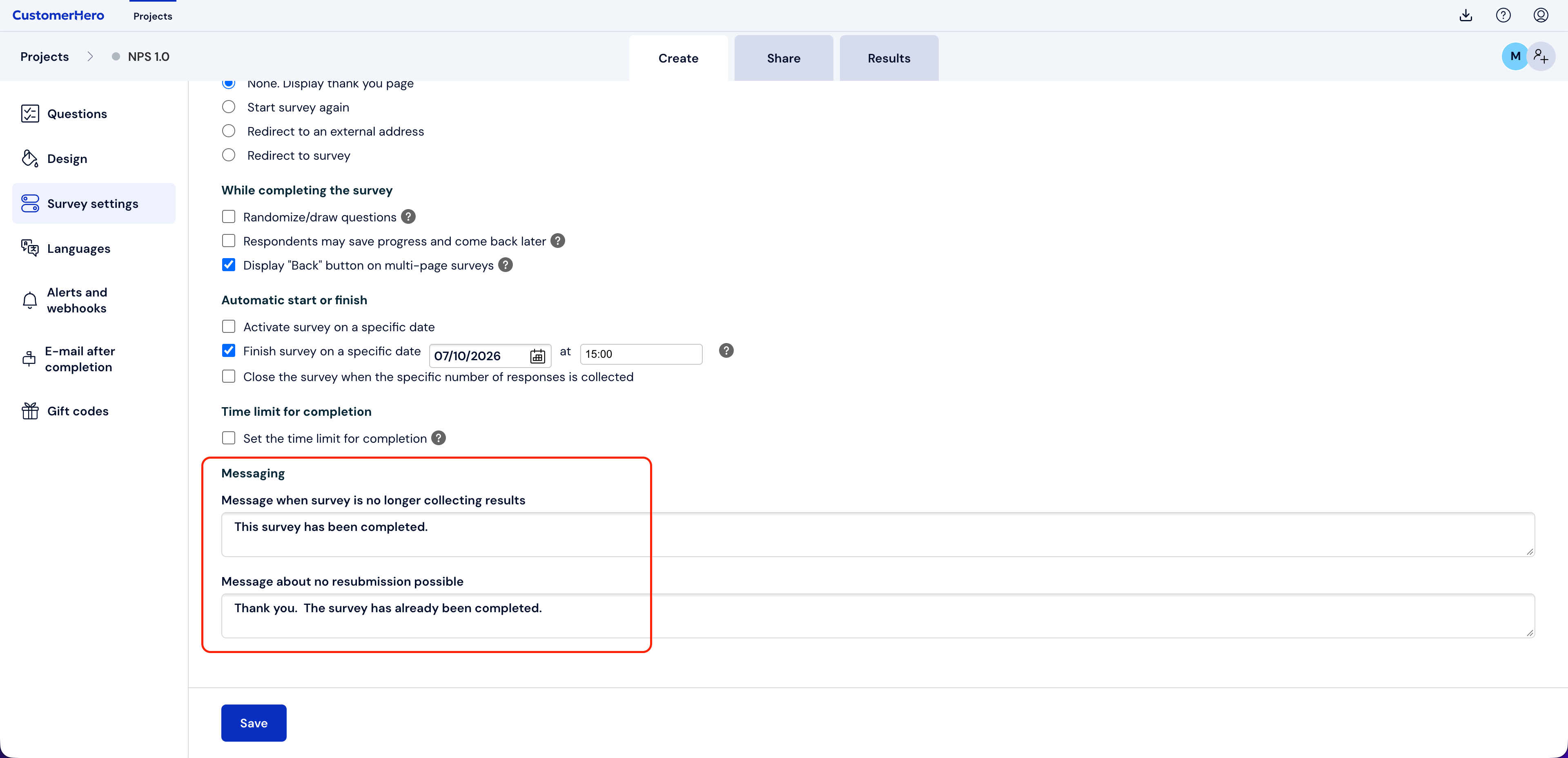
To change a given message, go to the CREATION tab. Then Survey settings. At the bottom of the screen, you will find the Message personalization section, where you will be able to change the text.
We will get our own custom message displayed to respondents after the study is completed.