
The random display of questions and answers in the cafeteria
If you want to be sure that the order of questions or answers did not affect your study or test, this article is for you.
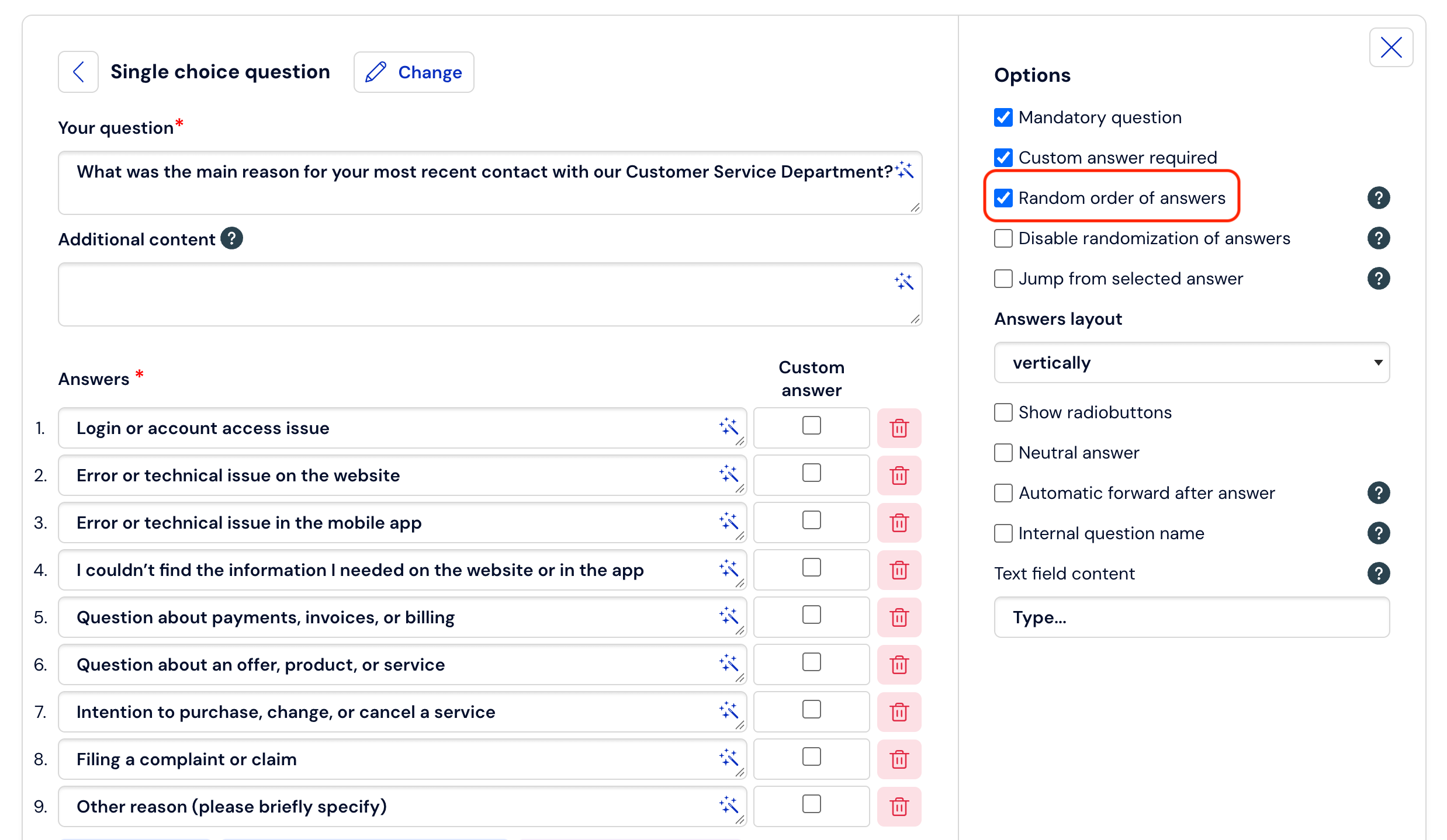
Random display of answers
Randomizing answers within a question is possible if you enter the editing of this question and select the option
Random order of displaying answers.
Random display of questions
Randomizing questions within a page is possible if you click on Options at the top of the page. Then you select the option Random question order on the page and click the Save button: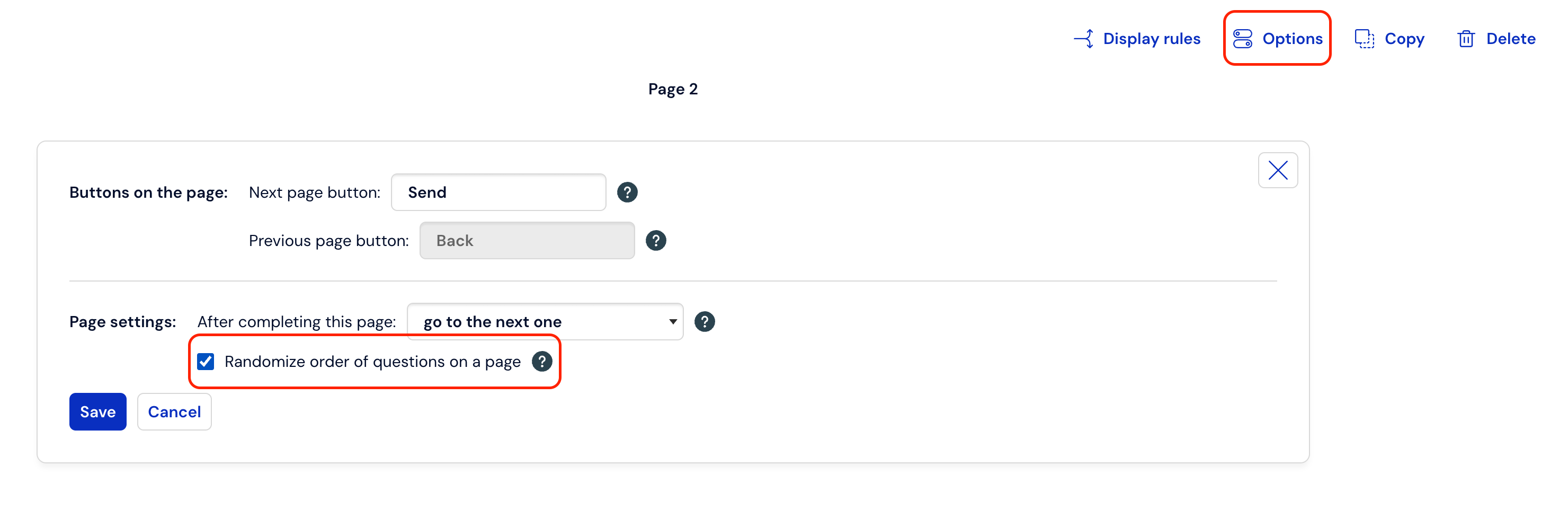
Good to know:
There is also the possibility of displaying questionnaire pages in random order.
We write about this in this article: https://help.customerhero.com/pl/support/solutions/articles/206000086286-losowe-wy%C5%9Bwietlanie-stron