
Completing the previously filled out questionnaire - the POSTFILL mechanism
With the CustomerHero tool, you can create not only a prefill, which is filling out a questionnaire using variables in a link, but also a postfill.
This is a feature that allows you to fill out the survey post factum. We place the postfill in a message sent as an alert to specific respondents. Its main purpose is to facilitate the categorization of open-ended questions. It is especially useful when there are many such questions in the survey.
How to create a postfill?
After creating a survey, go to the "Creation" tab, and then "Alerts and Webhooks". Select the "Create a new alert" option, where among several functions, the content of the message that the alert recipient will receive after completing the survey appears.
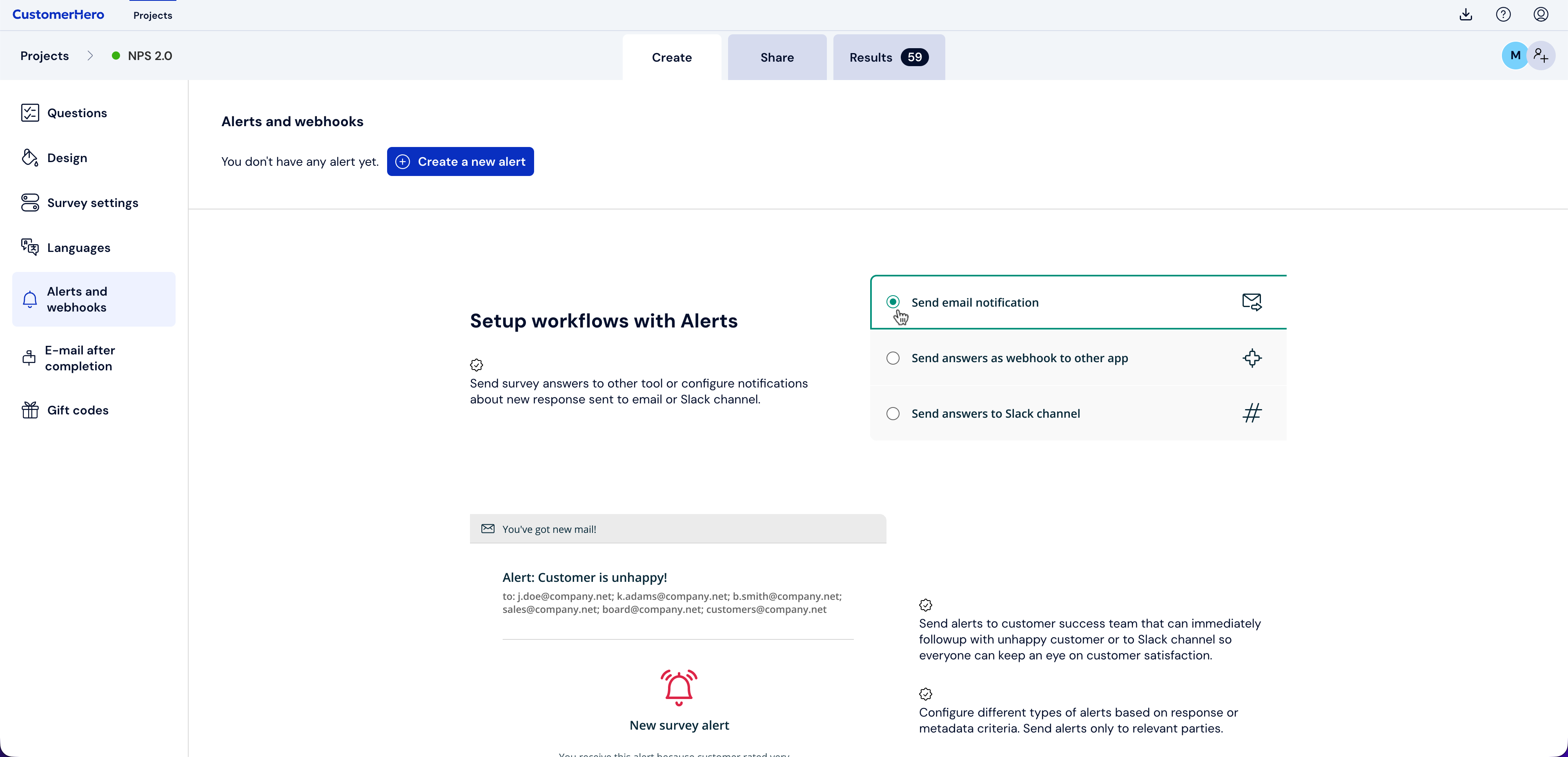
You can modify the message content in any way. For the postfill to be displayed in the email, enter the following in the content: [POSTFILL_questionNumber] e.g., [POSTFILL_10] or select "Choice answer in question ...." from "Dynamic content".

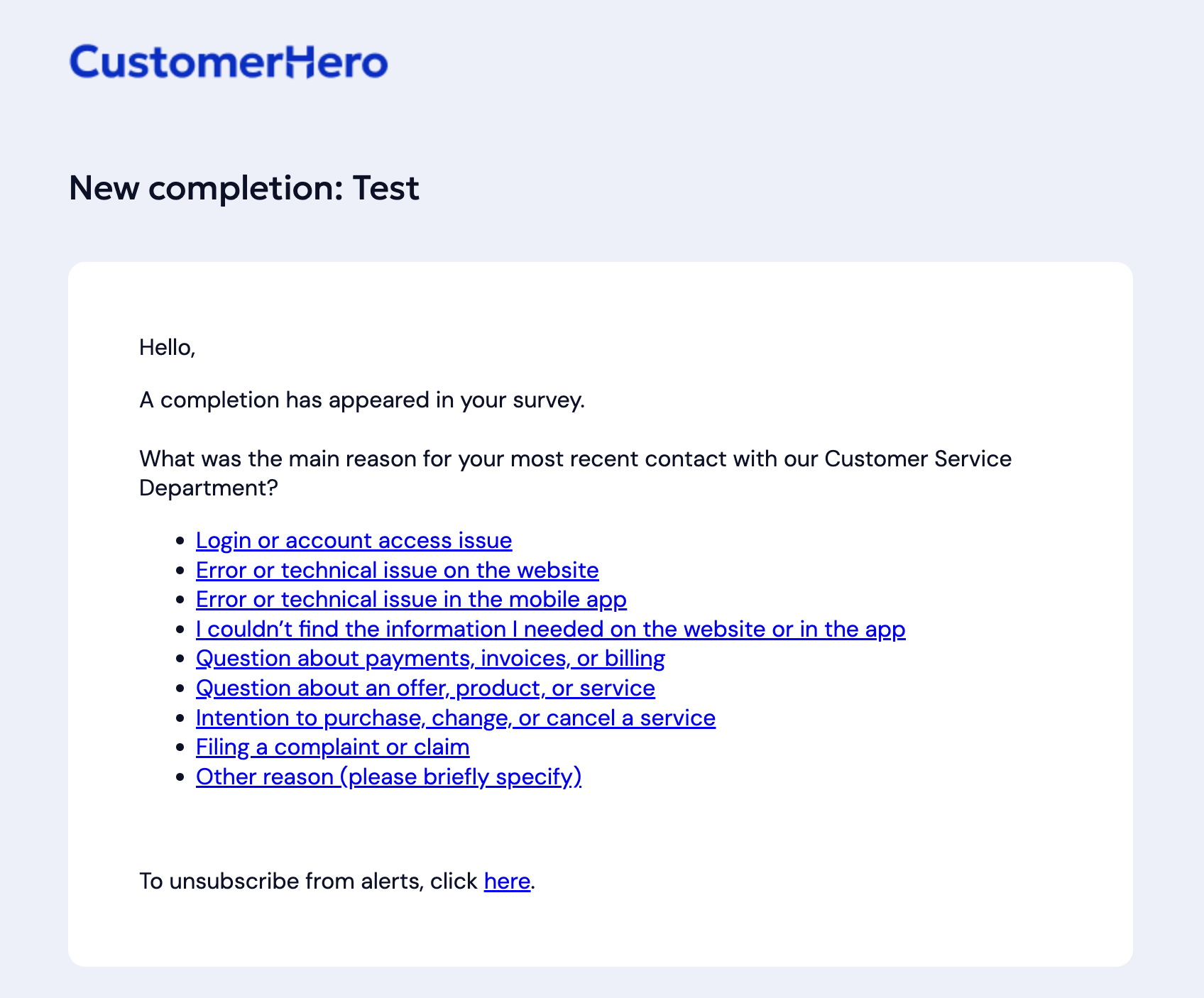
As can be seen in the example above, the email recipient will not receive a link to the survey in the message, but a specific question. If the survey only has this one question, by checking a given answer, they will be redirected to the thank you page for completing the survey. If the questionnaire contains more questions, the user, after selecting an answer in the email, is redirected to the next question.
When is it worth using a postfill?
when categorization of answers is necessary due to a large number of open-ended questions in the survey,
when the study involves closing the user's answers in a loop.
An example of a study in which a postfill is used is Voice of Customer, the instructions for which can be found in this article.
Remember:
For surveys containing one or more questions, it is worth using their automatic numbering option. This will give us certainty that the postfill will be added to the correct question. Enabling automatic numbering is only necessary while creating the postfill - it does not have to be visible to respondents during completion.
This option is available only for single-choice questions.