
Filtering questions, conditional questions and paths
Filtering questions, also known as branching or conditional questions, allow you to construct a survey in such a way that the respondent answers only the questions relevant to their situation.
Example of use:
We ask the respondent if they use the internet on their mobile phone. If they answer yes, we display follow-up questions, e.g., about how they use the internet. If they answer no, we display, for example, questions about the reasons for not using mobile internet or we end the survey, as the respondent did not meet our qualification criteria.
We write about other ways to conditionally display survey pages in this article.
How to use filtering questions?
First, plan on a piece of paper what your survey will look like, taking into account the division of the survey into sections (pages).
Next, add exactly that many blank pages to the survey by clicking "Add another page".
To start, enter all the questions with answers into the questionnaire.
If you added questions earlier, nothing is lost. First add empty pages and then distribute the questions between pages using "Sort questions".

For filtering questions to work, they must meet two basic conditions
There can be only one filtering question per page
The filtering question must be the last question on the page
- Webankieta allows you to redirect respondents between survey pages depending on the answers given to a question. It is not possible to conditionally display a question on the same page where the filtering question is located.
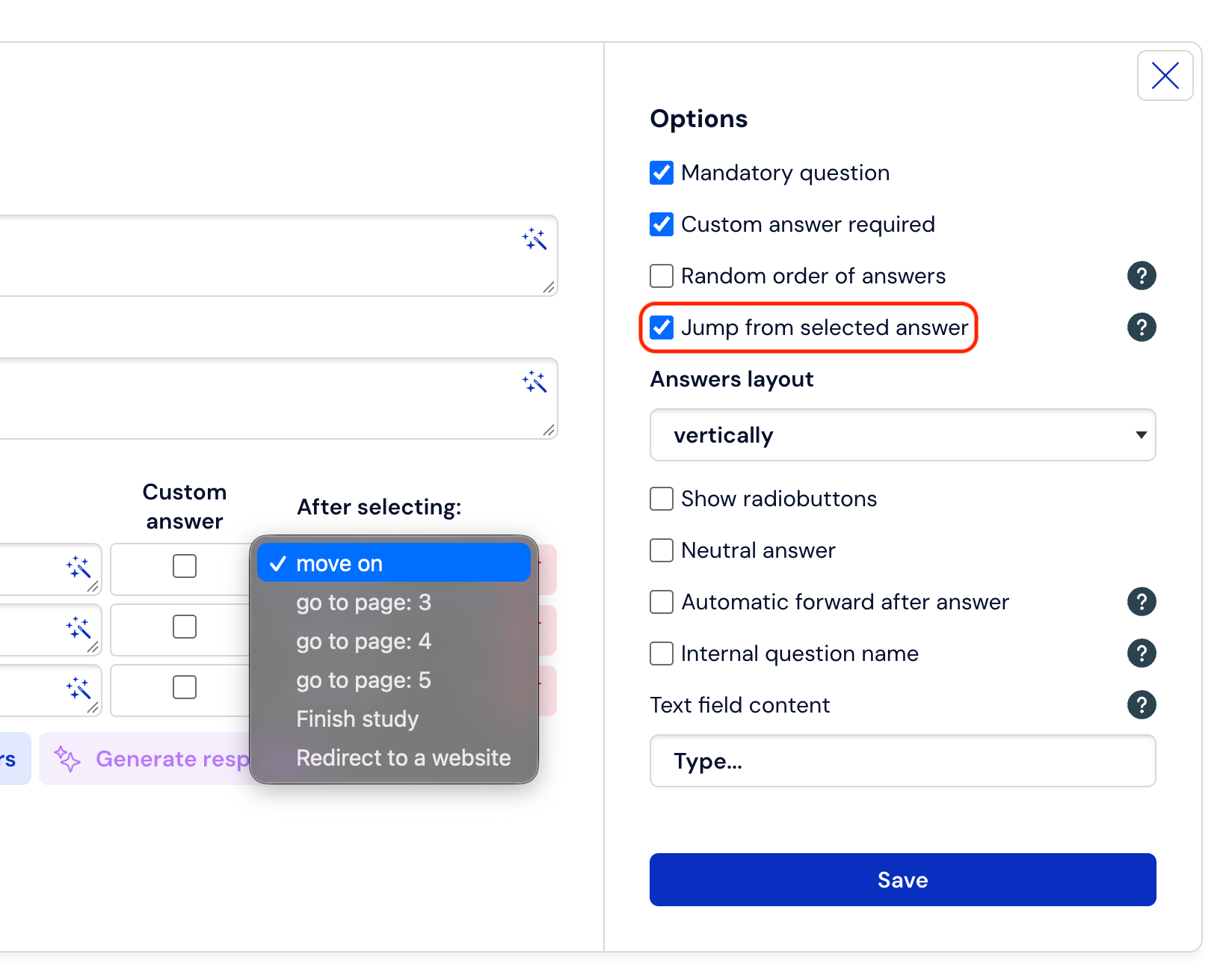
In filtering questions, in the question editing, check what should happen to the respondent after selecting a given answer. To be able to use a transition after selecting an answer, you must first check the option in "Additional options" "Redirect after selecting an answer" (this solution is available for single-choice questions).
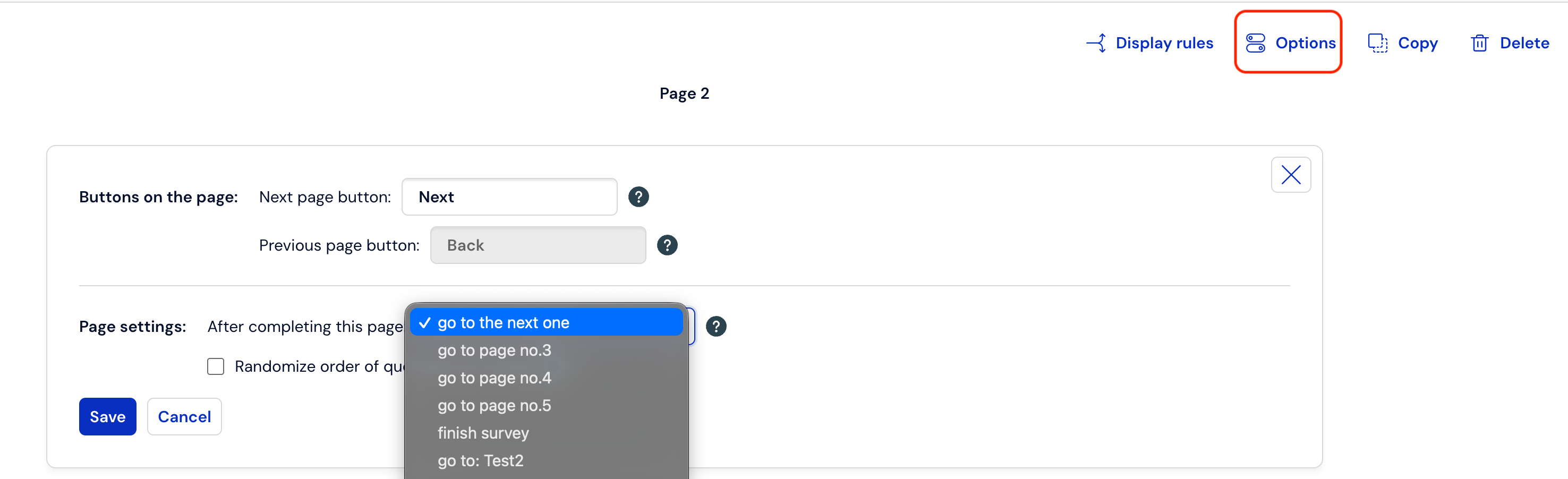
If, from a page relevant only to a subset of respondents, you want to return the respondent to a page common to everyone or end the study, set the appropriate transition in the "After completing the page" edit after clicking "Options":
What is worth remembering?
In the case of complex logic, it is worth sketching the questionnaire on a piece of paper, dividing questions into pages, and drawing transitions before entering the survey into the service. The respondent fills out your survey going sequentially from page 1 to the last one, unless they encounter a filtering question along the way that can change this path.
You cannot set a transition to a page earlier than the one on which the filtering question is located.
You can use the "Redirect after selecting an answer" transition only in single-choice questions.
Do not use filters in more than one question per page. The redirection will not work correctly if in question 1 on one page answer a) directs to page 3, and in question 2 on the same page answer b) directs to page 4.
Before publishing the survey, fill it out as a test a few times checking if all filters and transitions have been configured correctly.
There is also the possibility of redirecting the respondent to another survey. Then the completion of the first survey is finished and the completion of the new survey begins.