
The answer to the question can be found in the following questions
Thanks to this feature, the answers selected by the respondent will be automatically placed in the content of the question you specify. Below you will find detailed instructions on how to use the provided answers in subsequent questionnaire questions.
How to refer to the answer from the previous question?
Example content of a question whose answer will be used later in the survey. Let's assume we ask the respondent which mobile network operator they use.
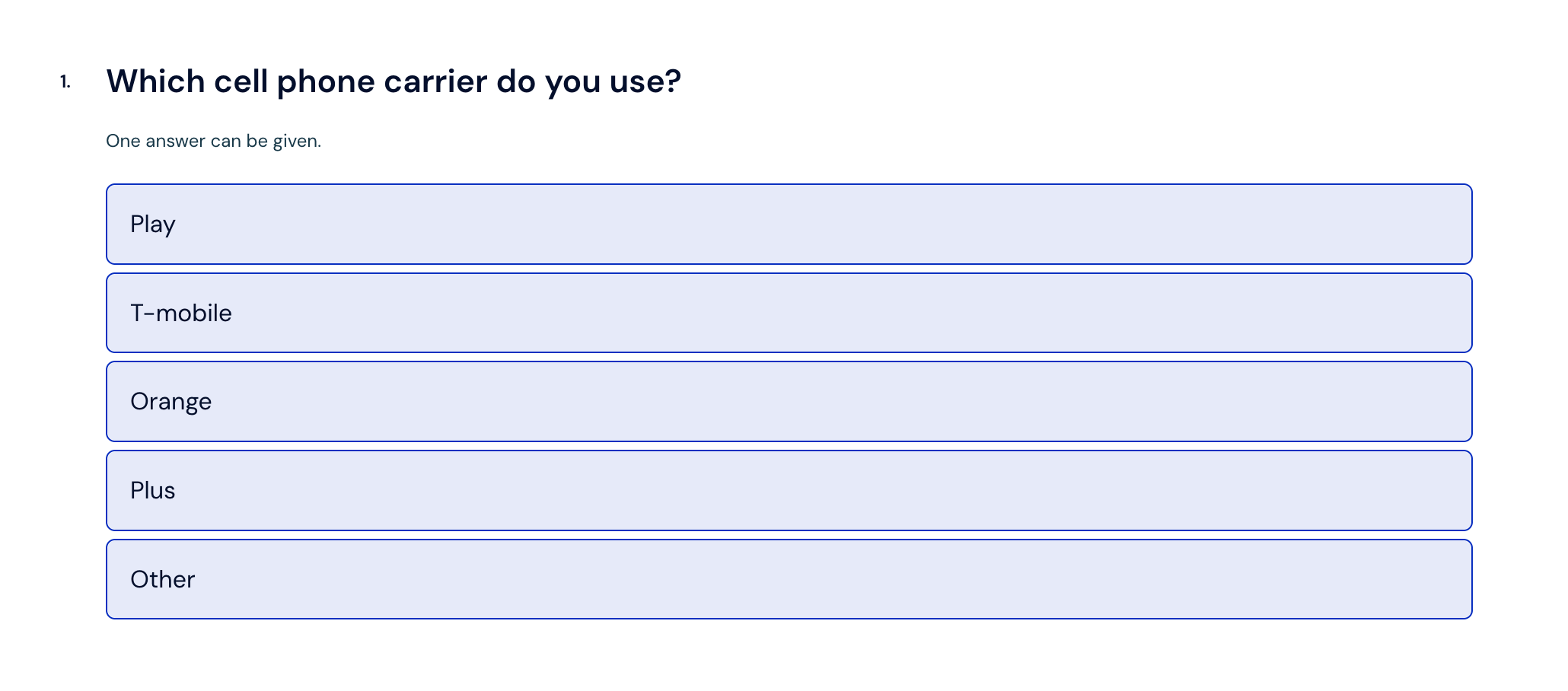
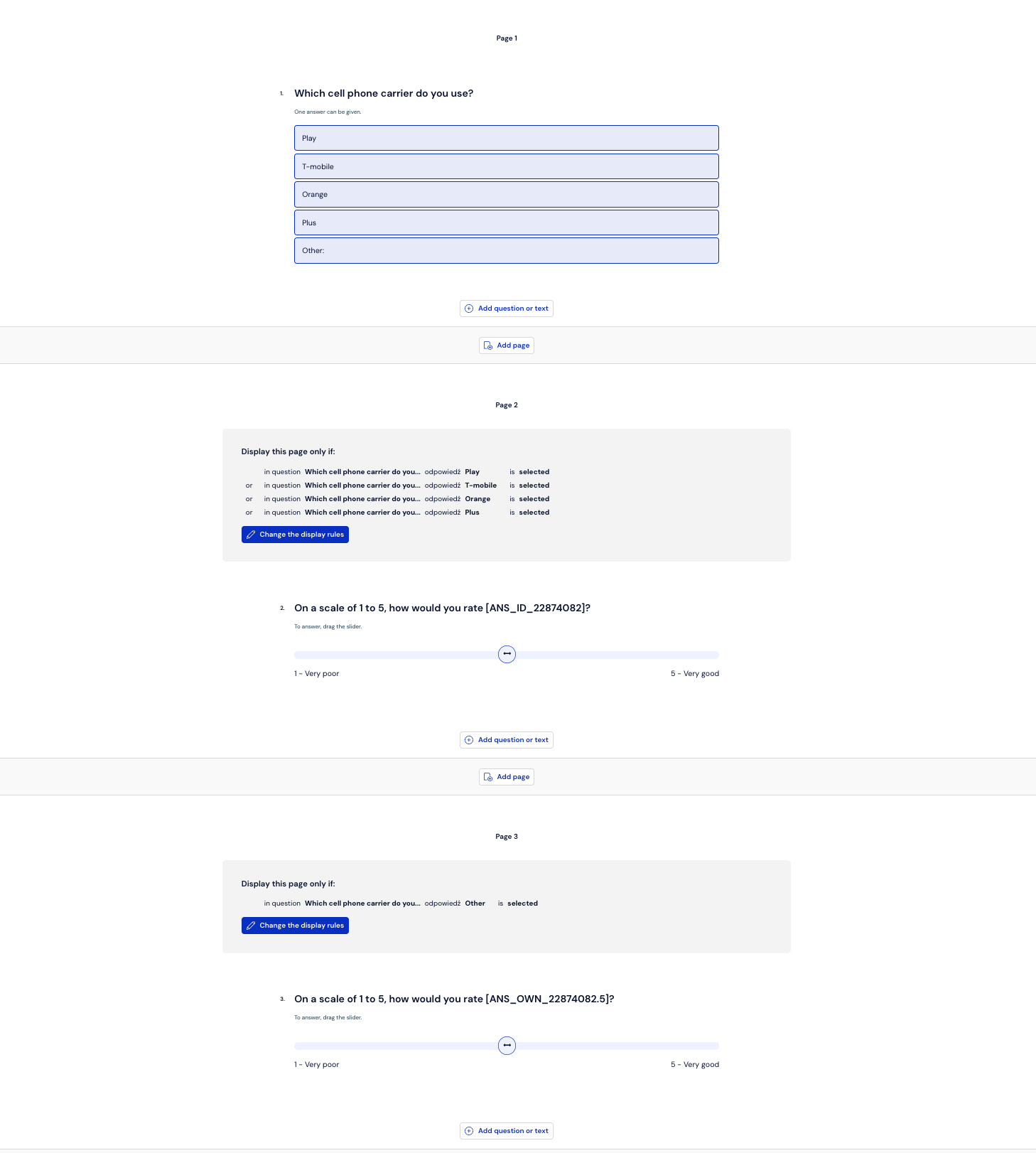
As you can see in the attached image, this is the first question in the survey.
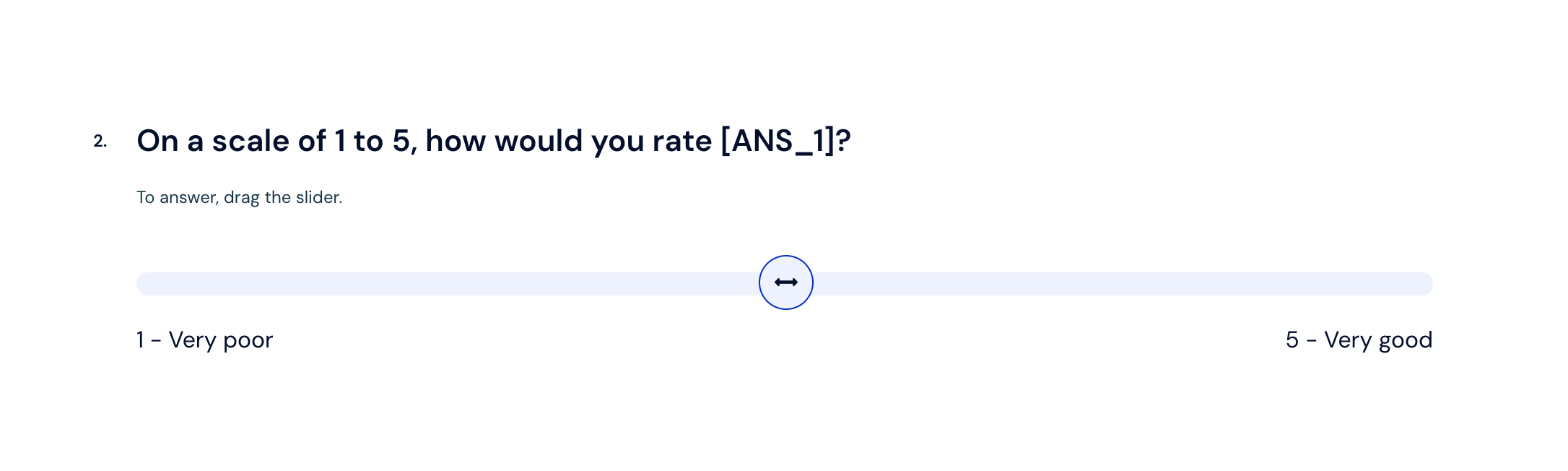
We add question number two, necessarily on the next page.
If we want the company name selected in question number 1 to be used in the question content, we have two options for dynamically substituting the previously selected answer.
the first one is adding a macro named [ANS_1], where the number is the question number. Unfortunately, this method has its drawbacks. In case we want to change the order of questions in the questionnaire, we must remember to change the question number in the content of the macro we used.
the second method involves placing the answer dynamically from the question editing level. To do this, select the "Dynamic content" button, and then the "Answer in question NO." option.
A macro in the format [ANS_ID_22874082] will be inserted into the question content, where the numbers indicate the ID of the given question.
Unlike the previous method, when sorting or moving questions to another place in the survey, the question ID never changes. Thanks to this, there is no need to manually correct the ID in the content of the question where we want to present the previously provided answer.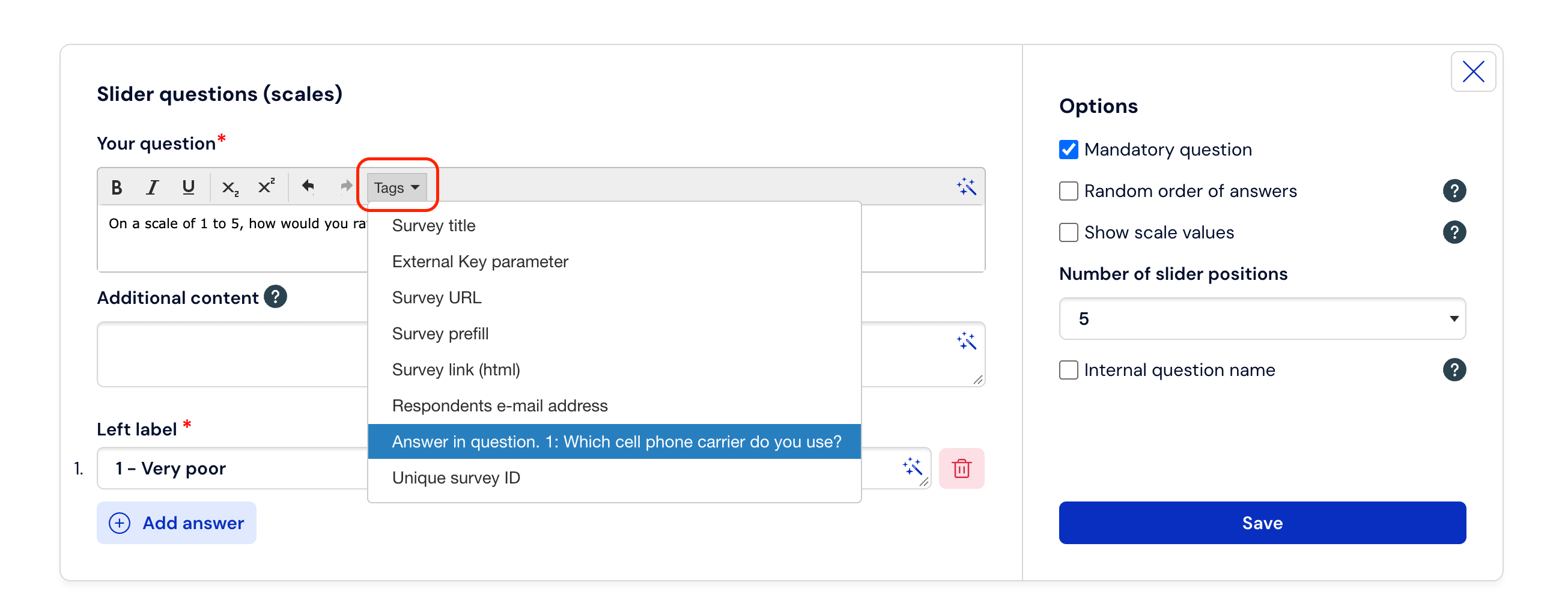
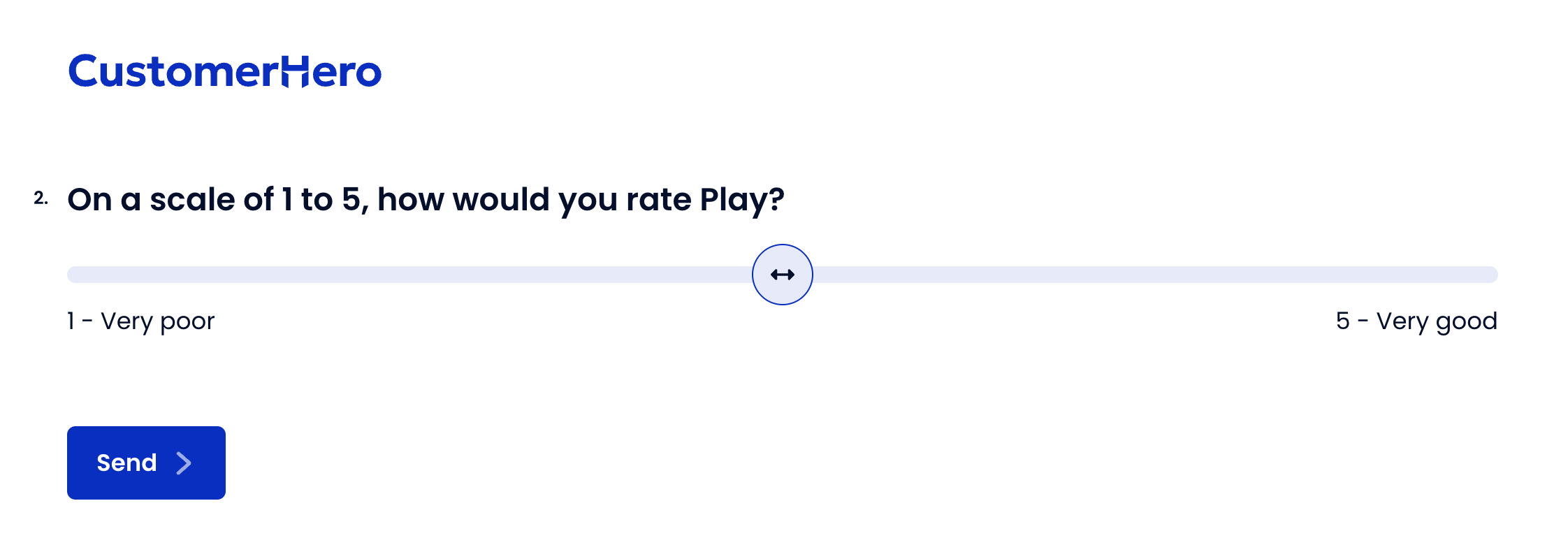
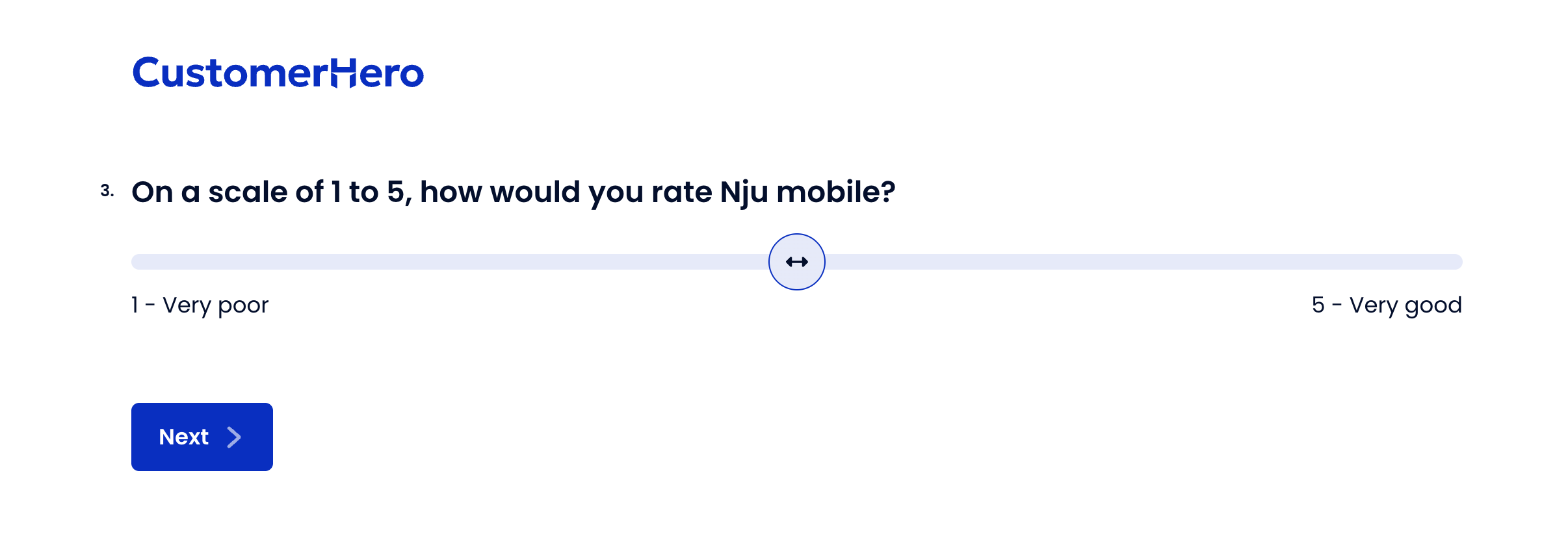
If we have already added a macro with dynamic content in the question content, then during the survey completion, assuming that the respondent selects the "Play" answer, the question content will look as follows:
What happens when the respondent does not find a suitable company for themselves and enters their own answer?
If the respondent does not find an appropriate option and enters their own answer (e.g., selects "Other, what?"), you must add a new page and repeat the question with dynamic content.
Create a second slider question with the same content,
From "Dynamic content" select the "Own answer in question no…" option,
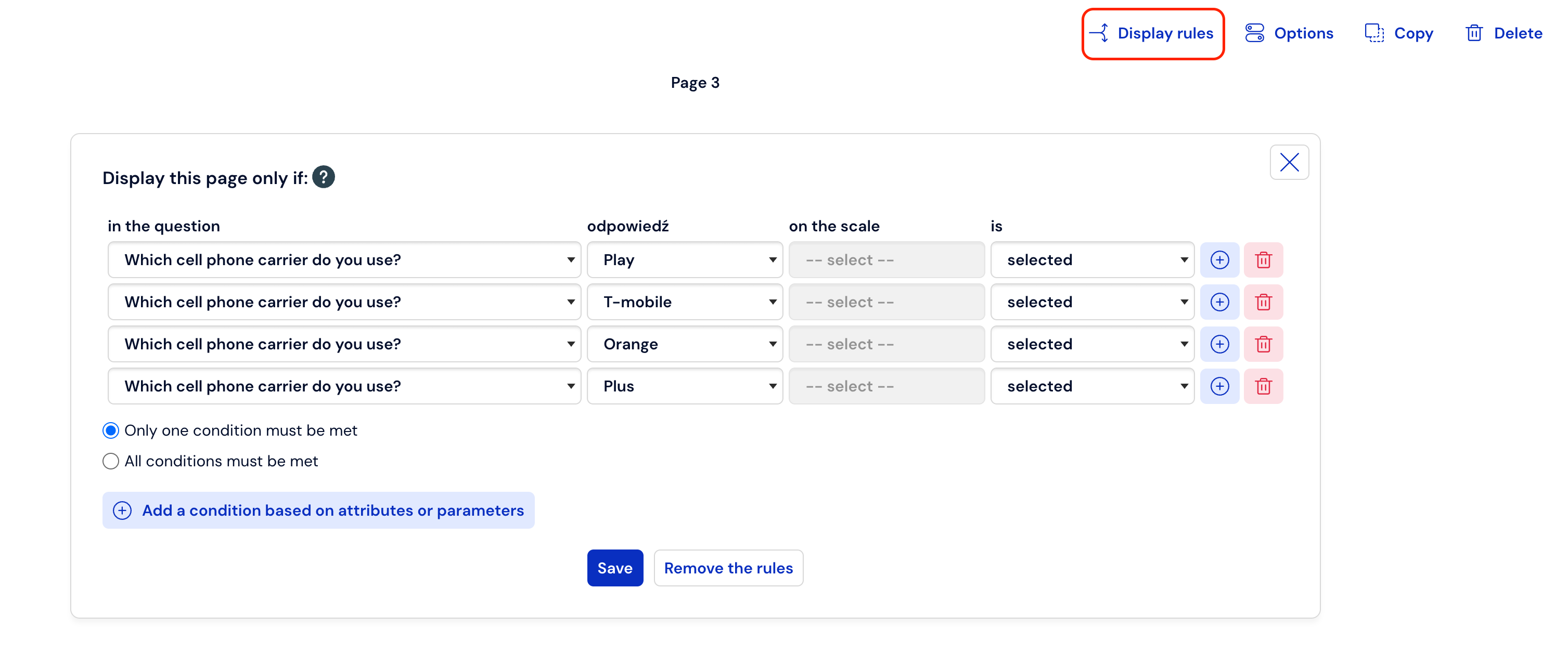
first slider question — show for answers Play, T-Mobile, Orange, Plus,
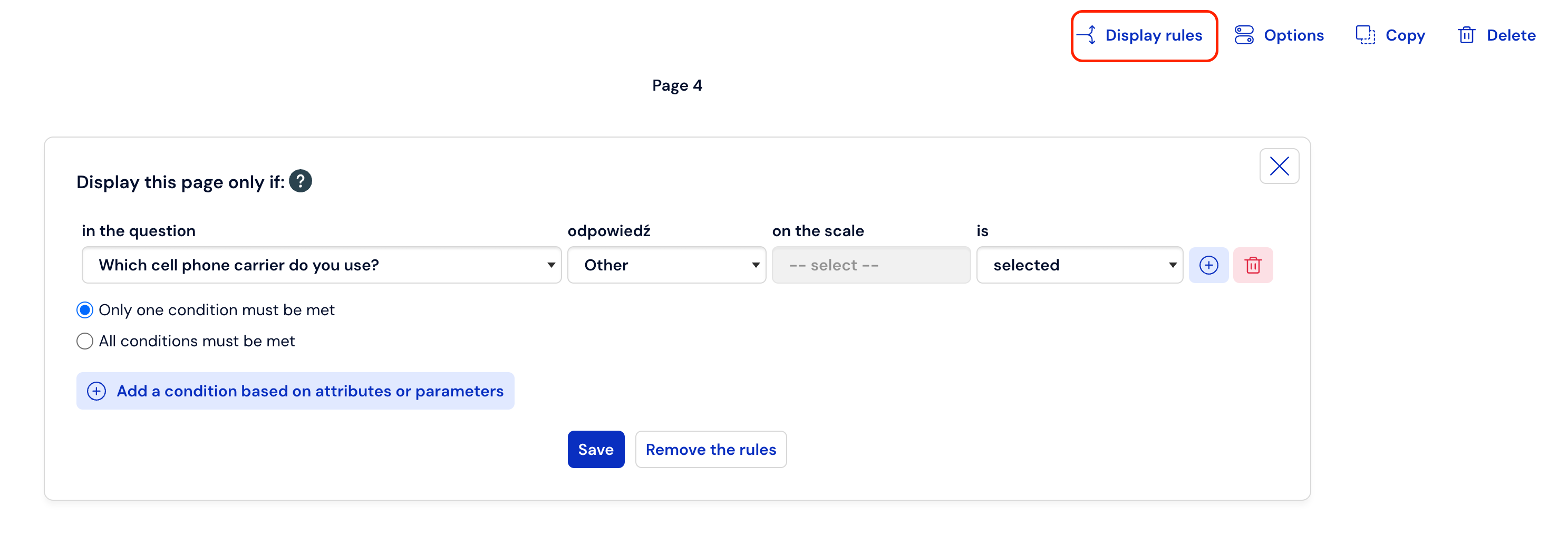
second slider question — show when the respondent selects Other, what?
Important: Both slider questions, using answers from the previous question, should be placed on separate pages:
In this way, in both cases (both for the answer from the list and the one entered manually), the operator name selected by the respondent will appear in the content of subsequent questions.
What is worth remembering?
We can only refer to answers contained in single-choice questions
The question in which we use the [ANS_X] or [ANS_ID_X] tag cannot be located on the same page as the source question or preceding pages. Such a question must always be located on subsequent pages of the questionnaire.
On our platform, we have additional ways for dynamic content and question cafeteria. You will find out about this in the article about respondent attributes, and in the article about dynamic cafeteria.