
Postpone completing the survey
This option allows the respondent to interrupt taking the survey, while at the same time allowing them to resume filling it out at any time later. The function proves to be very useful - especially for very long questionnaires.
How to allow respondents to postpone filling out the survey for later?
In the main menu, select the "Creation" tab, and then select the Survey settings option.
In the "While filling out" section, check the "Respondents can postpone filling out for later" option.
Confirm the introduced changes by clicking Save at the end of the survey settings menu, or go directly to collecting results.
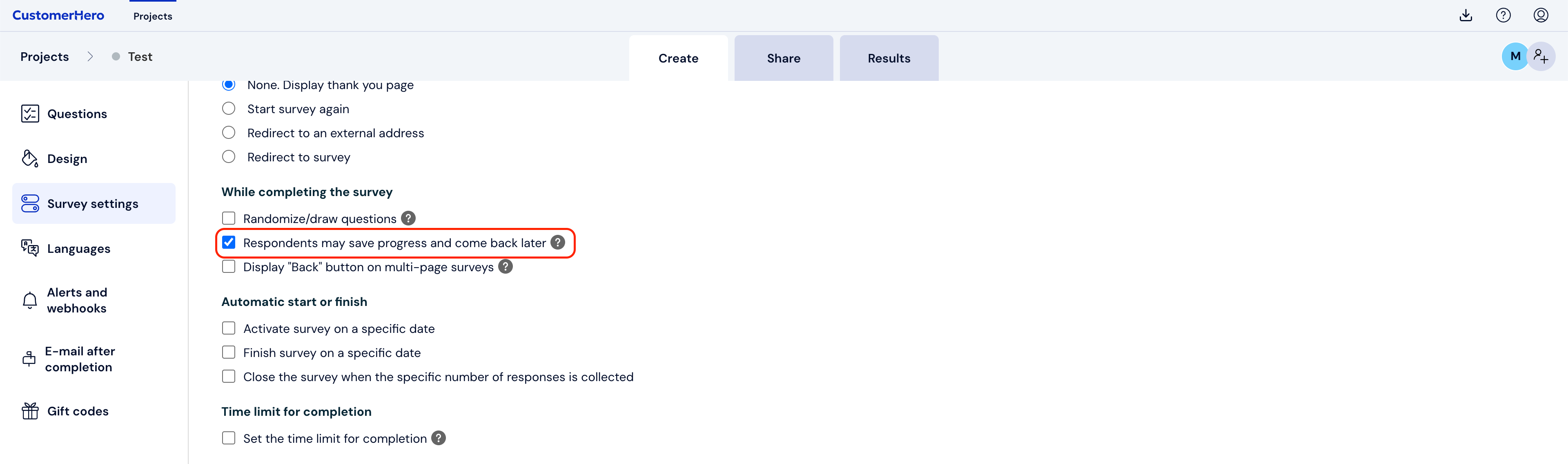
The effect of such settings is the ability for the respondent to return to taking the survey at any time they choose (as long as data collection has not been completed).
In order to be able to postpone taking the survey for later, click the pause button located in the lower left corner of the survey screen.
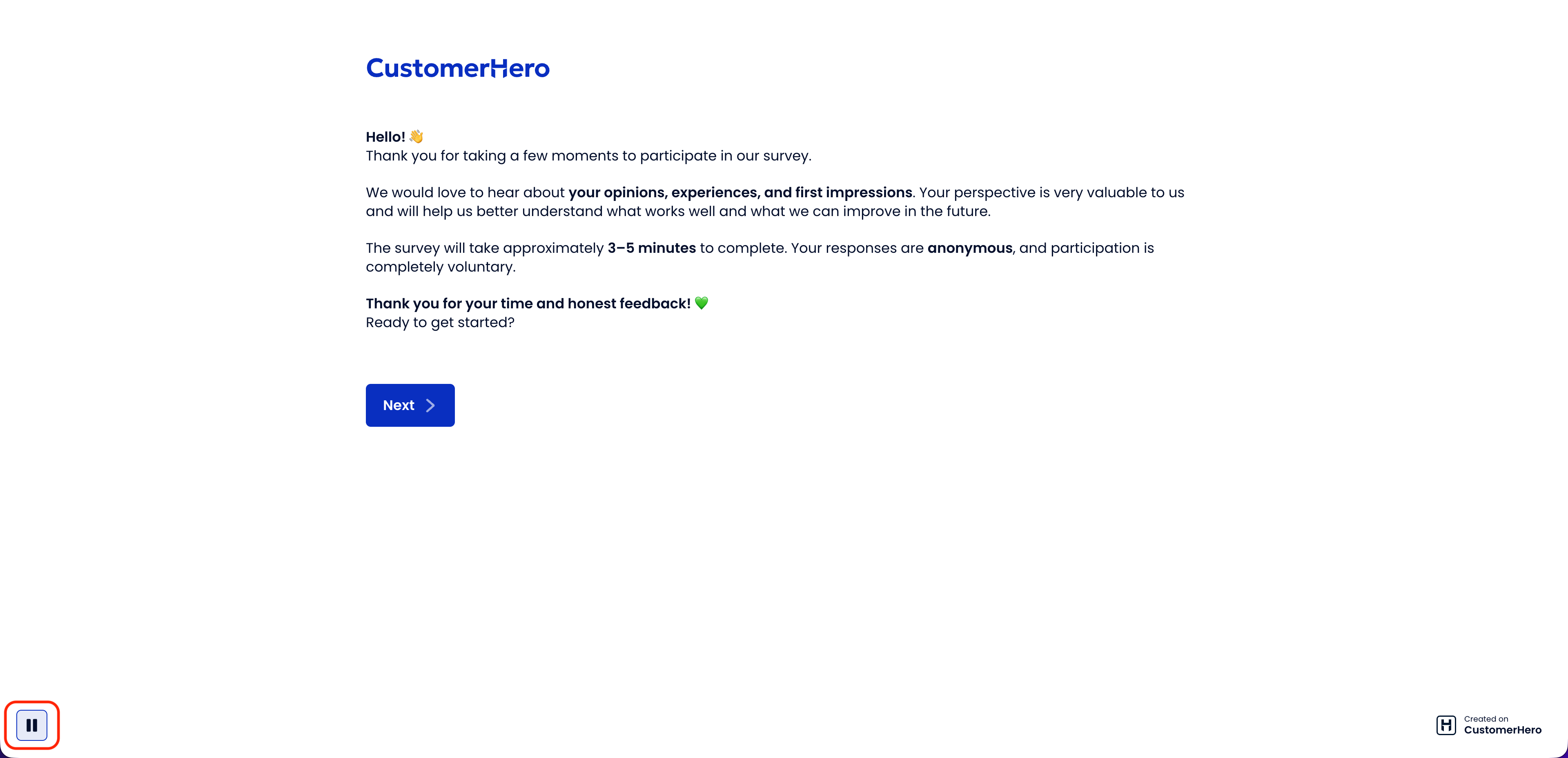
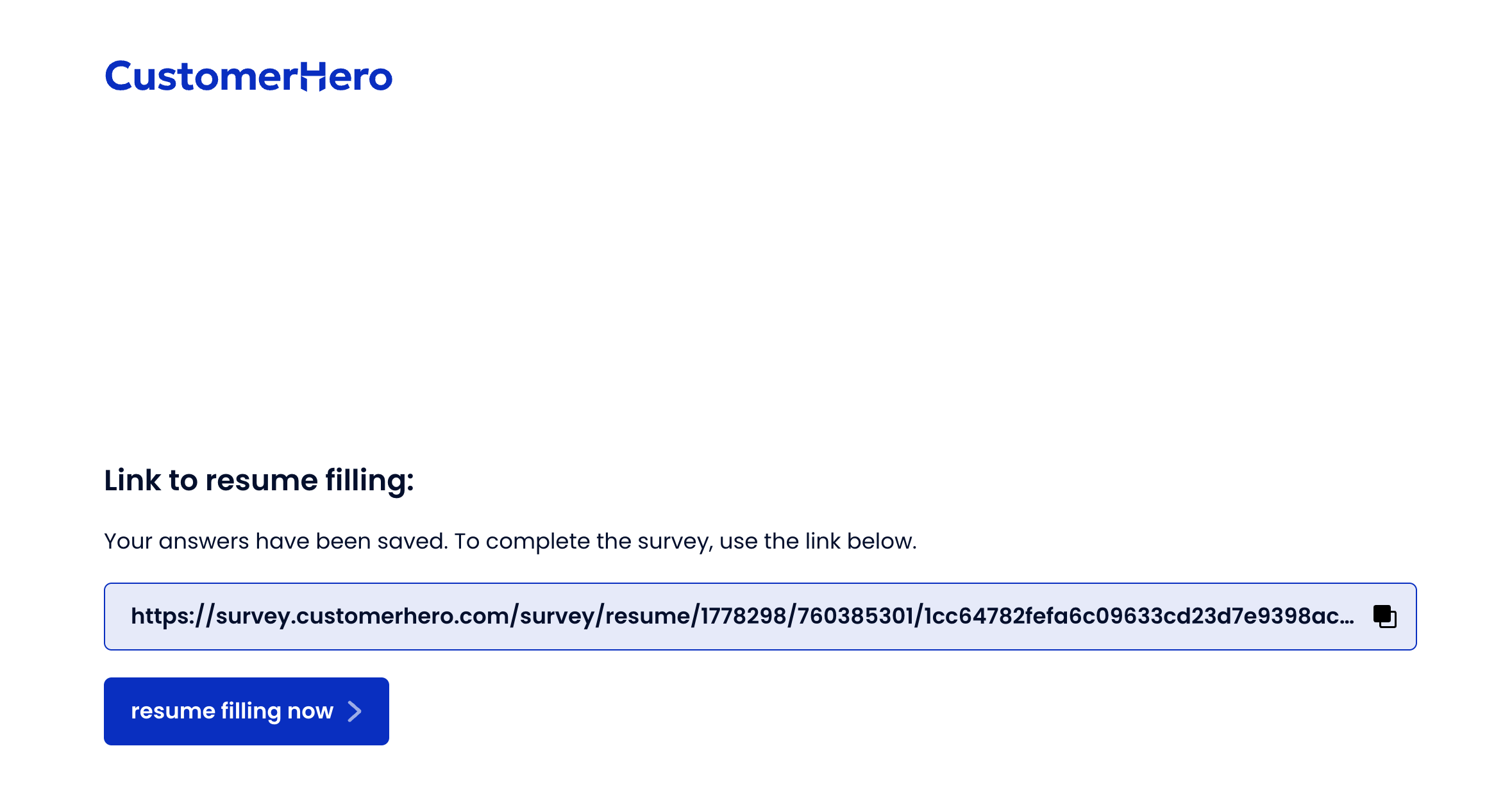
When the respondent clicks the indicated button, they will be redirected to a page where a link is located. Using it allows them to return to the survey being taken at any time.
It is also possible to return directly to taking the survey using the Resume filling out now button.
What is worth remembering?
If respondents received an individual link to the study and the respondent postpones filling out the survey for later, they can also return to it by clicking on the original link they received. Based on the token, the respondent will be identified and moved exactly to the place where they finished the study.
This option is particularly useful for long surveys, due to the possibility of them causing respondent fatigue.