Redirections to other surveys
It often happens that within a single research survey, we want to collect information on various topics or products. In such a case, redirecting respondents to other surveys can be a useful tool.
A redirect is nothing more than automatically redirecting respondents from one survey to another, usually after completing an answer to a question or a block of questions. Thanks to this, we can construct more complex research surveys that require respondents to fill out several separate surveys without the need for manual redirection.
How does the redirect function work?
This function allows you to redirect the respondent to another survey after they provide a specific answer. For example: we create a questionnaire about eating habits and we survey both Poles and people from abroad. For this, we will need two language versions of one survey. To avoid mistakes when sending the appropriate version, just create one questionnaire that will connect both studies with the question "Choose the survey language". After selecting the appropriate language, the respondent will be redirected to the Polish or English version of the questionnaire. And it's ready!
How to create a redirect between surveys?
To use this function, you must first create the questionnaires to which your respondent will be redirected. Then add a new survey in which you will ask a separating question, e.g., "Choose the survey language". It is important that this question is always the last one on the page where it is located.
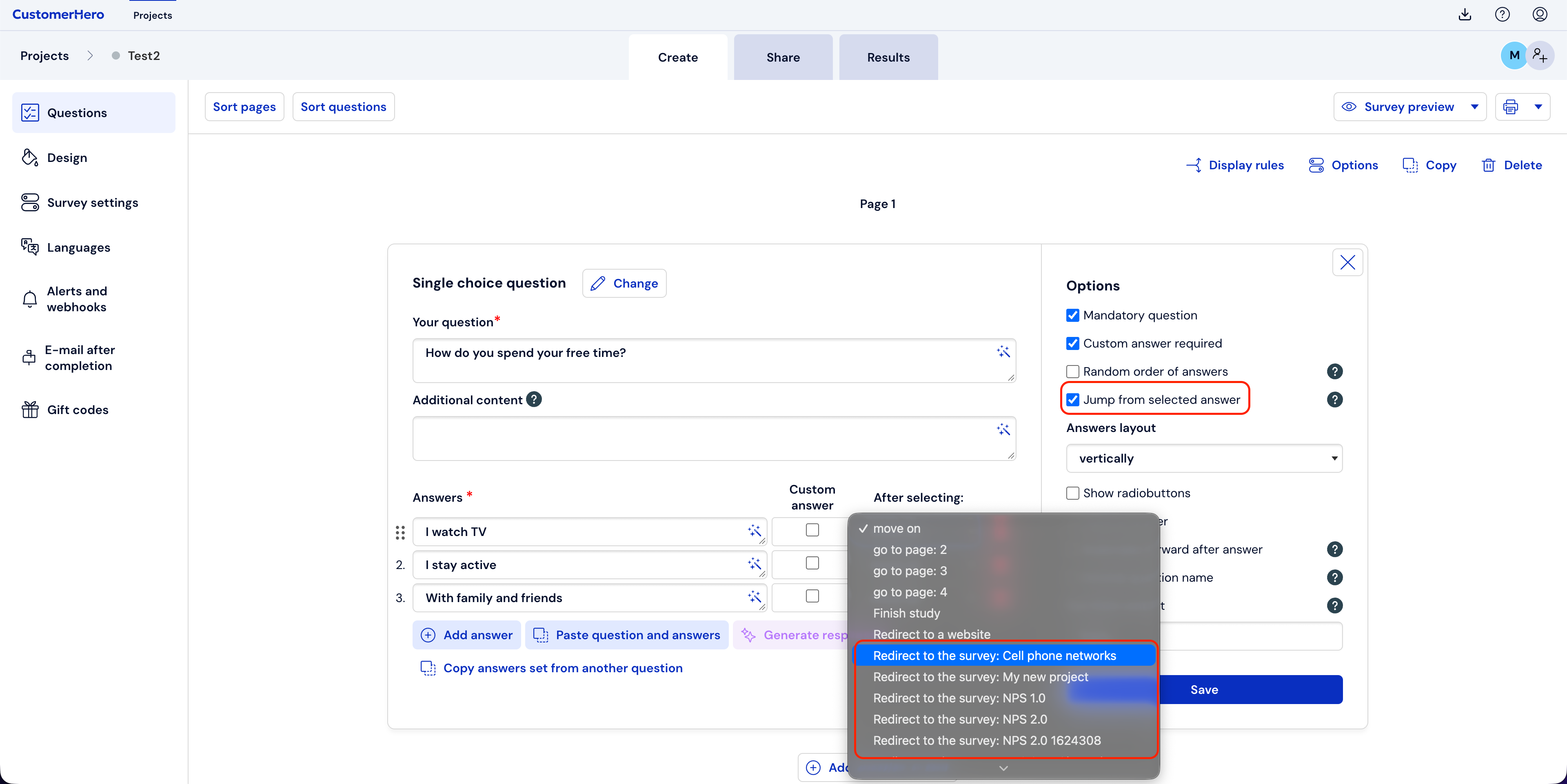
Next, check the "Redirect after selecting an answer" option, in the "After selecting this answer" window, select the appropriate questionnaire, e.g., for the answer "I watch TV", you must select the target survey to which the respondent should go. This function is available for single-choice questions:
Redirecting to another survey after completing the entire questionnaire
In addition to the aforementioned redirection from the level of selecting a given answer in a question, it is also possible to set a redirect to another survey after completing the entire questionnaire.
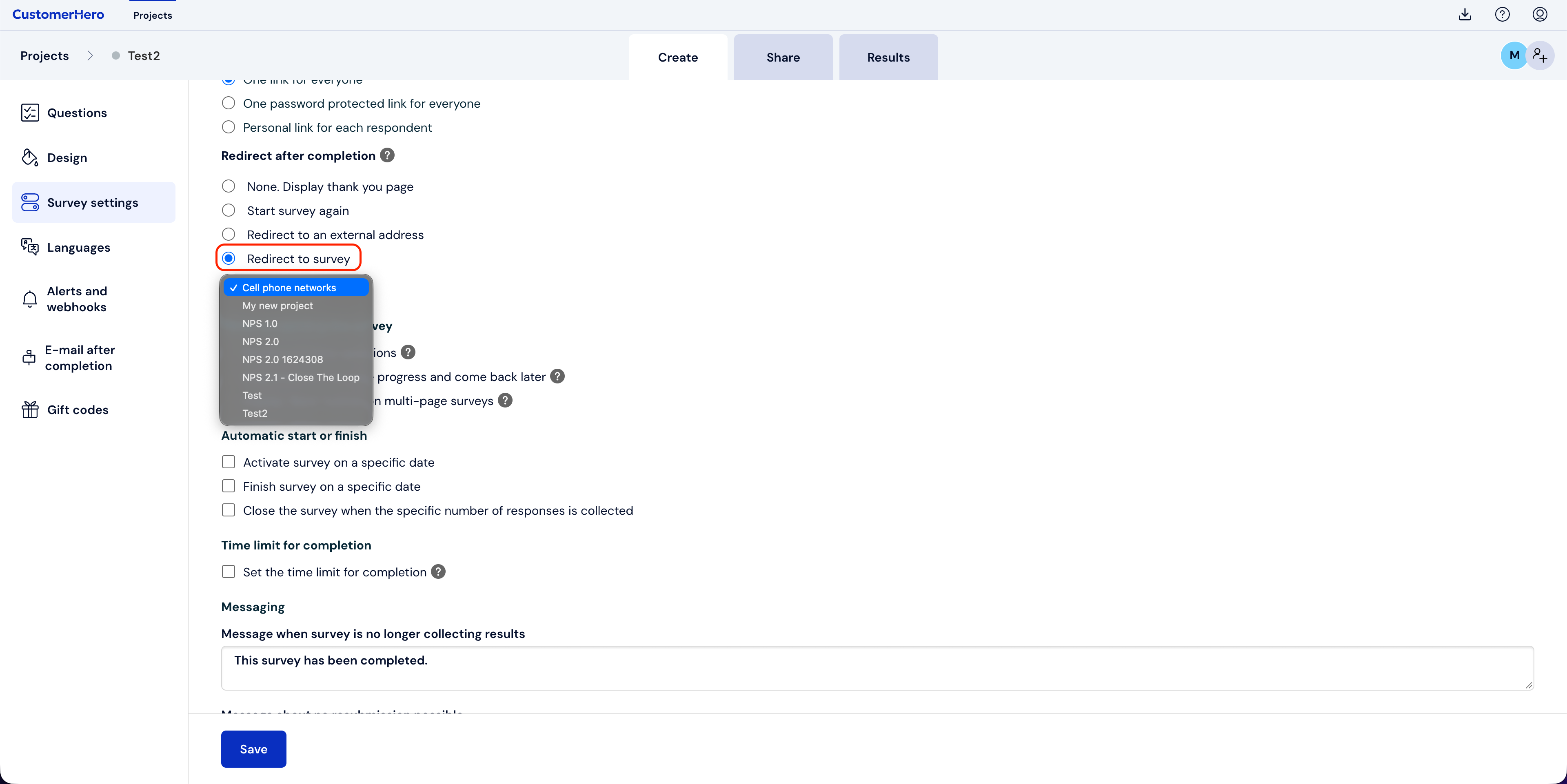
To set the appropriate configuration, go to the Creation tab in the main navigation panel at the top of the screen. Next, select Survey settings.
In the "Action after completion" section, check "Redirect to survey" and select the appropriate project.
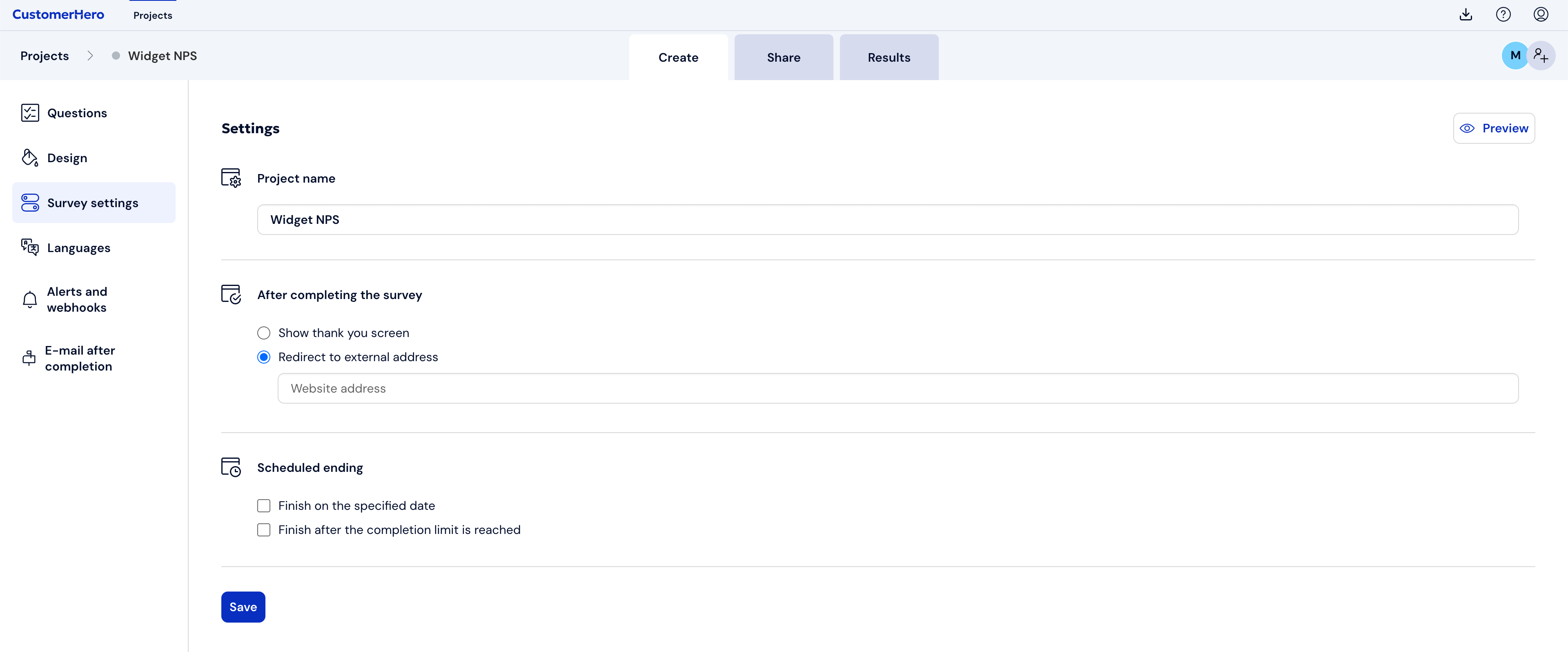
If, on the other hand, your survey project is a widget, identical settings should also be made in "Survey settings" in the "After completing the survey" section.
In this case, we check "redirect to an external address", where we provide the url address of the given survey.