
Assigning points (weights) to the answer to the question
This function allows you to assign points to specific answers given by respondents. The researcher, while designing the survey, can specify any scoring for each answer to a given question (supported question formats are listed at the bottom of this page). This option is useful when creating a kind of test (e.g., evaluative, psychological, or verifying the respondent's knowledge) used, for example, in recruitment or a competition.
How to assign points to questions?
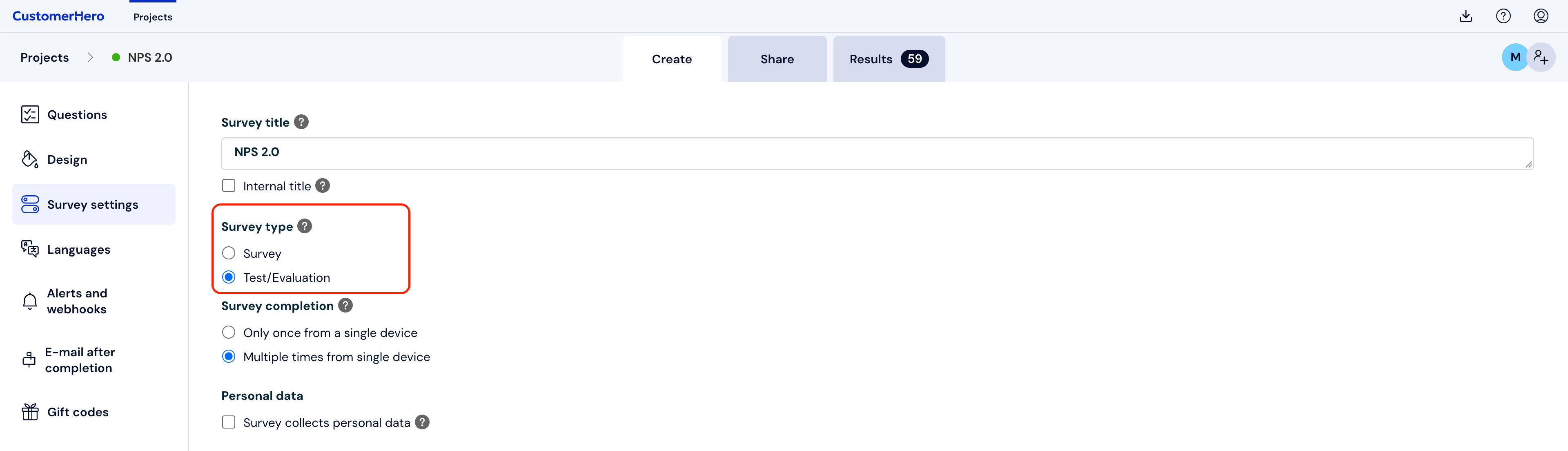
In order to assign points to specific answers, when adding a survey, you must select the Test type.
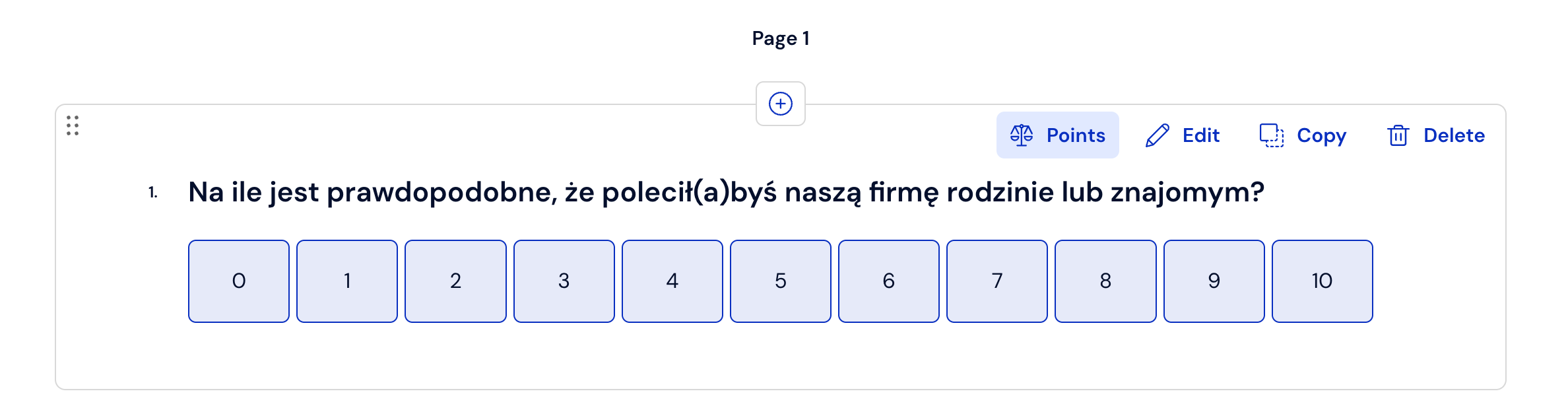
Select a previously created question by hovering the cursor over the text of a specific question. This will cause additional buttons to appear in the upper right corner. To assign a specific number of points to the answers of this question, click Points:
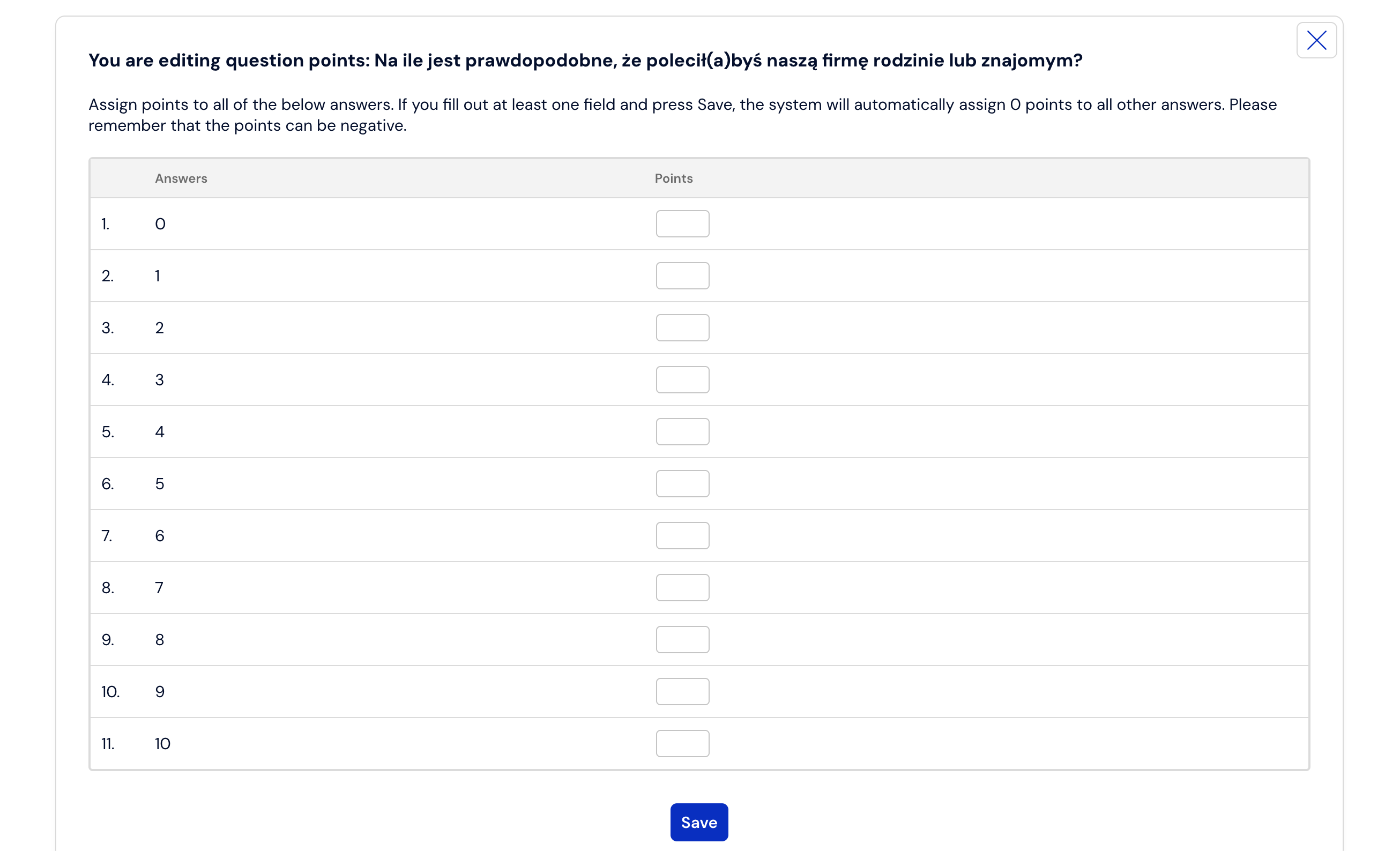
Assign the appropriate number of points to each answer, and then confirm the changes by clicking Save:
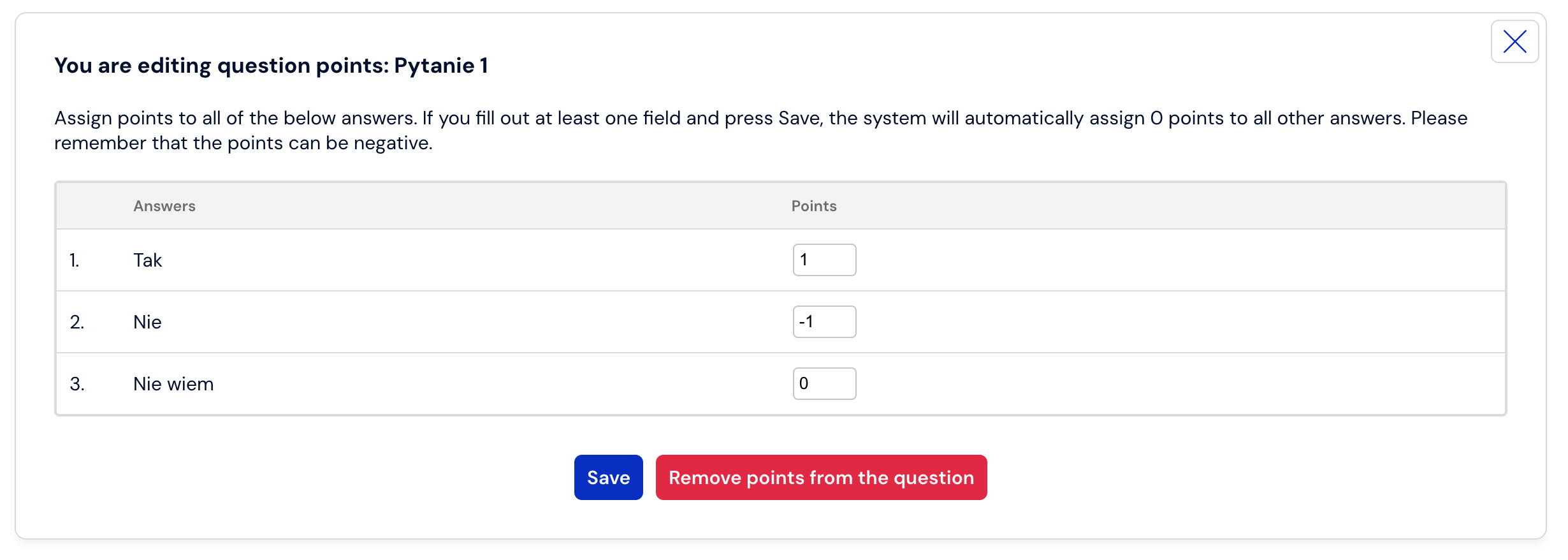
If we have several answers to choose from, and only some of them are correct, it is enough to assign a negative score to the incorrect answers – you should add a "-" sign to the entered number. This will result in subtracting points if the respondent selected all possible answers.
To remove the previously created scoring for a given question, follow steps 1 – 3, and then click "Remove scoring from the question", and then confirm the changes.
If, while collecting results, you want to change the scoring in a question, remove or add other answers, you can do this, but you must remember that it may affect the results collected so far. A banner informing about editing a project containing results will appear in the panel. More information on how not to disturb the correctness of the collected results can be found HERE.

Points in a number question and in a point allocation question
In the case of the two above types of questions, where the respondent always has to provide an answer in a numerical form, points are converted into weights (multipliers). The final test or area score will include the product of the value entered by the respondent and the assigned weight. For example, if they provide the answer 20 in the question, and the weight of this answer is set to 0.5, then 20×0.5, i.e., 10 points, will be included in the final result.
The situation is similar with the point allocation question, except that in this case we can define weights for each answer and the total score will include the sum of the results of multiplying the values entered by the respondent by the weights assigned by us. For example, if in a question where there were 100 points to allocate and the respondent allocates 80 to answer A and 20 to answer B, and we defined a weight of 0.2 for A and a weight of 0.8 for B, the final score counted towards the test will be 80×0.2 + 20×0.8 = 16 + 16 = 32 points.
What is worth remembering?
You can add negative points if, e.g., you want to deduct points from the respondent for giving a wrong answer.
You can decide whether after completing the survey you want to display the result obtained to the respondent (See how), and also configure the interpretation of results so that the respondent receives a short text description of the obtained result.
The scoring in a given question must be defined for each answer, otherwise assigning points will not be possible.
Assigning points to questions can be done before starting to collect results, as well as at any time during the survey and after its completion.
Points can be defined exclusively in the following questions:
single-choice,
multiple-choice,
drop-down list,
single-choice matrix,
multiple-choice matrix,
ranking,
slider,
number (defined using weights),
point allocation (defined using weights).