
The question answer limits
Sometimes we create a survey as a registration form. For example, employees need to sign up for training where there are several dates to choose from, or we organize an event that has a limited number of places.
To make this task easier for you, we have introduced an answer limit.
How does it work?
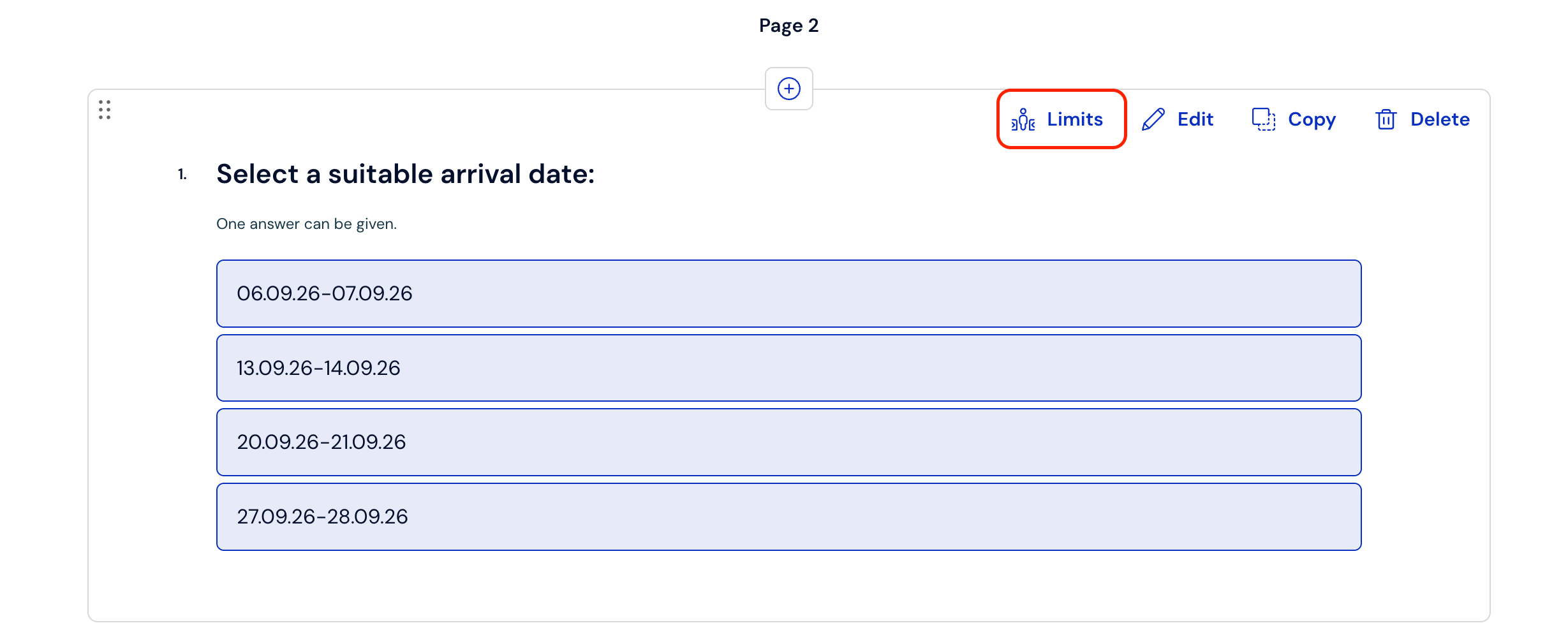
After creating a question, next to the Edit, Copy, and Delete options, there is a Limits tab.
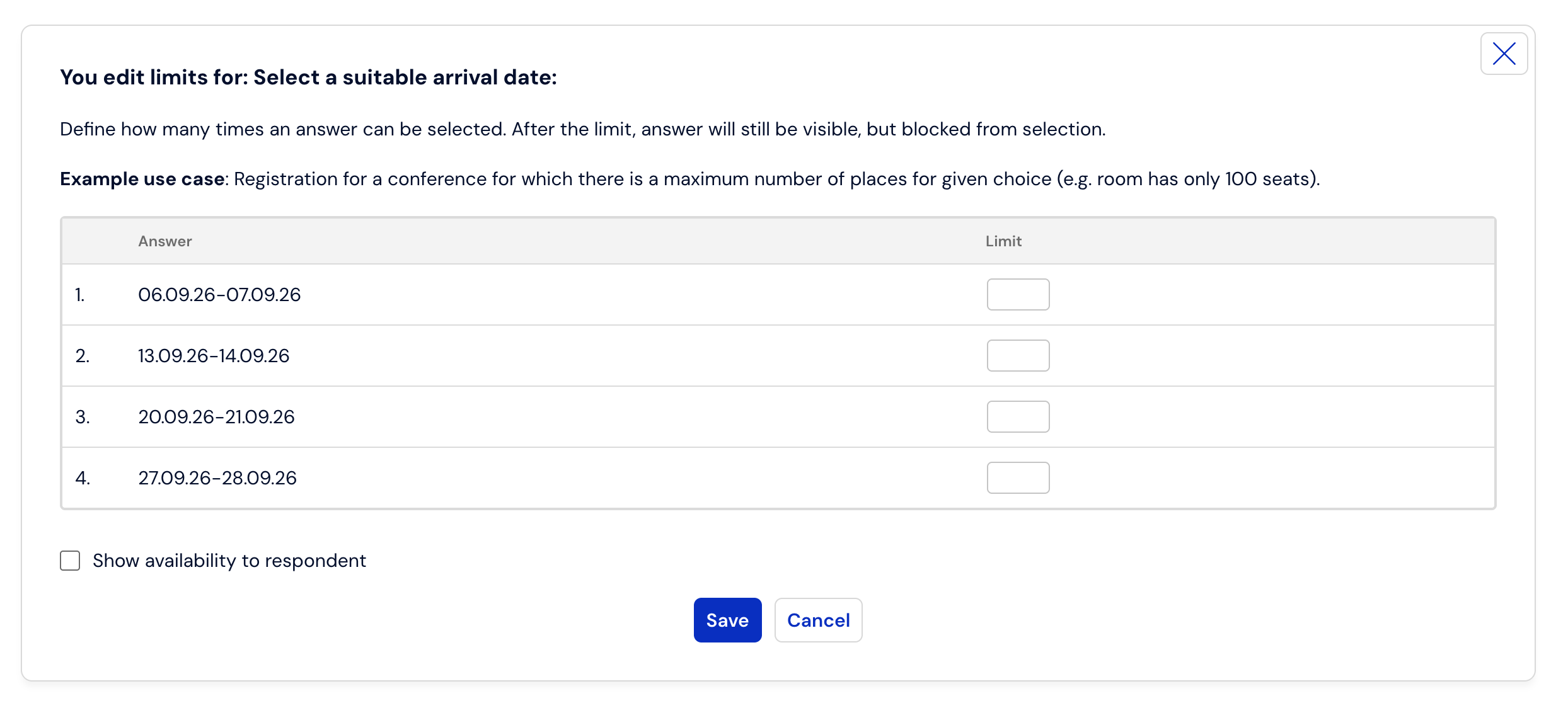
After clicking this option, you can define how many people can sign up for a given event.
After the limit of a given answer is exhausted, the given answer is grayed out, the respondent cannot select this answer, but can select answers for which the limit has not been exhausted.
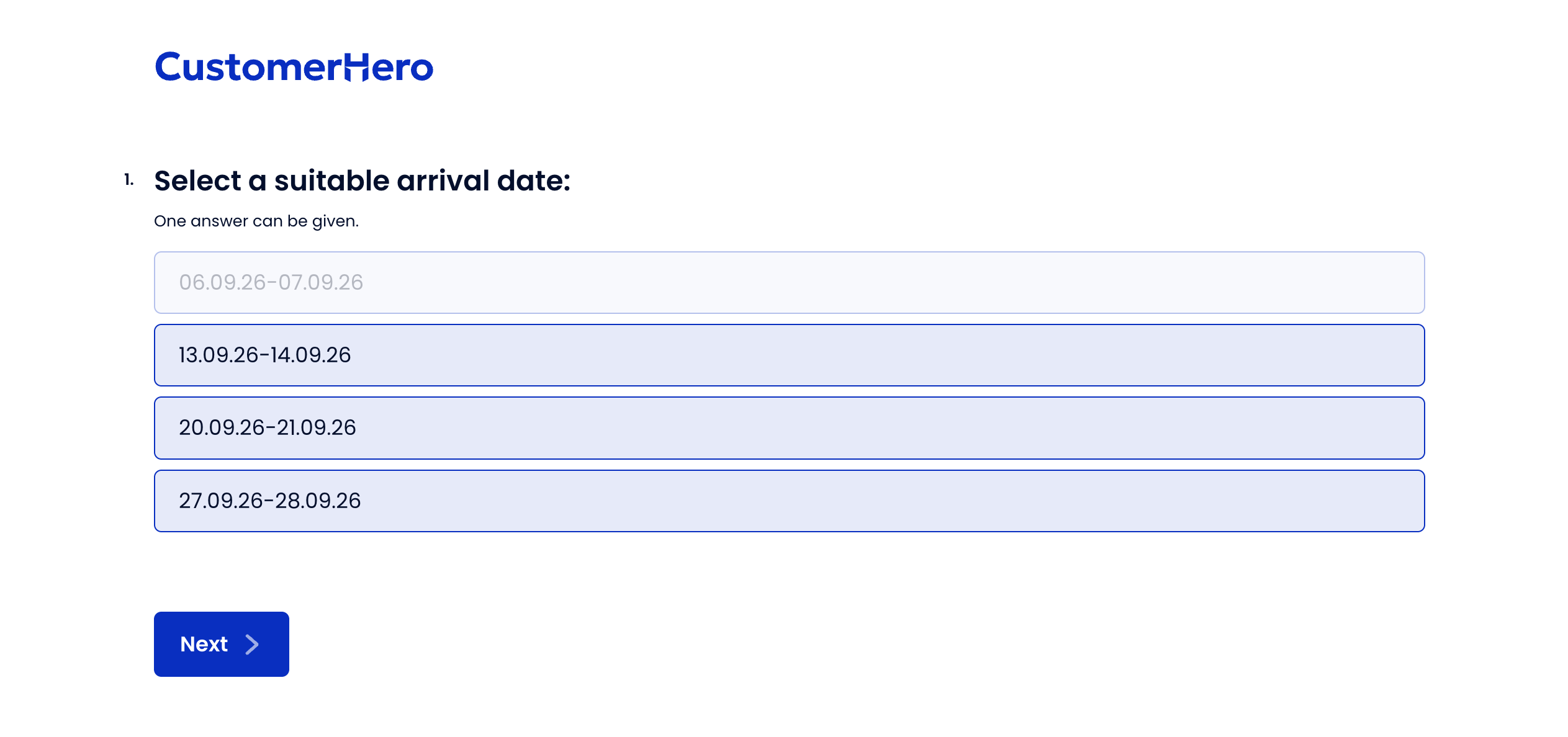
Thanks to this, you can accept registrations, e.g., for several events in different time frames, in one survey.