
Personalization of the messages - how to change the content of the information on acceptable answers?
Are you creating a survey and would like to change the default content assisting the respondent while filling it out? In the platform, you can set your own text, which, depending on the context, informs the respondent about the survey status or a mistake while filling it out.
You can set your own messages:
about survey completion,
about the need to complete mandatory answers,
about the inability to retake the survey.
To change these messages, use the instructions below:
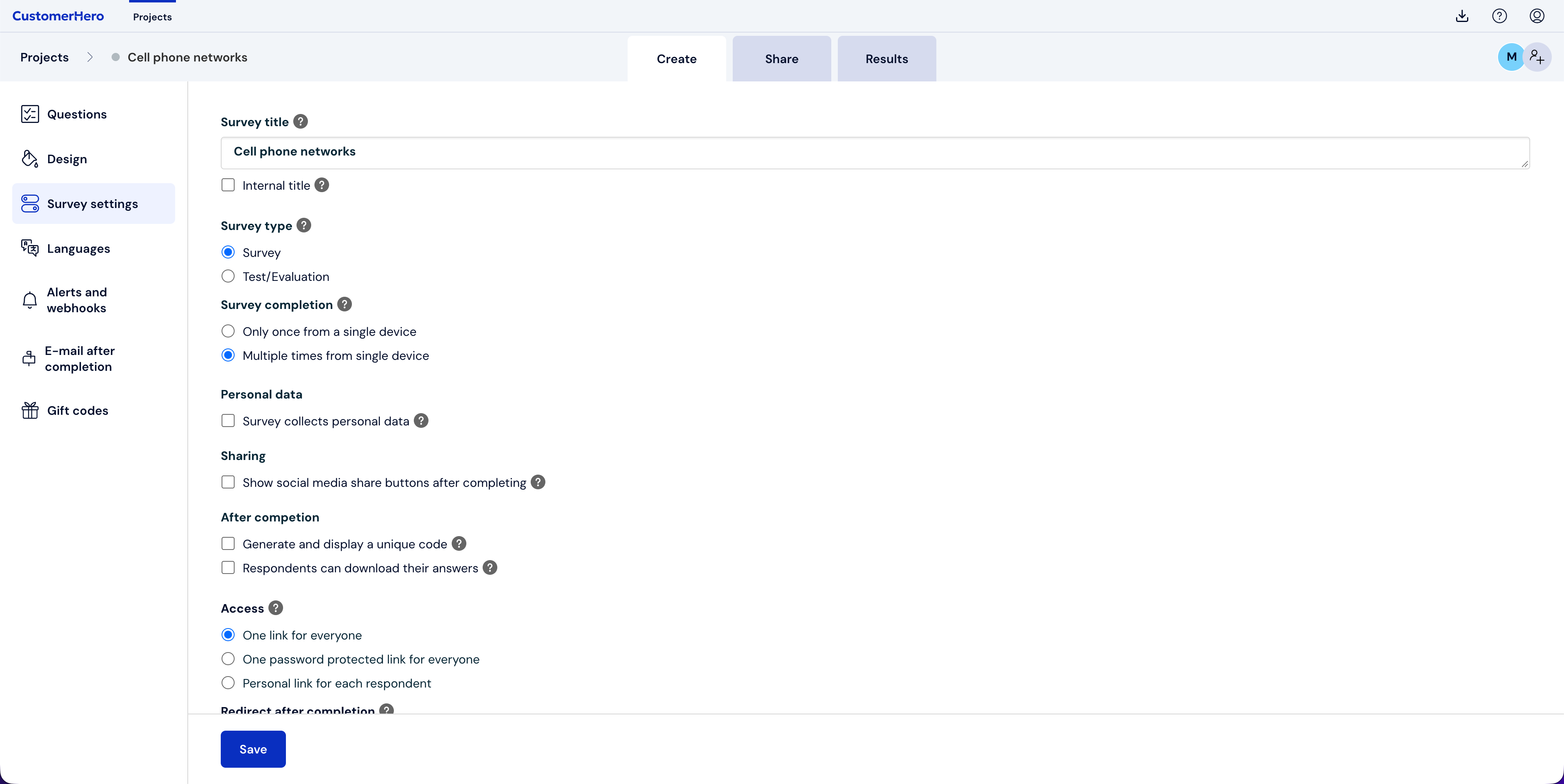
Go to the CREATION -> Survey settings tab:
Scroll down to the Message personalization: section:
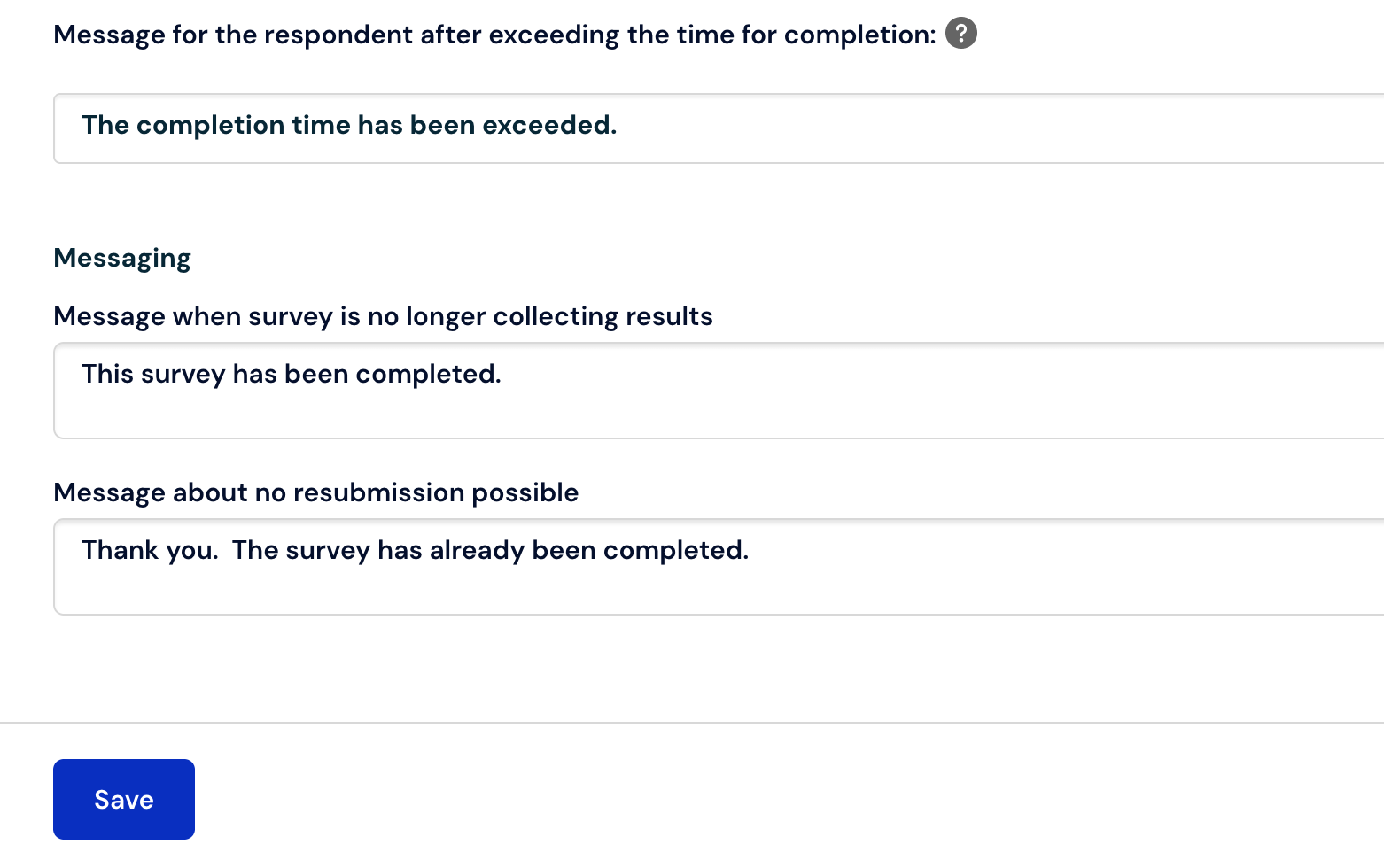
Here you can check and select the messages where you want to set your own content.
After the change, remember to use the "Save" button.