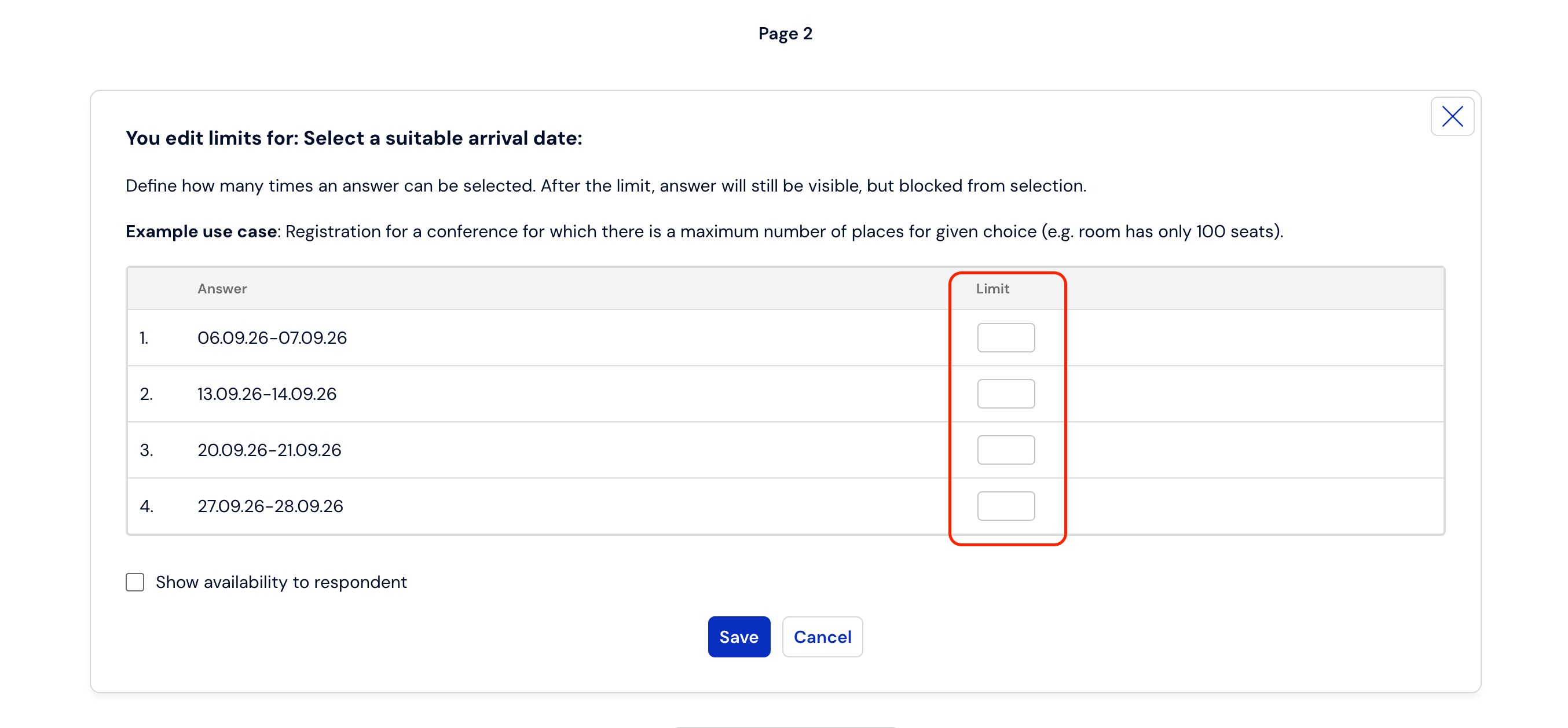
How to set a blockade on the number of respondents?
In Webankieta, it is possible to set limits related to completing the entire survey or a limit related to selecting a specific answer.
To set a limit for the entire survey, go to the Creation -> Survey settings tab, and then find the checkbox "end the survey after reaching the completion limit":
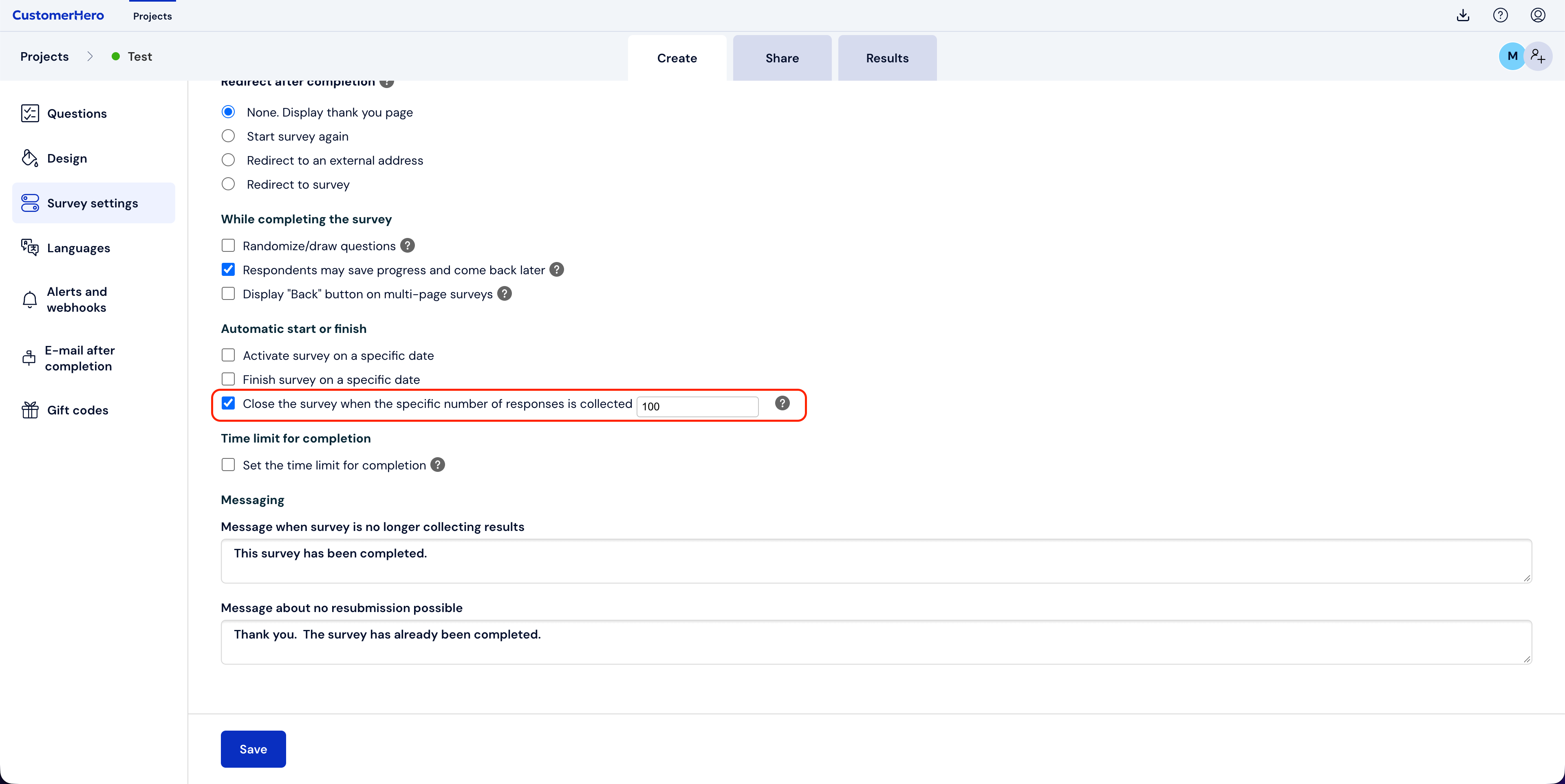
In the box, enter the number of completions after which the survey should be blocked for the remaining respondents.
The second option is to set limits for specific answers. To set a limit for answers, go to the Creation -> Questions tab.
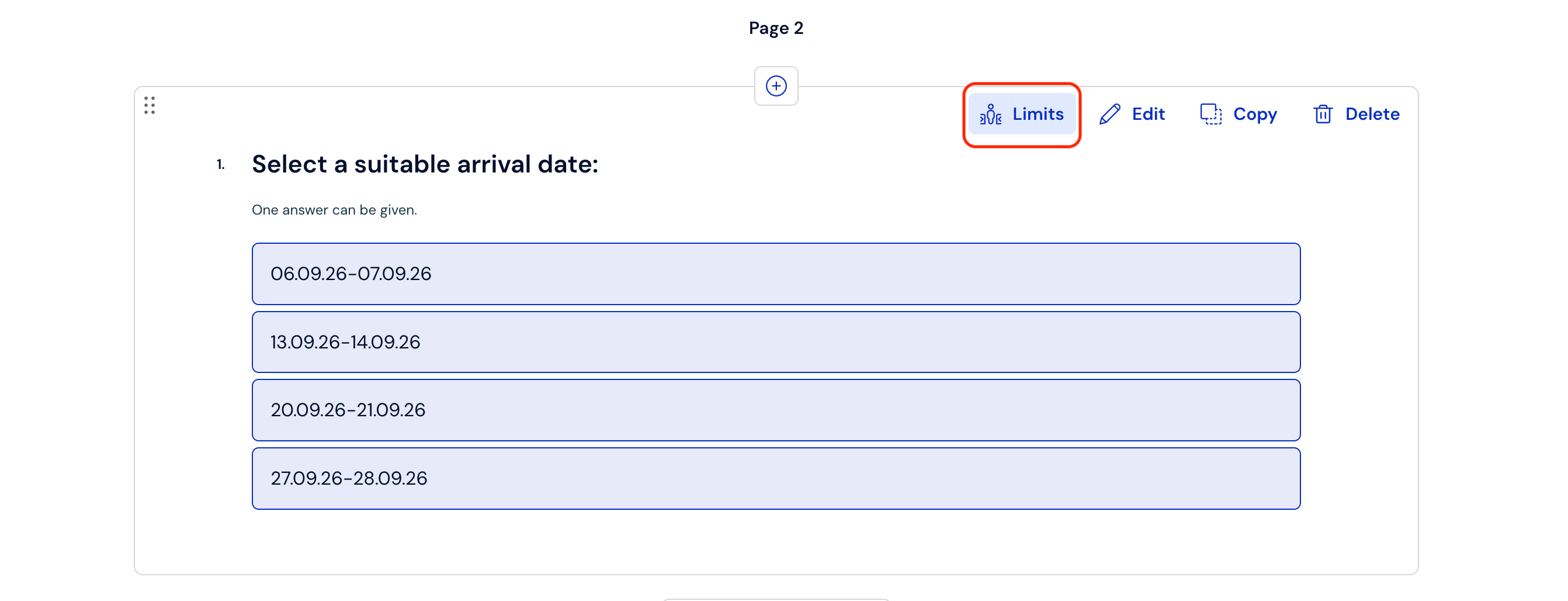
Next, find the question that contains the answers for which you want to set a limit.
The next step is to set numerical limits by clicking on the LIMITS option
The final step is to enter the appropriate limits and save the changes: