
Drawing questions from a pool of questions
How to set up random selection of questions/pages from a pool?
What is this option about? For example, if you have a knowledge test and have prepared 50 questions, you can ask each respondent a randomly selected 20 of them. To do this, create a survey containing 50 questions and place each question on a separate page. Of course, you can add pages with an introduction or conclusion, which will not be subject to randomization.
After you finish adding survey questions, select the "Settings" tab, then "Survey settings"
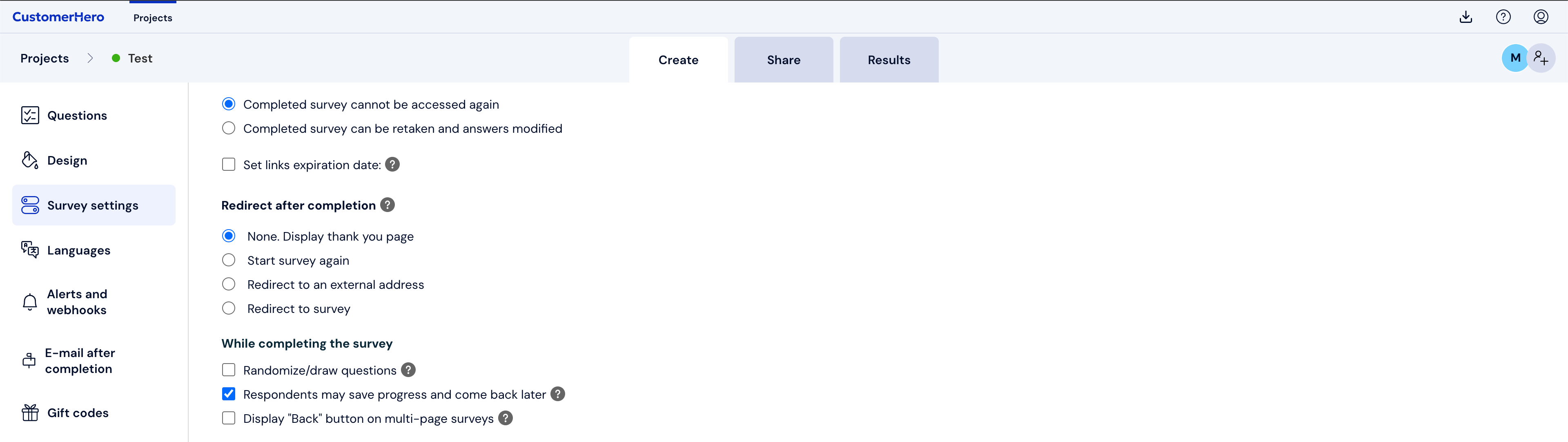
Scroll down to the "While filling out" section and check the "Introduce a random element" option

Select how many pages with questions should be displayed from the set range of pages. If the first two pages contain an introduction and demographics, set the randomization from the third page. Remember that all drawn pages will also be displayed in random order.
Next, scroll down to the bottom of the page and save the changed survey settings
What is worth remembering.
Since not every question will be displayed to the respondent, the number of completions for individual questions drawn from the pool will differ from each other.