
Neutral answers, like, I don't know, not applicable
This option allows you to exclude a selected answer from the results summary, which we considered neutral in relation to a specific question (e.g., "I don't know", "not applicable"). This way, we avoid detecting incorrect patterns or drawing unjustified conclusions about a given person.
How to mark the "I don't know" or "not applicable" answer as a neutral answer?
Proceed as you would when creating any new question:
1. Click Creation, and then "Add question or text":
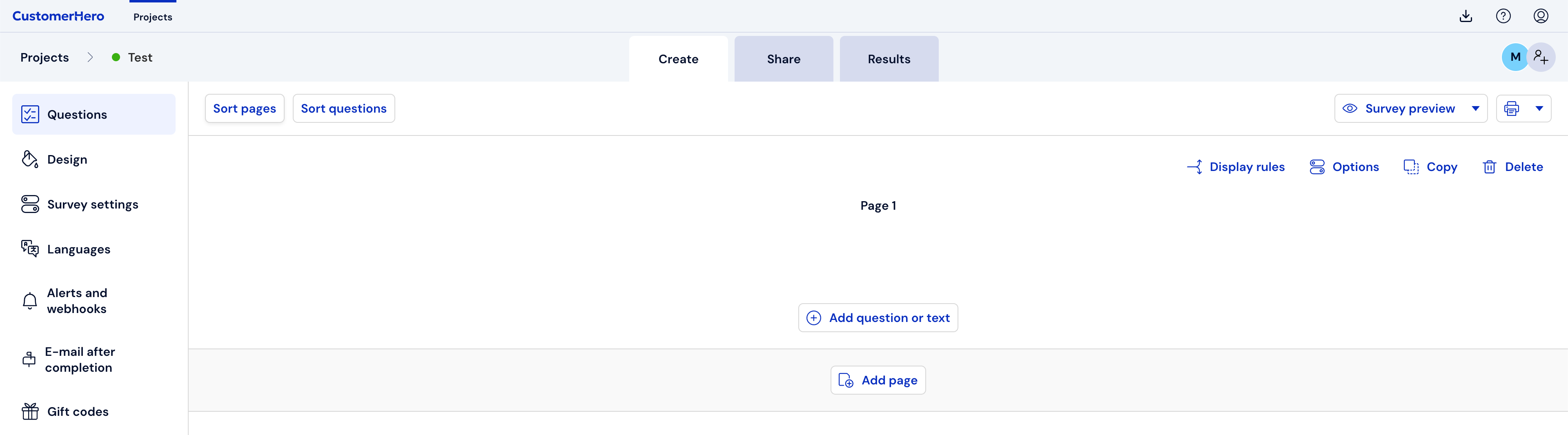
2. From the list of Available questions, select the type you are interested in (See which question to choose).
3. Enter the question content and all answers.
4. In the Additional options field, check Neutral answer.
5. Using the drop-down list, select which of the answers should not count towards the results summary.
6. To confirm the introduced changes, click Save
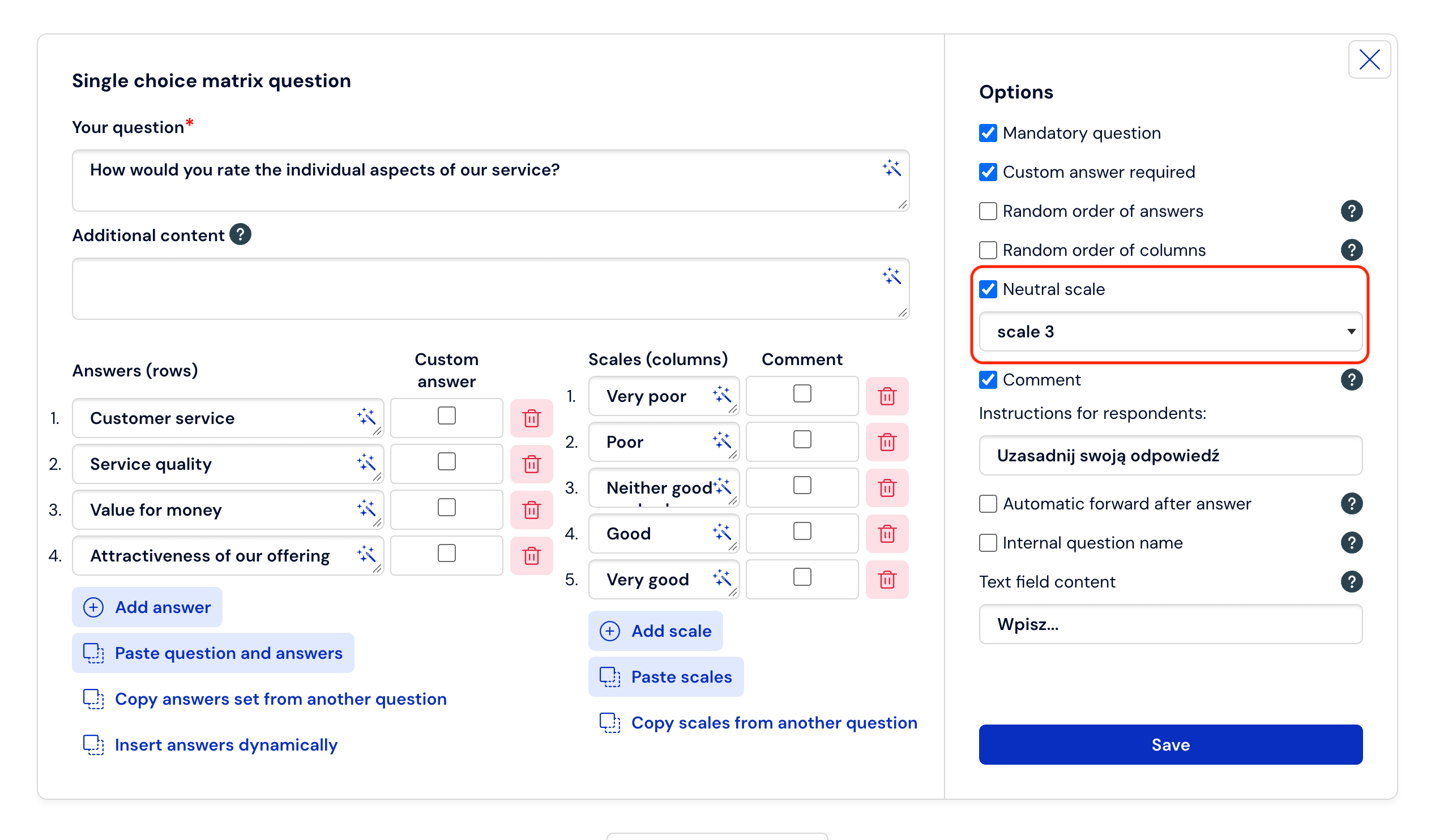
7. The result of checking the "neutral answer" option is the omission of the selected answer when creating percentage summaries of aggregate results.
What is worth remembering?
Marking an answer as neutral is possible only and exclusively for closed single and multiple-choice questions, single and multiple matrix questions, and drop-down lists.
In a given question, only one answer can be neutral.
In the case of creating a test, the effect of the introduced changes will be the inability to later assign points/weights to the answer previously marked as neutral.