
A few widgets on one page
We often hear this question: What happens if the display rules of two website surveys are met? Will they appear on the page at the same time?
The answer is YES. In the new version of this distribution method (survey as a popup on the page), if you launch two surveys that should appear on every page and to every user, two surveys will appear at the same time.
In such a situation, it is worth ensuring that one popup does not cover the other - if this is the intended goal.
An exception is a situation in which one of the surveys has already been filled out. Then, only the one that has not yet been filled out will be displayed.
Forcing the display order of widgets
If you want to force the display order of widgets, you can do this using a display rule based on JavaScript code.
Let's assume you want the survey with ID 123456 to be displayed first, and only when it is filled out should the survey with ID 654321 be displayed.
For this to work this way in survey number 2, you need to define the following display rule
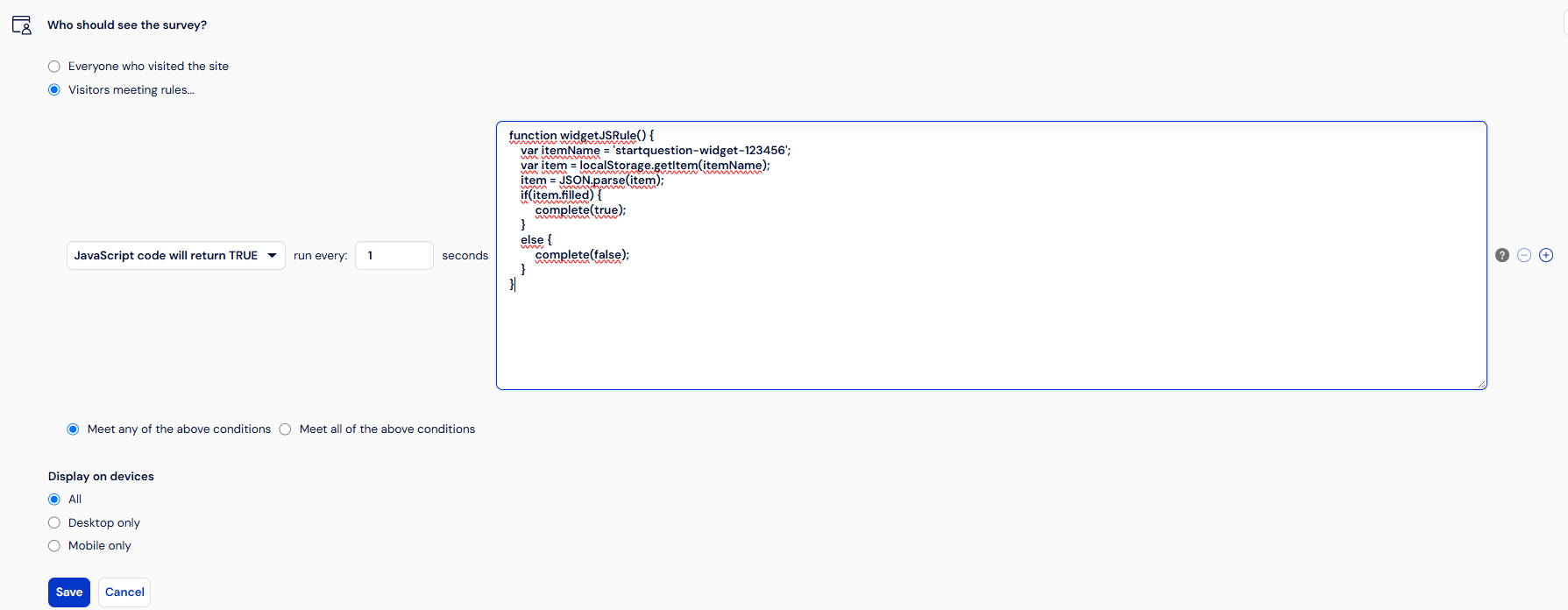
function widgetJSRule() {
    var itemName = 'startquestion-widget-123456';
    var item = localStorage.getItem(itemName);
    item = JSON.parse(item);
    if(item.filled) {
         complete(true);
    }
    else {
         complete(false);
    }
}
Information that a given survey has been filled out is located in localstorage under the key 'startquestion-widget-123456'.
Under this key, there is an object that has a filled field. Depending on the value of this field, it is known whether the survey has already been filled out.