How do I protect a survey with a one link for everyone from re-filling?
If your survey is available to all respondents under the same link, you can secure it against being completed again by the same person.
To do this, use the USER TOKEN parameter and two connected surveys.
Below you will find an example solution based on an event registration survey.
Step 1. Create the first survey – respondent identification
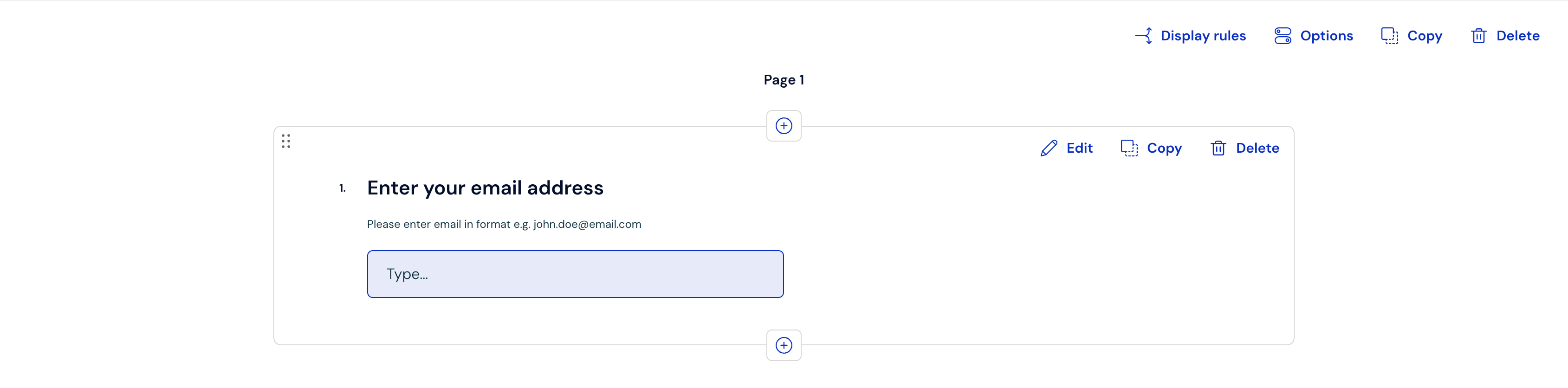
In the first survey, ask the respondent for data that will allow them to be identified, e.g.:
email address,
customer ID:
Step 2. Create the second survey – the actual form
Next, create a second survey in which the respondent will, e.g.:
choose the date of the event,
provide additional data,
or confirm their participation.
The respondent will be redirected to this survey after completing the first one.
Step 3. Configure the redirect
Copy the link to the second survey.
Return to the first survey and open the Thank you screen. Here you need to copy the answer ID:
in the thank you screen editor, select Dynamic content → Answer, to the question about the email address.
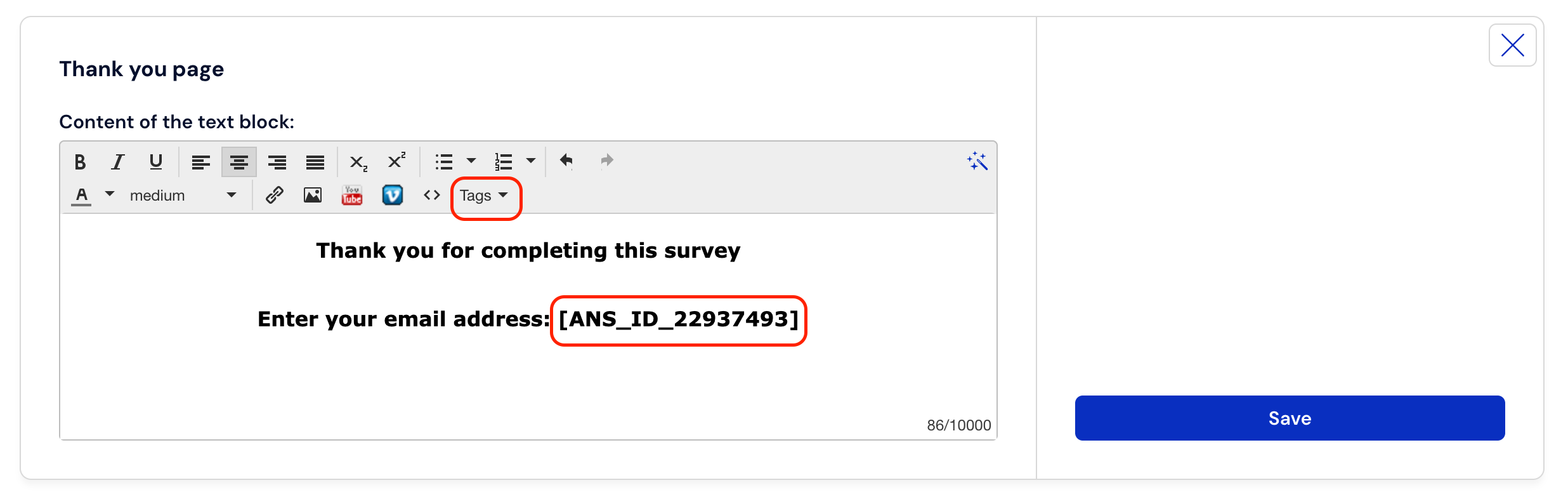
Copy the generated macro (e.g.,
[ANS_ID_22937493])
In the Redirect after completion section, paste the link to the second survey along with the user_token parameter and the answer ID:
?user_token=. An example redirect link will look like this:[ANS_ID_22937493]https://survey.customerhero.com/survey/1786122/potwierdzenie-zapisu-email.html?user_token=[ANS_ID_22937493]
Step 4. Secure the second survey
In the second survey, to which the redirect leads:
Set the access level to "Individual link for each respondent".
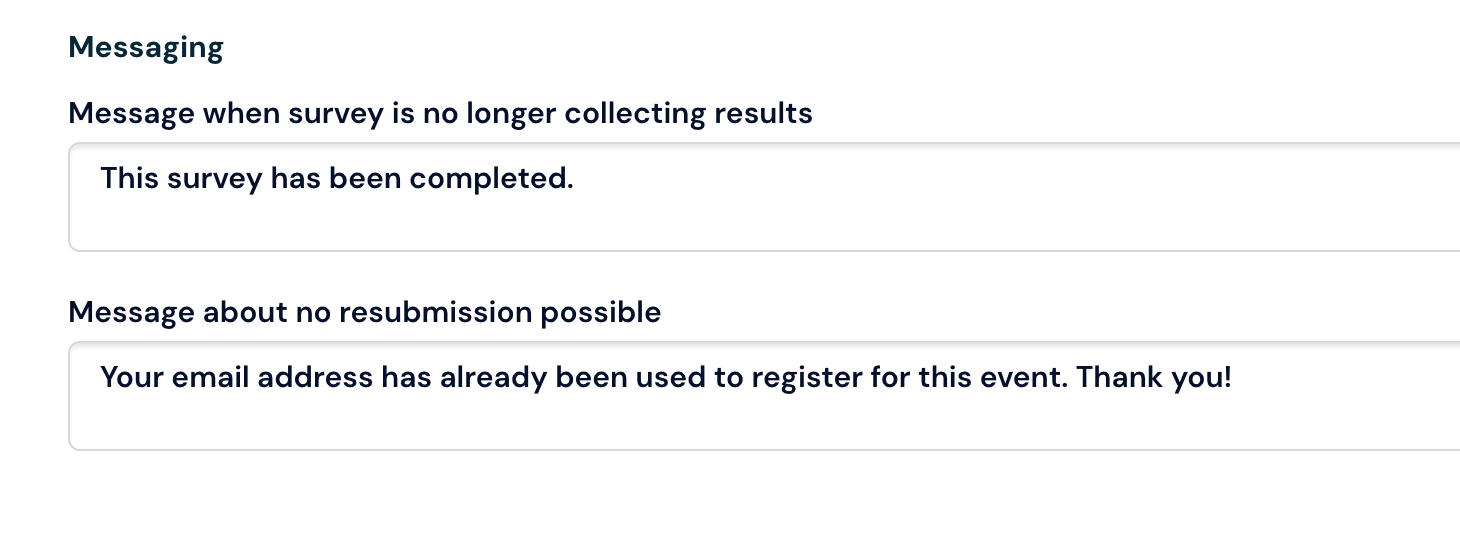
Adjust the message that will appear when someone tries to complete the survey again:
Ready :) - we have just secured a survey with a general link for everyone against being completed again by the same person.
When attempting to complete it again by the same respondent, the following message will appear: