How to delete an account from the Startquestion.com website
Before you decide to delete your account, we would appreciate it if you shared your feedback with us. If something did not meet your expectations or we made a mistake, please let us know by sending a message to contact@customerhero.com. Every piece of feedback is valuable to us.
If you still want to delete your account, you can do it yourself by following the steps below:
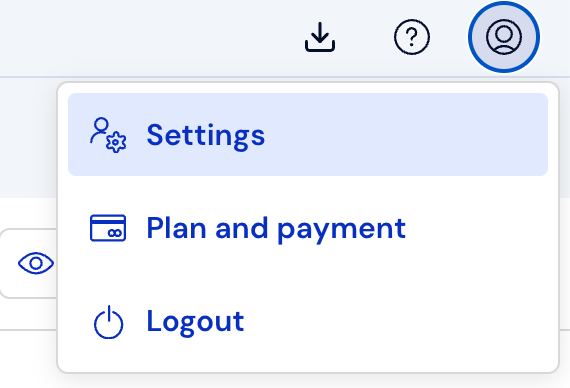
- Click Account in the upper right corner of the screen, and then select Settings:
2. In the side menu, go to the Your data: tab
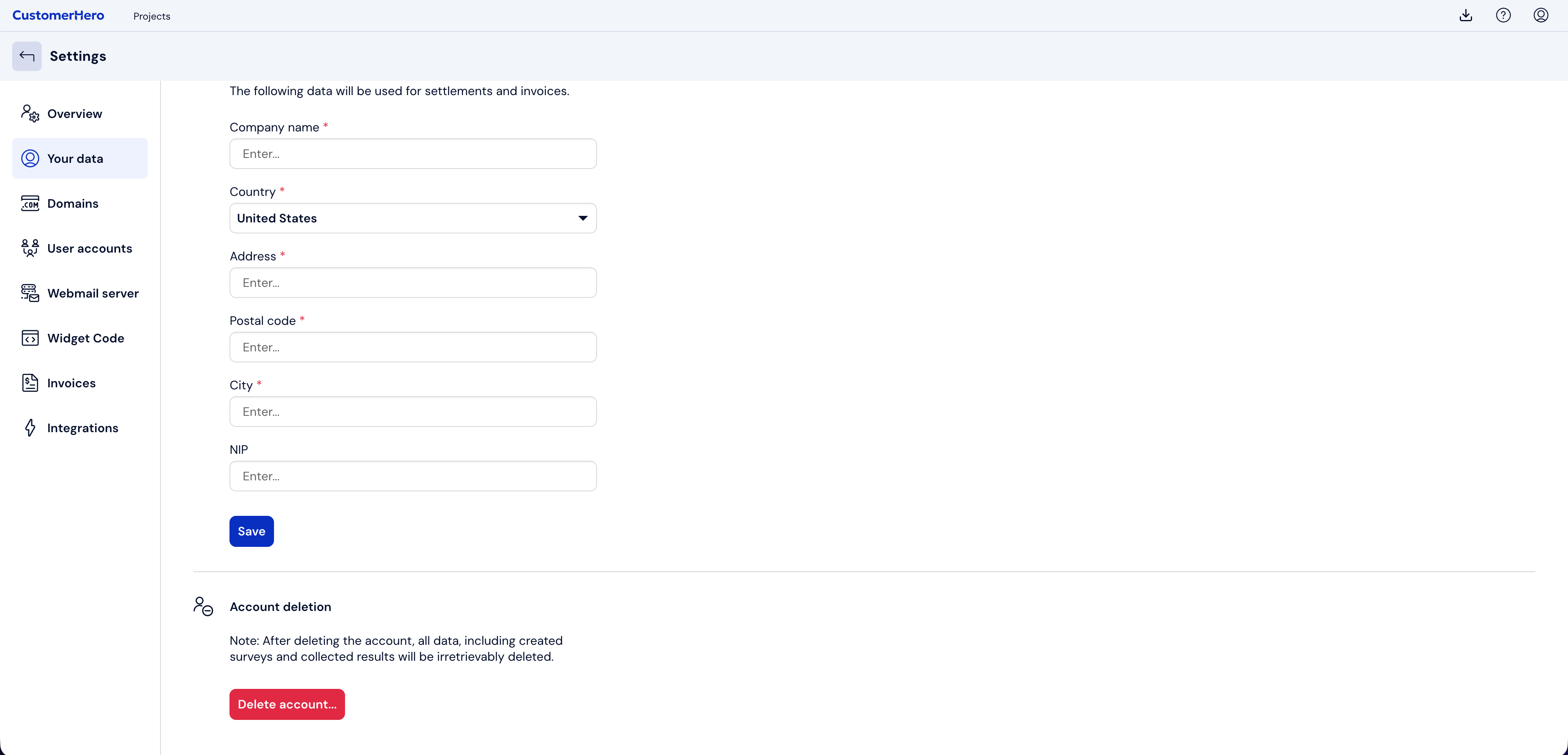
3. Scroll down to the very bottom of the page, where you will find the Delete account: option